No items found.
No items found.

Working on presentations has a way of consuming more time than it should. You start with a clear idea and open a blank PowerPoint. A few hours later, you are still adjusting alignment, resizing images, and rewriting bullets so everything fits. The strategy makes sense. The story is solid. The deck still needs work.
Across B2B organizations, teams spend 20 to 30 percent of their week building presentations. That is time pulled away from selling, campaign planning, performance analysis, and customer conversations. While presentations are critical, much of the effort goes into formatting and design rather than sharpening the message.
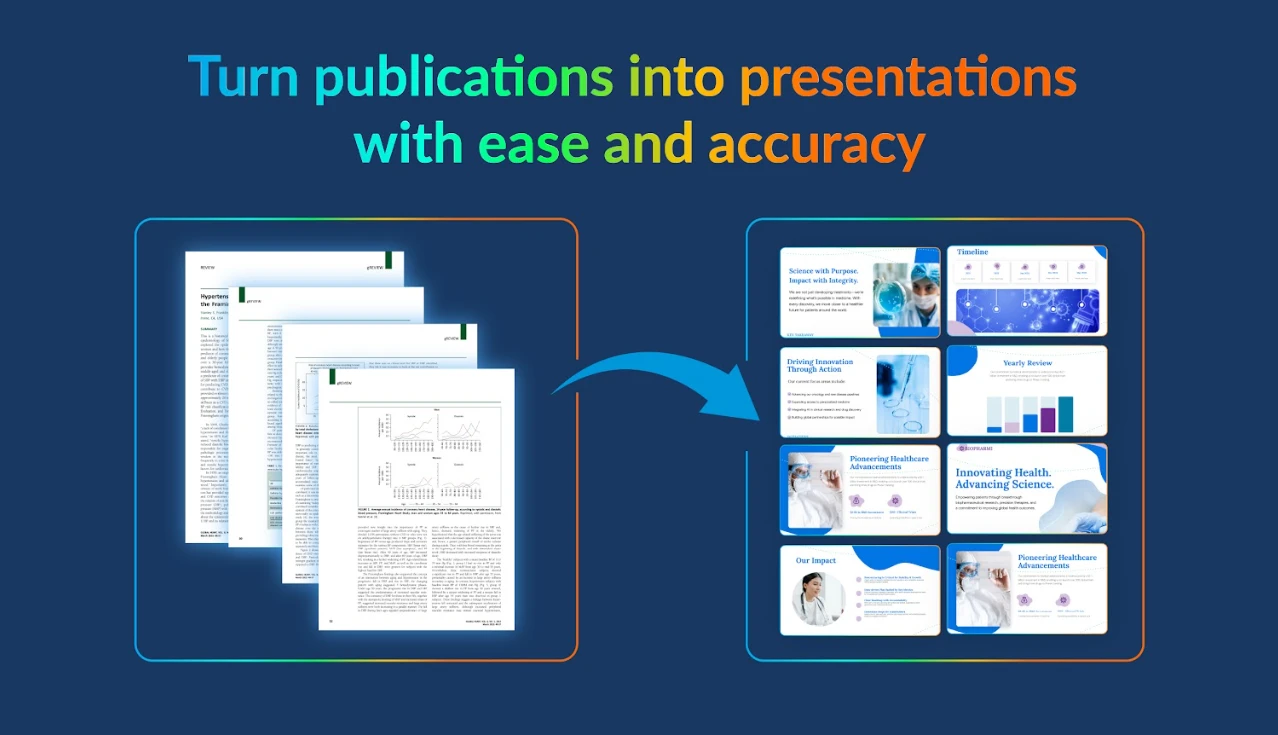
AI presentation makers are designed to change that. Instead of starting from scratch, you provide a prompt, outline, or document, and the tool generates a structured, on-brand deck in minutes. What once took half a day can now take around 30 minutes, without lowering quality or enterprise standards.
In this guide, I will clarify what an AI presentation maker is, where it delivers measurable value, which features matter most, and the best practices that help teams get the most from these tools. The objective is not just speed, but smarter and more strategic presentation creation.
An AI presentation maker is a platform that uses natural language processing to understand your input and turn it into a structured slide deck. You provide a prompt, outline, or document, and the system builds slides with clear flow, smart layouts, relevant visuals, and on-brand styling.
Unlike traditional tools such as Google Slides or PowerPoint, where you design and structure each slide manually, an AI presentation maker goes a step further. It generates content outlines, recommends visuals, and maintains visual consistency across the deck automatically. In many ways, it functions as both the architect and the designer of your presentation.
At its core, it is an enterprise-ready solution built to scale. You bring raw ideas, documents, or data. The AI organizes the narrative, applies design principles, and optimizes the structure for audience impact. This is particularly valuable for fast-moving teams where polished output is expected, even when dedicated design resources are not available.
For example, a sales director can upload a client brief along with CRM notes. The platform can instantly generate a 15-slide proposal with tailored messaging, charts based on pipeline data, and the company’s color scheme applied throughout, without any manual formatting.
Most AI presentation makers follow a clear, repeatable workflow that teams can adopt quickly. Here is what that process typically looks like.
1. Input your content:
It starts with your material. You can upload a Word document, a PDF report, paste in bullet points, or type a prompt such as, “Q1 sales pitch for mid-market SaaS buyers, emphasize ROI and case studies.”Many tools also integrate with platforms like Google Drive, Salesforce, or email attachments, making it easier to pull in existing content without switching between systems.
2. AI analyzes and outlines:
Using natural language processing and machine learning, the tool reviews your input to identify key themes, audience intent, and logical flow.
It then creates a structured storyline, often following a framework such as problem, solution, proof points, and call to action. Some platforms also flag gaps, such as missing data visuals or weak transitions, so the narrative feels complete.
3. Generates slides:
Next, the system builds full slides automatically. This includes slide titles, concise bullet points, executive summaries, and data-driven elements such as charts or timelines based on your input.
More advanced tools can also draft speaker notes aligned to each section, helping presenters stay clear and consistent during delivery.
4. Applies design:
Once the content is structured, the platform applies professional layouts, typography, icons, and animations. This can be based on built-in templates or your uploaded brand kit, including logos, fonts, and color palettes.
The result is a cohesive, polished deck that stays visually consistent, mobile-responsive, and adaptable, with options such as light or dark modes when supported.
5. Refine and export:
Finally, you move into review mode. Teams can collaborate, add comments, adjust phrasing, or regenerate specific sections.
When ready, the deck can be exported as an editable PPTX file, a PDF, a video, or a shareable link. Many tools also maintain version history, which helps with tracking changes and supporting compliance requirements.
Real Prezent result:
A Chief of Staff at a leading insurance company used Prezent to simplify technical presentations for non-technical audiences. The outcome was an 85% productivity gain, transforming hours of manual slide work into minutes of focused, high-impact communication. This level of efficiency scales seamlessly for RFPs, investor updates, and client proposals.
Creating a strong presentation should be about sharpening the message and influencing decisions. Instead, much of the effort goes into assembling, formatting, and fixing slides. The gap between thinking and packaging is where time and momentum are often lost.
AI presentation makers are built to close that gap. They streamline the production layer of presentations so teams can focus on clarity, persuasion, and impact rather than mechanics.
Here is how they address the most common challenges.
Case in point: The sales team at GBT significantly reduced the time spent preparing business reviews, achieving approximately 50% productivity gains. With more capacity to focus on meaningful customization, the team strengthened client engagement and improved close rates.
Enterprise buyers need more than basic slide generation. They look for tools built for compliance, scale, collaboration, and measurable ROI.
Here is what separates consumer AI tools from AI presentation software used by large organizations.
Deck auto-generation:
This is often the defining capability. A user can type a prompt such as “Q2 sales pitch for healthcare” and receive a complete first draft with structured messaging, concise bullets, and relevant data visuals.
The same system can also convert long-form documents, such as analyst reports or RFP files, into structured executive-ready presentations within minutes.
For enterprise teams, this removes blank-canvas friction and compresses turnaround time for high-stakes deliverables. Many organizations report up to 80% faster draft creation, allowing teams to focus on positioning, insights, and stakeholder alignment rather than slide assembly.
Brand kits:
Brand kits ensure that logos, fonts, and color palettes are applied automatically across every presentation.
At scale, this protects brand consistency across regions and business units while reducing compliance risk. Organizations producing thousands of slides each year benefit from having brand governance embedded directly into the workflow.
Slide templates:
Pre-built templates provide structured frameworks for common use cases such as RFP responses, quarterly business reviews, sales pitches, and training programs.
This standardization improves storytelling consistency and reduces time spent designing structure. Teams can concentrate on strengthening the message within a proven format.
Content personalization:
Enterprise selling often requires tailoring content for multiple stakeholders. AI presentation software can generate audience-specific versions from a single master file.
A finance-focused version may highlight ROI metrics, while a technical version emphasizes architecture and implementation details. This enables personalization at scale without duplicating effort.
Visual automation:
Visual automation transforms spreadsheet data into charts, timelines, and infographics automatically.
This reduces manual formatting and ensures that data-driven insights are presented clearly for executive audiences. Finance and operations teams can move from raw numbers to decision-ready visuals in seconds.
Real-time collaboration:
Collaboration features such as live editing, comments, mentions, and version history streamline cross-functional work.
This reduces review cycles and keeps stakeholders aligned within a single workspace, improving both speed and accountability.
Integrations:
Enterprise-ready platforms integrate with systems such as Salesforce, Slack, Google Workspace, and PowerPoint.
These integrations keep presentations connected to live data and existing workflows, reducing manual updates and minimizing the risk of outdated information.
Analytics and insights:
Analytics provide visibility into how presentations perform. Engagement tracking and drop-off analysis reveal which slides resonate and which need improvement.
AI presentation makers do not replace PowerPoint or Google Slides. They accelerate the way presentations are built. Manual tools remain valuable for precise edits and final polish, but they require significant time for drafting, structuring, and formatting from scratch.
Many enterprise leaders are comfortable with their existing setup and are cautious about introducing new systems. A clear comparison helps separate perception from reality. The table below outlines the practical differences between advanced AI presentation makers and traditional presentation tools.
Most teams can reduce presentation creation time by 70-90% with AI support. The strongest ROI, however, comes from professionals who build decks frequently and work under constant deadline pressure. High-volume creators who produce 5 or more presentations per month often see the biggest transformation, in some cases achieving up to 10x ROI.
Here is where AI presentation software delivers the fastest impact.
Sales reps and account executives:
Impact: 5.5 hours saved per deal and up to 20 percent higher win rates
Marketing managers:
Impact: 3x more decks produced with the same headcount
C-suite executives:
Impact: Decisions made 2x faster with improved visual clarity
Revenue enablement and L&D:
Impact: 80% less preparation time for recurring training
Product managers:
Impact: Stakeholder alignment achieved in hours instead of weeks
Sales proposals that once required six hours can now be completed in 45 minutes. Quarterly business reviews are built with live pipeline data instead of static screenshots. RFP deadlines are met without overnight work. These are not isolated examples. They are repeatable workflows where AI presentation makers generate measurable ROI that teams track week after week.
The previous section outlined who benefits most. This section focuses on where the impact is strongest, particularly in high-stakes scenarios where time savings directly influence revenue and retention.
The measurable impact described above is reflected in enterprise deployments of Prezent, an AI-powered presentation platform. These examples show how structured workflows and automation translate into real business outcomes.
These results align with the broader pattern seen across enterprise adoption. Sales and customer success teams often implement first and begin seeing ROI within 14 days. Marketing and learning teams then expand usage, driving consistency and scale across the organization. Over time, productivity gains compound into measurable business impact.
AI presentation makers can reduce deck creation time significantly, but without the right approach, much of that advantage gets diluted in rework and inconsistency. Apply the following best practices and avoid common pitfalls to turn AI presentation software into a true revenue driver.
1. Write industrial-strength prompts
Prompt quality directly determines output quality. A vague request, such as “Sales deck,” leads to generic slides that require major edits. A detailed instruction like:
“15-slide QBR for Fortune 500 retail CIO, focus on LTV growth, include Q1 pipeline chart, competitive comparison vs Salesforce, clear renewal ask,” produces a structured, audience-specific draft from the start.
Always specify the audience role, slide count, key metrics, competitors, and desired call to action. Well-crafted prompts shift the effort from heavy rework to targeted refinement.
2. Start with the right template
Match the template to the specific use case, whether it is a 15-slide RFP, a 10-slide QBR, or an 8-slide executive briefing. Starting with a proven structure and layering AI-generated content on top ensures consistent storytelling and minimizes the need for structural revisions later.
3. Define the AI and human workflow
AI handles structure, layout, and first drafts, accelerating the foundation of the deck. Humans focus on refining tone, validating proof points, and confirming accuracy to ensure the message is credible and persuasive.
Use a short review checklist:
This keeps quality high without slowing momentum.
4. Build an analytics flywheel
Creation is only the first step. Track audience preferences, slide views, drop-offs, and sharing behavior to understand what resonates. Turn high-performing slides into reusable templates and refine weak sections. This continuous feedback loop improves every deck and can contribute to up to 2x higher close rates within 30 days.
5. Create a structured content library
Develop a library of proven slide modules organized by persona, industry, and use case. When teams reuse validated content instead of recreating it, efficiency compounds quickly. For example, 50 reusable modules supporting 50 weekly decks can translate into as much as 2,500 hours saved annually.
Even with the right practices in place, results can stall if common errors slip into the workflow. Before scaling AI presentation software across teams, it is equally important to understand where execution typically breaks down.
Here are 3 mistakes to avoid while using an AI presentation maker:
Mistake #1: Skipping fact-checking
AI may generate incorrect numbers, dates, or names. Even one inaccurate metric can damage credibility. Always verify against CRM or source documents.
Mistake #2: Overloading slides
AI tends to produce dense text. Executive audiences skim, often on mobile. Limit slides to five lines maximum and edit ruthlessly.
Mistake #3: Ignoring mobile viewing
Many executives review decks on phones first. A desktop-friendly slide may not translate well to smaller screens. Preview at approximately 375px width before sharing.
Prezent positions itself as the enterprise communication layer in the AI presentation ecosystem. It is not just another slide generator, but a full-stack solution for B2B teams creating hundreds of decks weekly. Prezent operates at the intersection of raw content and executive-ready delivery, ensuring every presentation meets enterprise standards before it reaches an audience.Here is what defines its role in that workflow:
Together, these capabilities position Prezent as infrastructure for enterprise communication, enabling scale, consistency, and audience precision across high-volume presentation workflows.
AI presentation makers have already changed how quickly teams build decks. The next phase goes further, positioning them as revenue copilots rather than simple slide builders. When used well, they move teams from formatting and reformatting slides to shaping clear, persuasive stories.
The result is consistent, high-impact, and personalized presentations delivered at scale. For professionals responsible for pipeline growth, renewals, and strategic initiatives, the return is tangible. Time savings compound quickly, and stronger messaging contributes to improved win rates. In many cases, the investment pays back within weeks.
For organizations evaluating this shift in a real enterprise setting, Prezent offers a practical starting point. By combining AI-driven automation, built-in brand governance, and audience-aware storytelling in one platform, it helps teams reduce deck creation time by up to 90% while keeping every presentation aligned with company standards.
Schedule a free demo to see how this approach can elevate both efficiency and revenue impact.
An AI presentation maker is a tool that uses artificial intelligence to automatically create a presentation from prompts, documents, or outlines. Instead of building a PowerPoint presentation slide by slide, the platform generates structured content, applies smart slide design, and aligns every slide with your brand guidelines. The result is a polished presentation that can be ready to present in minutes rather than hours on design.
Enterprise teams report up to 80% faster deck creation. Projects that typically take six to eight hours in PowerPoint can be reduced to 30 to 45 minutes for a complete first draft. Sales teams save an average of 5.5 hours per proposal, while marketing teams significantly reduce time spent building campaign and performance decks. The impact compounds quickly across dozens of weekly presentations.
Yes. Most enterprise-grade AI-powered slide platforms like Prezent can import an existing PowerPoint presentation, analyze its structure and content, and refresh it with updated data, brand standards, or audience personalization. Teams can preserve original formatting and speaker notes while improving structure, data visualization, and slide consistency. Export options typically allow users to download back into PowerPoint or share presentations directly.
Enterprise buyers should prioritize key features such as brand compliance, CRM integrations, collaboration tools, analytics, and customizable presentation templates. Prezent is designed for B2B environments, offering contextual personalization through its Astrid AI engine, a large slide library, and automated brand compliance. Other tools, such as Beautiful.ai, may suit smaller teams focused primarily on slide design rather than enterprise governance.
No. AI handles roughly 80% of repetitive tasks such as structuring draft slides, applying layouts, and formatting data visualization. This allows subject matter experts to focus on strategy, messaging, and proof points. Humans still refine tone, validate data accuracy, and ensure the final output delivers impactful, high-quality communication. AI accelerates the design process, but professional judgment remains essential for truly effective presentations.



.png)