No items found.
No items found.

Enterprise content is often complex. Strategy docs, board packs, and legal files are rarely ready for prime time. That is where my NotebookLM review begins. I am not looking at this tool as a casual user. I am looking at it as a strategist who needs to turn complex corporate data into clear, persuasive narratives.
In this article, I will show you how I use AI research tools like NotebookLM to solve real business problems. I use it to cut through the noise, organize fragmented information, and build executive presentations that are accurate and citation-backed.
To give you a snapshot of how this tool performs in a real corporate environment, I created this quick-scan NotebookLM review table. It breaks down the key Google NotebookLM features that matter most when using NotebookLM for business.
Ratings follow a strict 1-5 scale (5 being excellent) based on my experience in enterprise workflows.
My work sits at the intersection of strategy and storytelling. I help enterprises turn complex information into winning presentations.
I work with strategy documents, board packs, legal policies, customer research, and sales playbooks every day. These files are usually long, fragmented, and definitely not presentation-ready.
When Google launched NotebookLM, I didn't see it as just a study tool. I saw it as my AI research partner that works right alongside my slide software. It helps me understand tough data, organize it, and explain it much faster than doing it by hand.
Think of Google NotebookLM as a private AI notebook. You upload your own files, and then you have a grounded conversation with them.
It goes far beyond simple text chat. You can generate an engaging audio overview to listen to a podcast-style discussion of your data, or use the video overview feature to turn static documents into dynamic visual summaries.
Unlike generic chatbots that search the whole internet and risk hallucinations, NotebookLM limits itself strictly to the documents you provide. This "source grounding" makes it the safest, most reliable option for high-stakes enterprise work.
While the standard version is powerful for individuals, the launch of NotebookLM for business shifts the landscape entirely. With NotebookLM Plus (for SMBs via Google Workspace) and NotebookLM Enterprise (for large organizations via Google Cloud), the tool has moved from a pilot program to a full-scale enterprise solution.
From the initial 2024 pilot to general availability in 2026, here is what professionals get now:
Most NotebookLM reviews cover every feature in detail. As a strategist, I focus only on what actually speeds up my work
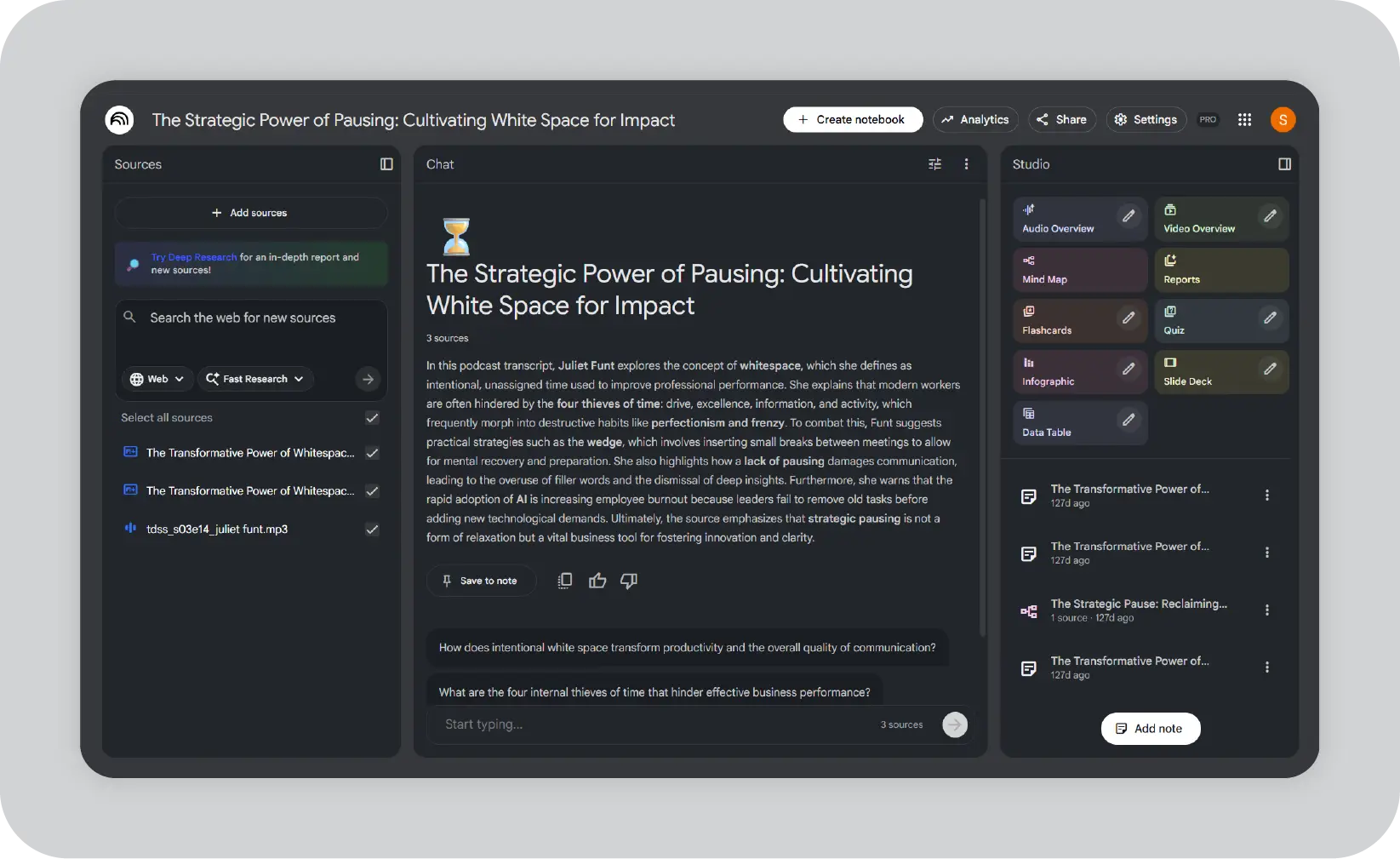
One of my toughest jobs is preparing board presentations. Every slide must be accurate, concise, and defensible. NotebookLM handles the heavy lifting before I even open my design software.
My workflow: I create a specific notebook for the quarterly business review and upload:
I then ask the AI to:
The result: I get a clear storyline for the deck and draft talking points for the CEO. Most importantly, I receive a Q&A document where every answer links directly back to its source. This gives leadership full confidence in the data's accuracy.
Sales teams often give me stacks of technical documents and ask me to make them practical for reps. This is where NotebookLM features really deliver.
My approach: I create a notebook for a specific product line and upload product briefs, pricing sheets, win-loss data, and competitor notes.
I ask it to:
I then turn these into slide-ready battlecards or one-pagers. This makes any NotebookLM review immediately actionable for revenue teams.
When I work on messaging, I usually have to synthesize long analyst reports and customer interview transcripts. NotebookLM acts as my synthesis layer.
My process: I upload market reports, competitive analysis docs, and internal positioning drafts into a "Market Research" notebook.
I use prompts like:
The real power isn't that artificial intelligence magically knows the market. It's that it extracts valuable insights already buried in my company's documents.
Legal documents are tough to translate into plain language. When building policy explainer decks or training materials, I rely heavily on Google NotebookLM.
My process: I create a notebook for a specific area, like "Information Security," and upload official policies, change memos, and FAQs.
I ask it to:
The citations let me verify every explanation against the original legal text before sharing with compliance teams.
After real-world deployment across enterprise teams, I can clearly identify where NotebookLM delivers immediate value and where it creates workflow friction. Here's my straightforward assessment for NotebookLM for business, focused exclusively on high-impact areas like board preparation and sales enablement.
Google NotebookLM delivers clear business value in these critical areas:
While powerful, NotebookLM has specific limitations when deployed across a large enterprise. Here are the friction points I encountered when rolling it out to teams, along with the practical fixes I use to keep workflows moving.
NotebookLM Business versions solve 80% of the previous scaling issues. This makes it a must-have for enterprise teams in 2026.
Effective adoption requires structure. Avoid including all content in one workspace. Here is how I recommend setting it up:
While NotebookLM acts as my research engine, Prezent manages communication. It is the enterprise AI platform I use to turn those insights into hyper-personalized, brand-consistent presentations.
Astrid, the powerful AI inside Prezent, has the ability to auto-build 100% on-brand decks directly from simple prompts and supporting documents. I mostly use this power feature to save valuable time and generate expert-quality decks instantly.
However, when I need to be extremely specific with my data sources, I pair the two ai tools for a "best-of-breed" enterprise workflow:
If you are ready to move beyond simple outlines and start generating hyper-personalized, brand-consistent decks automatically, I recommend scheduling a quick demo to see Prezent in action. You can also start a free trial today to explore how it transforms enterprise communication.
It is absolutely enterprise-ready. While the regular version works for solo strategists, NotebookLM Plus and Enterprise add team sharing, higher limits, and compliance controls that are perfect for board prep, sales enablement, and regulated workflows.
The free version offers individual power with unlimited notebooks and source-grounded AI. NotebookLM for business (Plus/Enterprise) adds team sharing, 5x higher limits, admin controls, and VPC-SC compliance. Pricing starts at ~$14-20 per user/month via Workspace, with Enterprise pricing handled via Google Cloud.
ChatGPT excels at creative writing but can sometimes invent facts. NotebookLM stays grounded strictly in your documents with citations. This makes it far safer for board decks, policy explainers, and sales battlecards where accuracy is non-negotiable.
The strongest use cases include executive briefings (QBRs and board prep), sales enablement (battlecards and proof points), market research synthesis, compliance training, and policy explainers. Each delivers cited, presentation-ready outputs.
Start small. Pick one or two high-value domains, such as sales playbooks or board reporting. Enable NotebookLM Plus via Google Workspace or apply for an Enterprise trial. Assign notebook owners, set PII guidelines, and expand once the workflows prove their value.
I use NotebookLM to digest complex input and build a clear, evidence-backed narrative. Then I use Prezent to translate that narrative into visual stories and brand-aligned decks that are ready for leadership, customers, or employees. Business sharing allows teams to collaborate on the research before the final deck handoff.
NotebookLM is a research and note-taking app developed by Google that works as a private AI assistant over your uploaded sources. You upload PDFs, docs, URLs, and other files, then ask NotebookLM questions through chat queries. It does not browse the web. Instead, it relies strictly on your sources in NotebookLM, which makes the outputs grounded and defensible. For any NotebookLM user dealing with volumes of information, this becomes a powerful AI research and note-taking ai tool rather than a generic chatbot.
Yes, this is where NotebookLM offers the most practical value. You can ask NotebookLM to generate a clear summary, a structured study guide, questions based on your documents, or executive-ready briefs. NotebookLM automatically pulls from uploaded sources and formats the output for real use cases. I regularly use it to create board-level summaries, sales enablement drafts, and internal explainers that are already close to presentation-ready.
NotebookLM’s audio overview feature turns your content into a podcast-style conversation hosted by AI hosts, which is ideal for executives who prefer listening over reading. NotebookLM’s audio overview feels more like intelligent podcasts than a simple readout. Video overviews transform dense material into visual summaries, which help explain complex topics quickly. These audio and video features are especially effective when working with long PDFs, research packs, and strategy documents.
A standard NotebookLM user can create up to 100 notebooks. Each supports up to 50 sources and roughly 500,000 words of content. You can upload PDFs, Google Docs, and URLs. You can then run up to 50 chat queries in a session while exploring your material. It is perfect for solo strategists prototyping sales playbooks or board prep.
NotebookLM Business and Enterprise solve these constraints by offering 5x more sources, secure team sharing, and unlimited sessions. Pricing starts at approximately $14-20 per user/month. This makes the tool production-ready for enterprise scale.
.jpg)
Anoob is the Head of Content at Prezent with over 16 years of experience in marketing and content. He has worked with leading startups such as SocialPilot, Writesonic, BigBasket, FreshMenu, GupShup, and SimplyHired. Passionate about social media and digital tools, Anoob enjoys testing new platforms to help businesses make better marketing decisions. You can connect with him on LinkedIn.





.png)







