Gamma app review: Pros, cons, pricing & alternatives in 2026

I’ve tested 50+ presentation platforms over the past 10 years, from basic slide builders to enterprise AI suites, and Gamma.app is one of several newer AI presentation tools currently available. Among many AI tools in this category, the Gamma app offers a reasonably fast way to move from a prompt to an early-stage draft.
In this Gamma app review, I break down what the tool delivers, including the main pros and cons when it comes to large enterprise needs. We’ll also look at enterprise-focused alternatives like Prezent, which is purpose-built for organizations that require PowerPoint-native workflows, brand governance, and scalable presentation production.
Gamma app features: AI presentation maker overview
What is Gamma app?
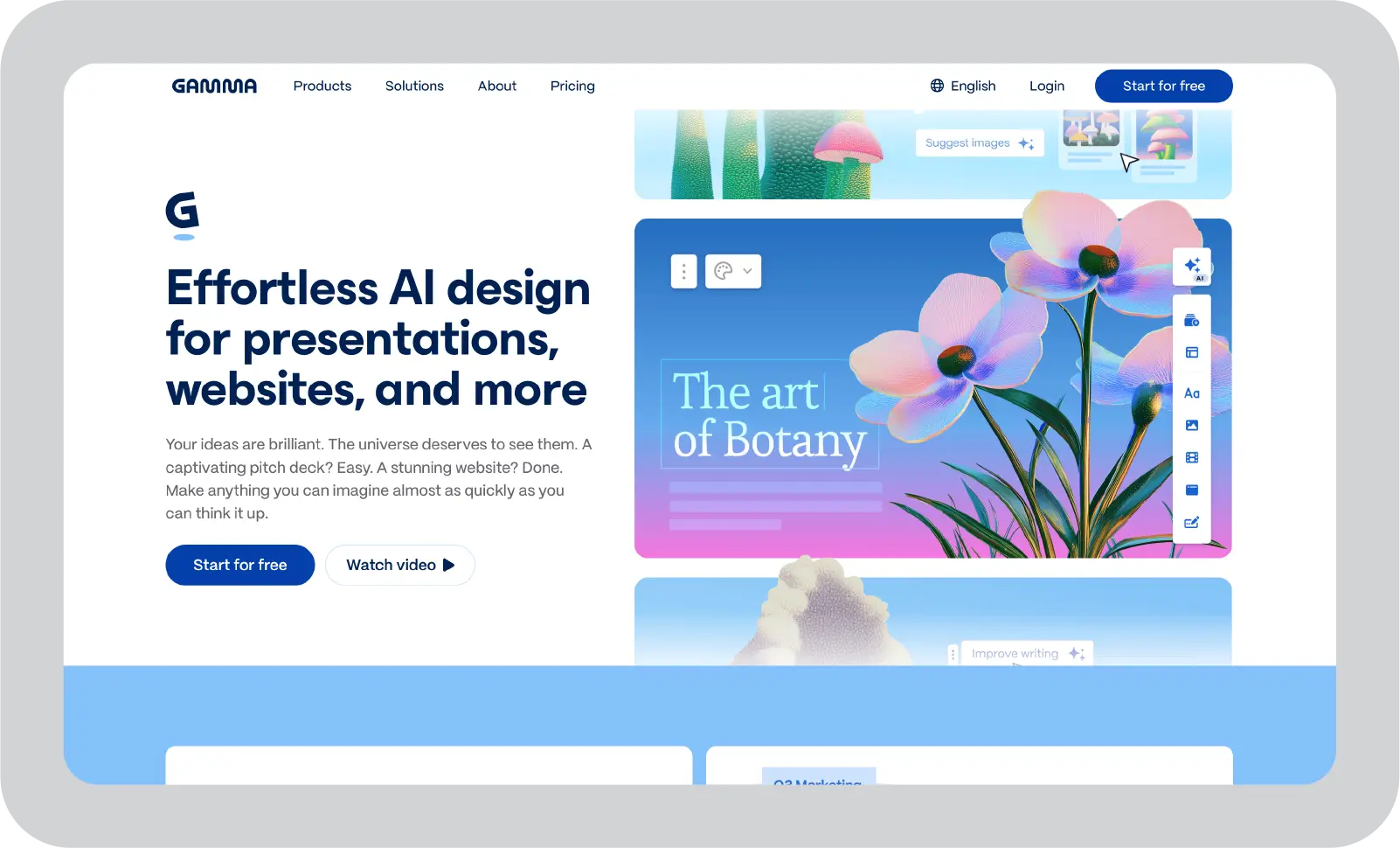
Gamma is a browser-based AI tool that helps users generate presentations, documents, and webpages from prompts, pasted text, or uploaded files. It is designed to support quick content creation by providing an initial structure and draft content in minutes.
Gamma uses a card-based, scrollable format rather than traditional slide-by-slide layouts. This makes it well-suited for web-style sharing, but it can create challenges when teams need presentations in standard PowerPoint slide formats.
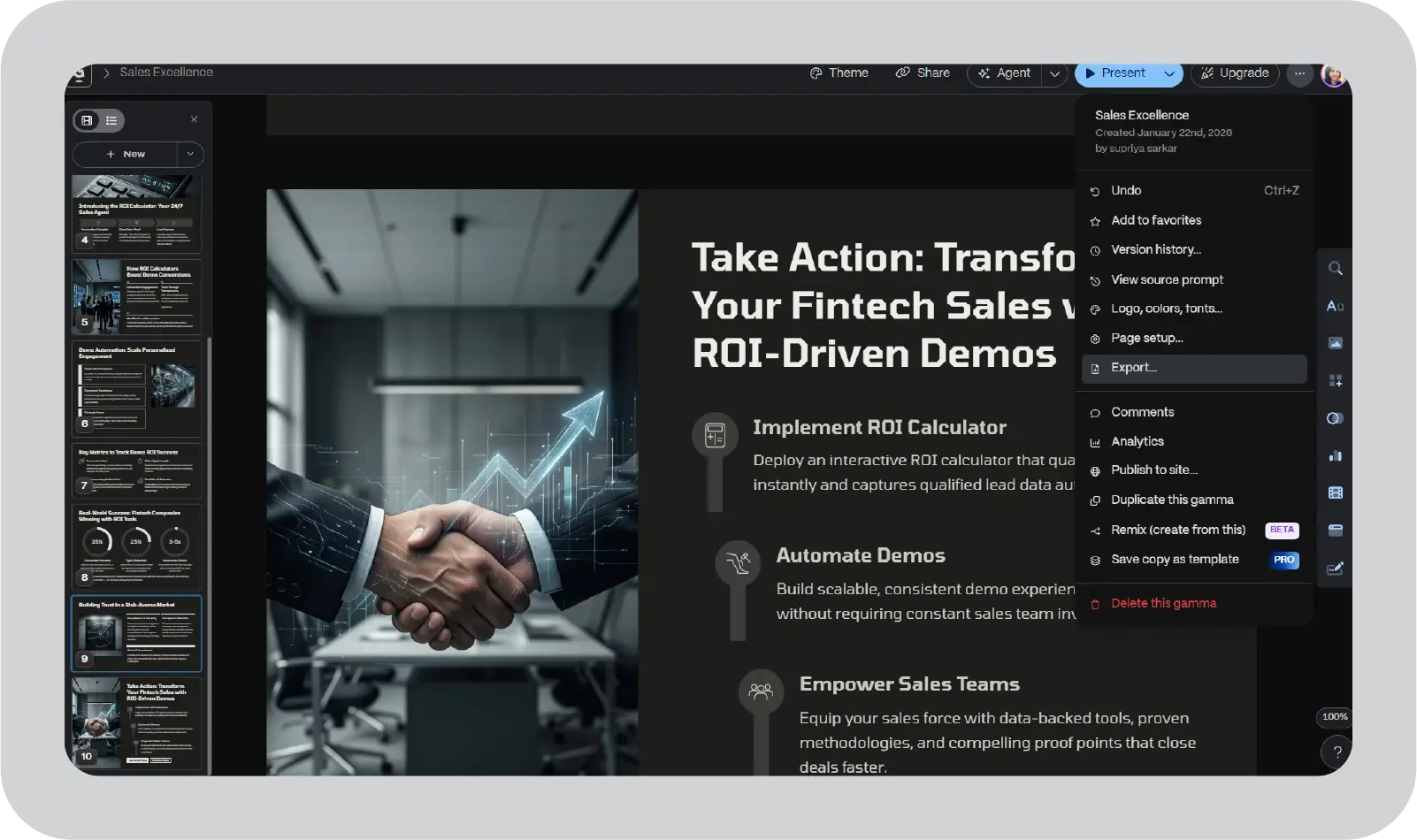
Gamma does offer export options to PDF and PowerPoint. However, because its layouts are optimized for vertical cards, content may not always convert cleanly into fixed 16:9 slides. Text may shift, spacing can change, and formatting often requires manual cleanup.
For users focused on creating early drafts quickly, Gamma can be a helpful starting point. For enterprise teams delivering formal presentations, the workflow may require additional steps.
Gamma ai features at a glance
Gamma includes a set of AI-assisted features that make it a useful tool for creating early-stage presentations and visual content quickly. The platform focuses on simplicity and speed, especially for individuals or small teams creating draft materials.
Here are the gamma AI features I found useful:
- AI content generation
Gamma can generate outlines, expand bullet points, summarize documents, and rewrite sections. This is useful for teams that want support in structuring ideas and producing a first version of content efficiently. - Card-based layouts
Gamma uses a vertical, card-style format instead of traditional slides. This approach supports embedded media such as videos, charts, calendars, and interactive elements. While this format works well for link-based sharing, it may not align with enterprise presentation standards that require slide-level control and PowerPoint compatibility. - Themes and branding
Gamma allows users to apply themes, upload logos, and set colors and fonts. Higher-tier plans provide additional branding controls. However, enterprise organizations that require strict template enforcement and locked brand elements may find these controls limited compared to PowerPoint-native systems. - Analytics dashboard
Gamma provides engagement tracking, such as views, scroll depth, and time spent. These insights can be helpful for internal sharing and feedback loops. - Integrations and embeds
The platform supports a variety of embedded content types, allowing teams to combine external tools and media into a single presentation-style experience.
How to create a presentation in Gamma: Workflow and export steps
I do not consider Gamma AI as a standalone presentation system. It is most effective when used as an early-stage drafting tool rather than a complete enterprise presentation system.
Here is the four-step process I recommend:
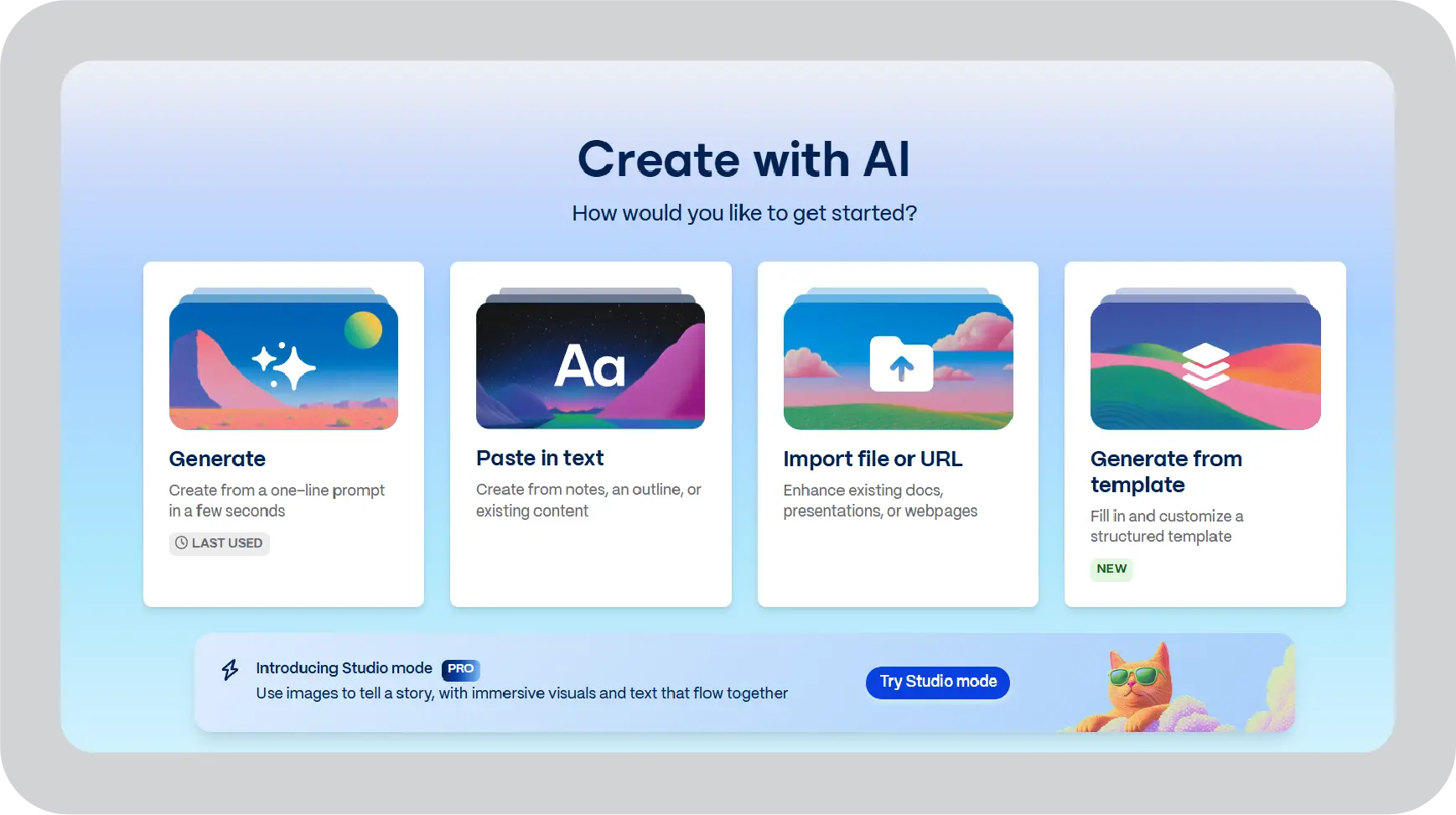
- Ideate with AI
Start with prompts like “Fintech sales demo emphasizing ROI” plus pasted data, call transcripts, or discovery notes. Let Gamma generate an outline and a first version of the content.

- Refine on-brand inside Gamma
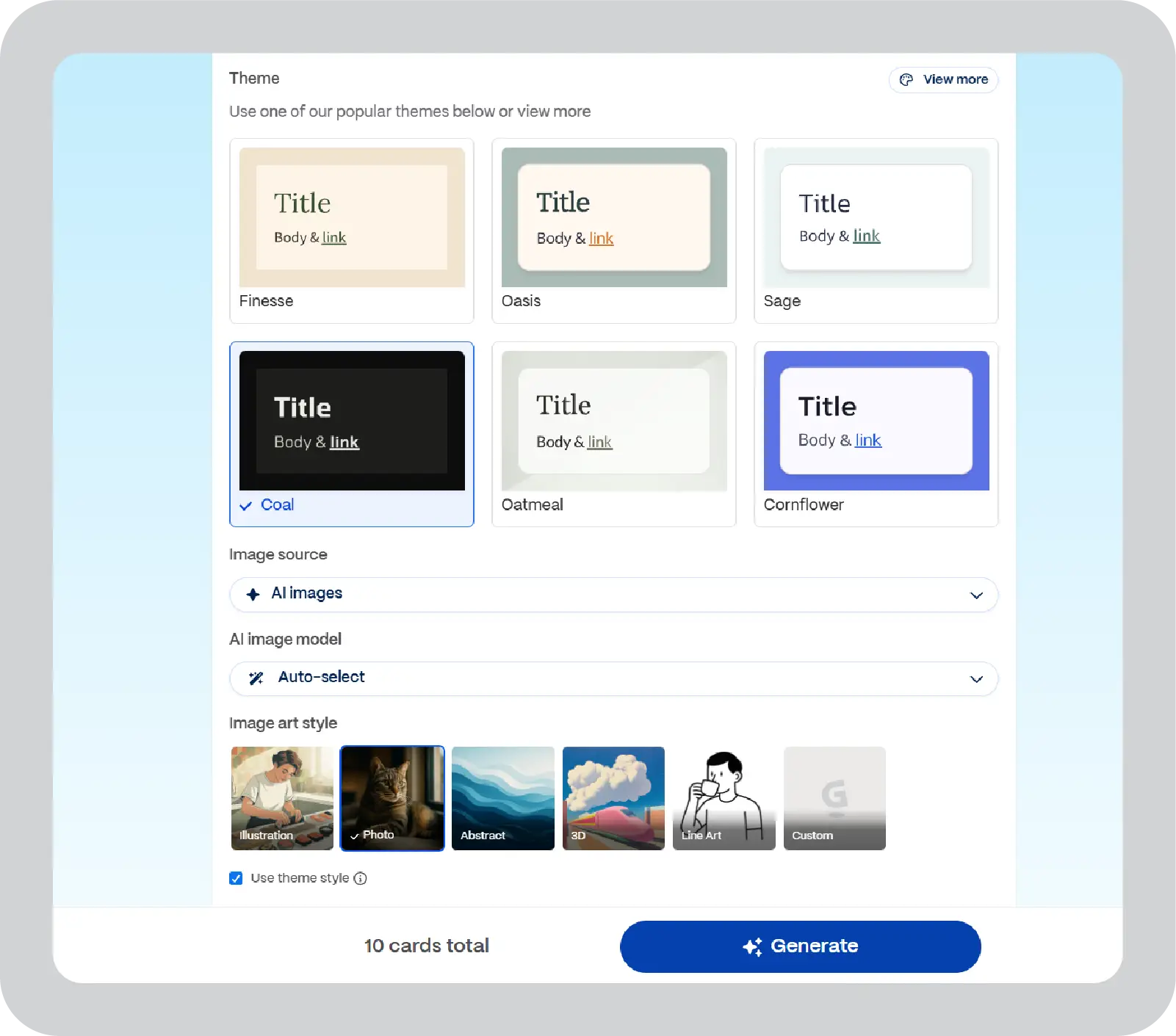
Apply your theme, adjust headings, inject examples, and add embeds like Loom demos or customer videos. Keep this version as your “fast draft.”

- Export presentations strategically and clean up
Export PPT as soon as you have a solid draft. Expect to spend 15–20 minutes reformatting broken text boxes and resizing images that did not map from the web view. Doing this earlier in the process keeps the pain manageable.

- Deliver through a standard enterprise template
Use Gamma links to collaborate on internal drafts, async reviews, and quick feedback. For external clients, legal approvals, or formal leadership forums, use the cleaned-up PPT in your standard templates.
Gamma presentation: Prompt examples for enterprise teams
The quality of output in Gamma largely depends on how clearly the prompt is defined. Well-structured prompts help generate more relevant content, better flow, and fewer revisions in the drafting stage. Here are some examples:
- Sales deck prompt:
“Create a 10-slide sales deck for a mid-market retail prospect in the US. The audience is a VP of Sales and a Marketing Director who want to improve digital transformation outcomes but are skeptical of vague AI claims. Use a professional, consultative tone, keep each slide concise, and include a problem statement, solution overview, 2 customer case studies, ROI proof points, implementation timeline, and a clear next step. Use a clean blue and white theme with charts where helpful.” - QBR prompt:
“Create an 8-slide quarterly business review for senior leadership using this revenue data. The audience is a board-level group with limited technical background, so simplify the language and focus on key trends, risks, wins, and actions. Use a formal executive tone, keep text minimal, and turn the data into clear visuals and takeaways. Include an executive summary, performance highlights, challenges, and next-quarter priorities.” - Training deck prompt:
“Create a 12-slide onboarding deck for first-week hires at a growing company. The audience is new employees who need a clear, friendly, and easy-to-follow introduction to the business. Include company overview, team structure, calendar embeds, FAQs, process basics, and a short knowledge check at the end. Keep the design simple, modern, and easy to scan, with short sections and practical examples.”
These Gamma AI prompt examples are more useful because they tell the tool what to build, who it is for, how long it should be, and how it should look. That usually leads to a stronger first draft and less cleanup later.
For a deeper guide on writing effective prompts, you can explore our detailed resource on how to create better AI presentation prompts.
My recommended Gamma AI workflow
Use Gamma to create the initial draft of the presentation, and then you can use a dedicated presentation tool such as Prezent to improve the presentation and make it suitable for an enterprise audience. You can also use Gamma analytics to see which drafts your stakeholders actually engage with.
Now, you can understand winning presentation elements and import them into enterprise systems like Prezent, which provide structured storylines, brand compliance, and PowerPoint-native production.
Who should use the Gamma App? (And who shouldn't?)
Not every presentation use case is the same, so it helps to look at where Gamma fits best before deciding if it aligns with your needs.
Perfect Gamma users:
- Freelancers needing client proposals fast
- Startup founders drafting pitch decks
- Marketers creating one-off campaign summaries
- Educators building quick lesson slides
Gamma is most effective when speed is prioritized over detailed refinement. For individual users or small teams working under tight timelines, it can significantly reduce the time required to move from a blank page to an initial presentation draft.
Who should skip Gamma:
- Enterprise teams with brand guidelines
- Agencies handling 10+ client decks monthly
- Sales teams needing real-time collaboration
- Executives requiring pixel-perfect formatting
How Gamma credits work
Gamma pricing is based on a credit system, where AI actions such as generating slides, expanding content, or creating visuals consume credits. The free plan includes 400 one-time credits, which is typically enough for 1–2 presentations. Paid plans increase monthly credit limits, with Plus offering around 600 credits per month and Pro providing approximately 1,200. You can reset credits monthly, but the platform does not allow roll over.
What consumes credits most quickly:
- Full presentation generation: 50–100 credits
- Text expansion or AI edits: 10–25 credits per action
- AI image generation: 20–40 credits per slide
What this means in practice:
For individuals creating a small number of presentations each month, these limits may be sufficient. However, if you are building 5 or more presentations monthly, you may need to move to a higher-tier plan. For teams creating 20+ presentations, credit limits can become restrictive, requiring upgrades or manual workarounds. This model works for individual use but can be difficult to scale across enterprise teams.
Pro tip: You can test prompts using the free plan to understand how quickly credits are consumed before committing to a paid tier. For teams with higher presentation volume, platforms without credit-based limits often provide more predictable costs and fewer workflow constraints over time.
Gamma app pricing review: Free version limits and enterprise costs
Gamma pricing starts with a free tier but increases as AI usage becomes more frequent. The free version provides 400 one-time credits, which is sufficient for testing but not for ongoing presentation creation.
Value breakdown for individual plans:
- Free: $0 with 400 one-time credits
- Plus: $9 per user/month with 1,000 monthly credits
- Pro: $19 per user/month with 4,000 monthly credits
- Ultra: $90 per user/month with 20,000 monthly credits
Value breakdown for team plans:
- Teams: $240 per user/year (2-seat minimum) with 6,000 monthly credits
- Business: $480 per user/year (10-seat minimum) with 10,000 monthly credits
Enterprise users often outgrow this model quickly. At 50+ presentations per month, teams may require multiple Pro seats, which can exceed $1,200 per year, while still lacking enterprise capabilities such as brand templates and governance controls. In comparison, enterprise-focused platforms typically offer per-user licensing with unlimited creation and built-in support for scalability.
Gamma app review- App rating and user feedback
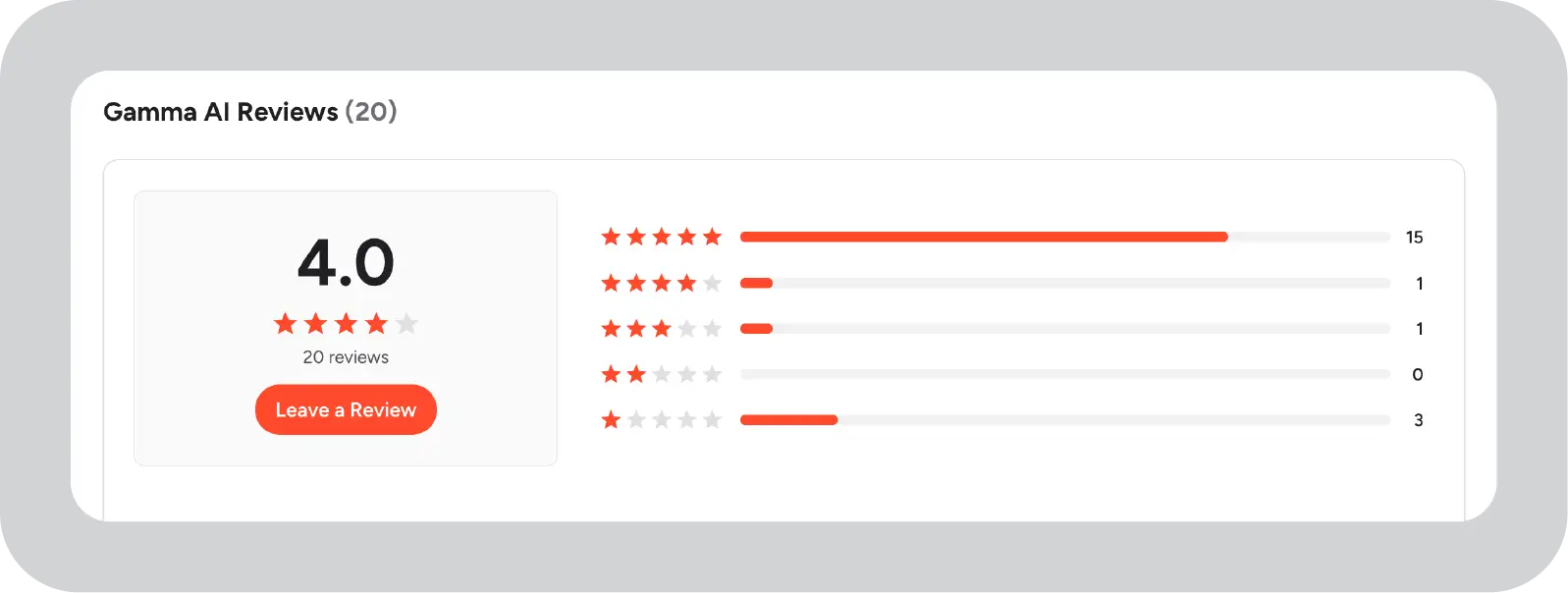
Gamma app reviews show an average rating of around 4.2/5 across platforms like G2 and Trustpilot. Users often highlight the platform’s speed and ease of use, particularly for creating early-stage presentation drafts.
The interface is generally considered simple, which appeals to individuals and small teams who want to create presentations without extensive design effort.
Common positive feedback:
- Fast generation of initial presentation drafts
- Clean, modern layouts for basic use cases
- Easy sharing through browser-based links
At the same time, user feedback also points to limitations, especially for enterprise use cases.
Common concerns:
- Limited customization for branding
- AI-generated content often requires manual refinement
- Collaboration features are less robust compared to enterprise tools
Overall, feedback suggests that Gamma is effective for quick drafting, but less suited for teams that require control, consistency, and scale.

Gamma.app review: Pros and cons of Gamma app
Gamma is often evaluated for how quickly it can turn prompts into presentation drafts and how easy it is to get started. As you explore the tool further, it becomes important to assess how well it supports real-world presentation needs beyond the initial draft stage.
Pros: Gamma AI strengths for fast presentation creation
- Faster draft creation: Gamma helps turn raw notes into a structured first draft quickly, which is useful for decks, proposals, and internal updates.
- Link-based sharing: Gamma presentations are browser-based, which makes it easier to share drafts and collect feedback through a live link.
- Collaboration features: Paid plans support editing and commenting workflows for team-based draft review.
- Engagement analytics: Gamma tracks views and interactions on shared web presentations, which adds useful visibility during review stages.
Cons: Gamma app limitations for enterprise teams
Gamma is useful for fast draft creation, but it has clear limits for enterprise use. The main challenges are brand control, collaboration, scalability, and export reliability.
- Brand control is limited:
Gamma does not offer the same level of template governance that enterprise teams usually need. That means decks can look inconsistent across teams, regions, or departments. - Collaboration is not fully enterprise-ready:
Gamma supports sharing and editing, but it does not match the smooth real-time workflow of tools like Google Slides. For larger teams, this can lead to more version confusion and slower reviews. - Scaling is costly:
Gamma uses credits, so heavy usage can run into limits quickly. There is no true unlimited enterprise model, which makes it harder for teams that create a lot of presentations. - Exporting can create extra work:
PowerPoint export is not always clean. Layouts may break during export, which means teams often need to spend extra time fixing slides before sharing them internally or with clients. - Offline use is limited:
Gamma is mainly cloud-based, so it works best with stable internet access. That can be a problem for teams that need offline flexibility or travel-ready workflows.
Best alternatives to Gamma AI for enterprise presentation work
When evaluating Gamma app alternatives for enterprises, I look for tools that specifically fix Gamma’s weaknesses around PowerPoint workflows, brand governance, and scale. Here is the refined shortlist:
While Gamma can be useful for quick ideation, Prezent enables enterprises to produce executive-ready presentations at scale without repeated formatting work or brand inconsistency.
Where Prezent fits better for enterprise-grade presentations
Gamma is a helpful AI tool for fast drafting and browser-based sharing, particularly for individuals, small teams, or early-stage internal communication.
Gamma vs Prezent: Enterprise feature comparison
Here is why I recommend Prezent as the more relevant long-term home for enterprise presentations:
- Auto-generate complete decks
Prezent can auto-create fully native, editable PPT files using simple prompts. Teams can also upload a file, such as a data sheet or research document, to ensure the presentation is context-rich and business-relevant. Instead of starting from scratch, organizations can revamp existing presentations, align them with the latest brand standards, and tailor them for new audiences with minimal effort, without requiring advanced design skills. - Locked brand compliance
Prezent automatically enforces fonts, colors, logo placement, footers, and layout rules across every deck. Brand guidelines are configured once and then applied at scale, reducing the manual effort required to review and correct presentations. - Context-aware storytelling
Prezent’s AI is designed around business storytelling patterns such as sales pitches, board updates, and QBRs, not just generic presentation layouts. As a result, teams can generate an AI-powered presentation that is structured for decision-makers from the start. - Scalable personalization
Prezent supports personalization at the company, team, and individual levels. This allows organizations to tailor presentations for different audiences or industries without breaking brand standards or starting a presentation from scratch. - API and workflow integration
Prezent’s API enables enterprises to generate on-brand PowerPoint presentations directly from chatbots, data systems, or any existing tools they already use, without disrupting established workflows. This means teams can make a presentation within their current workspace, without needing to switch platforms or adopt a separate process.
In this AI review, Gamma is best viewed as an ideation layer, while Prezent is built for enterprise-scale delivery. For large enterprises that require PowerPoint-native outputs, strict brand governance, and repeatable presentation systems, Prezent remains the strongest solution, supporting presentation production from drafting through final delivery with the controls and scalability organizations require.
If you are ready to move beyond "smart sketches" and deploy a compliant, scalable AI workflow that lives where your team works, the next step is clear. Schedule a demo or take your free trial of Prezent today to see how enterprise-grade AI transforms your slide culture.
Frequently asked questions about Gamma ai app
1. Is Gamma app good for enterprise presentations?
Gamma can be useful for creating early-stage drafts of presentations quickly, especially for internal updates, training materials, or concept decks. In this gamma.app review, the main advantage is speed and ease of use when teams want to create the initial draft of a presentation using AI.
The platform works well for rough drafts, early pitch deck creation, and building an initial slide deck from notes or uploaded files. Most outputs are clearly AI-generated, which is helpful for drafting but still requires refinement for a polished presentation.
However, enterprise teams often require more than fast generation. Export limitations, inconsistent formatting, and limited brand governance make Gamma harder to use as a primary presentation platform at scale.
For enterprises that need consistent PowerPoint-ready delivery, Prezent is typically a stronger fit.
2. Can Gamma replace PowerPoint in large organizations?
In most enterprise environments, Gamma does not replace PowerPoint. While Gamma supports rapid drafting and web-based sharing, PowerPoint remains the standard for final delivery, approvals, executive meetings, and archival workflows.
Although Gamma works well as an AI-powered tool for early ideation, most organizations still depend on Google Slides or PowerPoint for final approvals and stakeholder reviews.
Gamma may help teams move faster at the beginning of the presentation process, but PowerPoint-native systems like Prezent are better suited for enterprise-grade presentation operations.
3. What are the best Gamma alternatives for enterprises?
When teams search for Gamma alternatives, the key factors usually include:
- Reliable PowerPoint export
- Brand governance and template enforcement
- Enterprise security and compliance
- Scalable workflows for large teams
Many teams evaluating tools like Gamma or AI tools like Canva and Plus AI quickly realize that web-native tools do not always support enterprise workflows.
Prezent is one of the strongest Gamma alternatives for enterprises because it is built specifically for PowerPoint-based business environments.
Unlike tools like the Gamma app, Prezent combines AI automation with structured storylines, reusable slide libraries, effortless personalization, and strict brand control, making it the best AI presentation tool for enterprises that produce high volumes of executive-ready decks.
4. How does Prezent compare to Gamma app for enterprise use?
Prezent and Gamma serve different needs. Gamma helps individuals and smaller teams generate fast drafts in a web-native format, similar to experiences offered by platforms like Canva Magic.
Prezent is designed for enterprise presentation production, offering:
- PowerPoint-native AI generation
- Automated brand compliance
- Locked templates and governance
- Centralized slide and storyline libraries
- Scalable output across departments
In enterprise settings where consistency, compliance, and speed-to-final deck matter, Prezent is the more complete platform.
5. Does Gamma work well with PowerPoint and Google Slides?
Gamma allows export to PowerPoint, but formatting adjustments are often required after export. Content created in Gamma’s card-based layout may not translate cleanly into standard 16:9 slides.
Because Gamma uses a web-first structure, layouts and embeds from tools like Figma or media widgets may need manual cleanup after export.
Google Slides users typically need to export through PowerPoint first, which adds additional steps.
Enterprise teams that want seamless slide-native workflows often prefer Prezent, since it generates presentations directly inside PowerPoint without export rework.
6. Is Gamma the best AI presentation tool available today?
Gamma is one of several AI presentation tools that perform well for ideation, early drafting, and link-based sharing.
From a capability standpoint, Gamma’s AI has decent AI capabilities in outlining, rewriting, and layout generation. The AI provides meaningful support for early drafts and experimentation.
However, the best AI presentation tool for enterprises is typically one that supports:
- PowerPoint-native delivery
- Brand governance
- Workflow integration
- Presentation reuse at scale
For these enterprise requirements, Prezent is a stronger solution than Gamma.
7. What is Gamma’s learning curve for business teams?
Gamma has a relatively low learning curve for basic usage. Most users can generate a draft presentation quickly from a prompt or document, often without a steep learning curve. It simplifies how artificial intelligence handles structure, writing, and layout. The way the AI operates reduces the need for deep technical training.
However, the learning curve increases when teams begin customizing themes, managing exports, and creating repeatable workflows across departments.
Enterprise teams adopting AI presentation tools at scale often require more structured systems like Prezent to ensure consistency and governance across users.
8. Is Gamma’s free plan enough for enterprise teams?
The free version of the Gamma app includes a limited credit bucket (often around 400 AI credits), which can run out quickly once teams begin using it for real presentation work. Gamma’s free plan is helpful for initial testing, but most enterprise use cases require a paid subscription due to higher AI generation volume and broader collaboration needs.
For large teams, total cost is not only subscription-based but also includes workflow overhead, export cleanup time, and training.
Enterprise-focused platforms like Prezent reduce these operational costs by providing PowerPoint-native generation, reusable libraries, and automated brand compliance.
About the author
.webp)
Supriya is a Content Strategist and Creator at Prezent AI with extensive experience in brand storytelling, digital strategy, and B2B content. She has worked across SaaS and technology-driven businesses, building content engines that drive awareness, engagement, and pipeline growth. Passionate about crafting clear, insight-led narratives, Supriya focuses on turning complex ideas into compelling stories that resonate with modern business audiences. You can connect with her on LinkedIn.
Related resources

The First AI + Expert Communication Partner for Life Sciences 🚀
- Trusted by 150+ life sciences companies, including 45 of the top 50 BioPharma
- Get deliverables fast with scientific rigor
- Presentations, congress posters, MSL decks, advisory boards & more
- 35–85% cost reduction vs. traditional Medcomms agencies
.avif)