No items found.
No items found.

Customer QBRs are a critical moment in any enterprise relationship. They bring together performance data, usage trends, ROI, risks, and roadmap alignment to show whether a partnership is truly delivering value.
However, when that information needs to be shared with executive sponsors and decision-makers, it has to move from raw metrics and dashboards into a clear, structured narrative. Data needs context, trends need interpretation and the story needs to adapt to different audiences without losing credibility.
This is where the work becomes difficult. Not because teams don’t understand their customers, but because turning customer data into an executive-ready customer QBR is still a manual, time-intensive process.
Let’s look at how teams run into challenges, and how Prezent supports customer QBR workflows in practice.
Most teams running customer QBRs face the same constraints quarter after quarter.
Scattered data across systems: Customer QBRs pull from many sources, product usage dashboards, CRM, support systems, onboarding trackers, NPS tools, and roadmap documents. Bringing this information together into a single, coherent story takes time and coordination.
Narrative versus data dump: A strong customer QBR needs a storyline: value delivered, gaps identified, opportunities ahead, and alignment on what comes next. Under time pressure, that storyline often gets replaced by slide after slide of metrics, leaving executives to interpret the meaning themselves.
Personalization at scale: Every account is different. Executive sponsors, business owners, and power users all care about different signals. Tailoring the same QBR for multiple audiences, across multiple accounts, is difficult to do consistently.
Time pressure never goes away: Customer Success and Account teams are often preparing several QBRs at the same time. When slide creation becomes manual, most of the effort goes into building the deck rather than preparing for the discussion.
Prezent is designed to reduce the manual effort behind customer QBRs, without changing how teams think about the conversation itself. It helps teams move faster, stay on brand, and focus on insights rather than slide construction
Auto Generator helps teams turn existing customer data into structured QBR presentations.
The workflow mirrors how QBRs are already planned—just without the manual work.
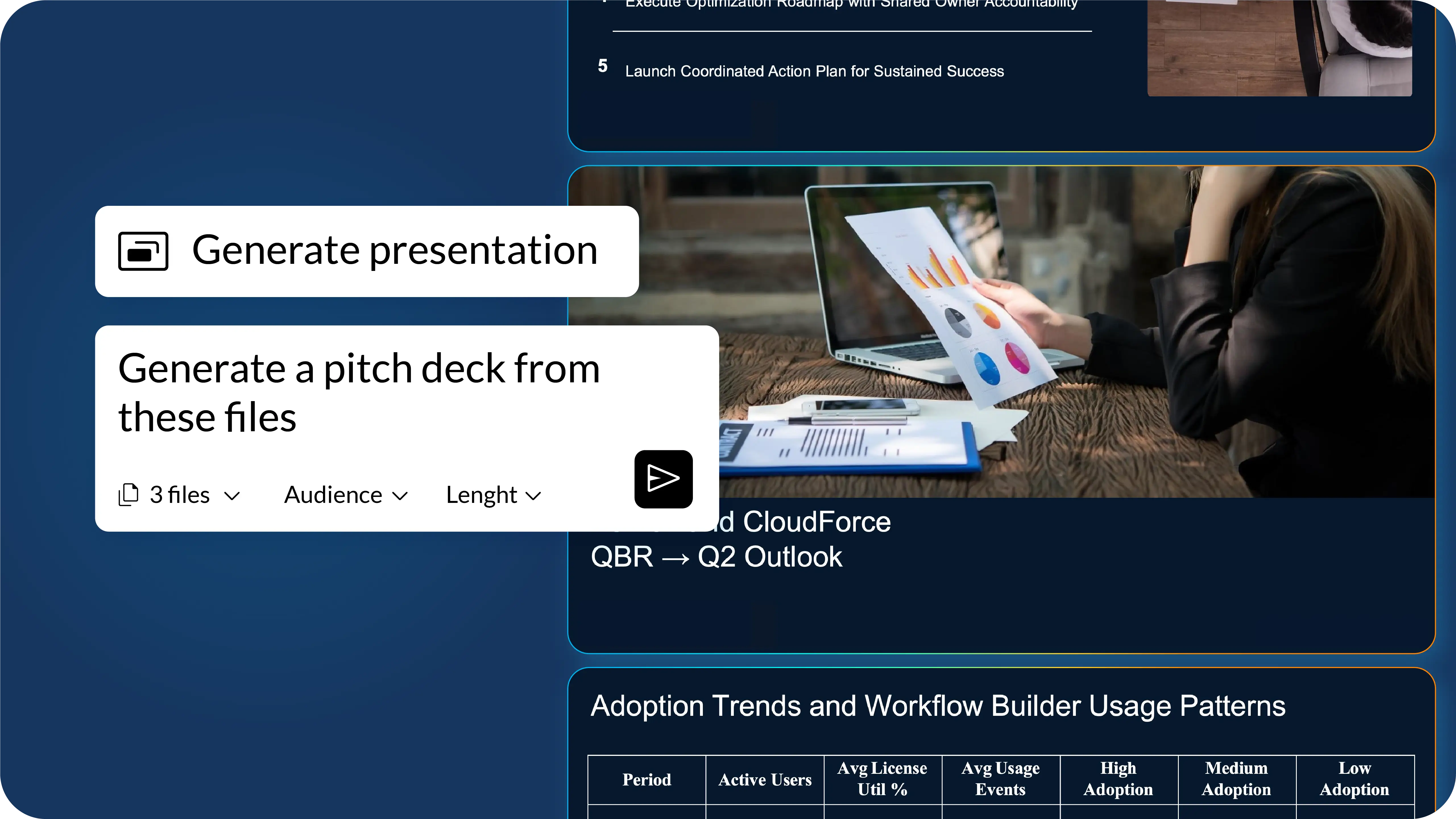
Step 1: Upload context files and prompt
Teams start by uploading the materials they already use for QBR preparation, such as usage metrics, implementation milestones, SLA reports, and roadmap updates. These files become the context for the presentation.
A simple prompt defines what the QBR should include, for example, the number of slides, the sequence, and the focus areas like executive summary, adoption trends, ROI, and next steps.
Prompt examples:
- Create a 6-slide QBR presentation using the attached files, starting with a title slide, followed by an executive summary, a slide on adoption and workflow usage trends referencing the Usage Metrics file, a slide summarizing implementation progress using the Onboarding & Implementation Tracker file, a slide highlighting support performance and SLA outcomes using the SLA Report file, and concluding with recommended optimization steps and a shared action plan with owners.
- Create a 10 slide QBR deck : visualize data from table 4,10,11
Step 2: Auto-generate the QBR draft
Once submitted, Prezent:
Within seconds, teams receive a fully editable PowerPoint draft that is already aligned to brand and audience expectations.
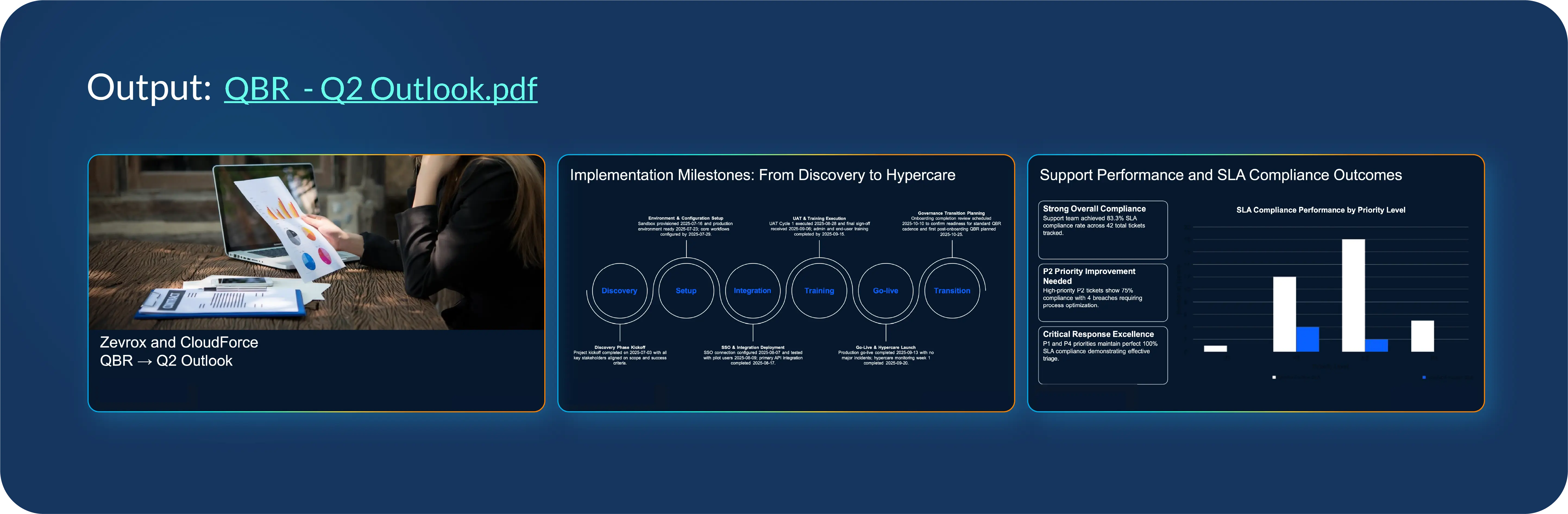
Step 3: Review and refine
Because the draft is editable, teams can quickly:
Not every customer QBR needs to be generated from scratch. Often, teams already know the structure they want—the challenge is starting from a blank slide or recreating layouts that already exist elsewhere.
Prezent’s Slide Library provides access to 35,000+ professionally designed, brand-ready slides built for common QBR scenarios, including:
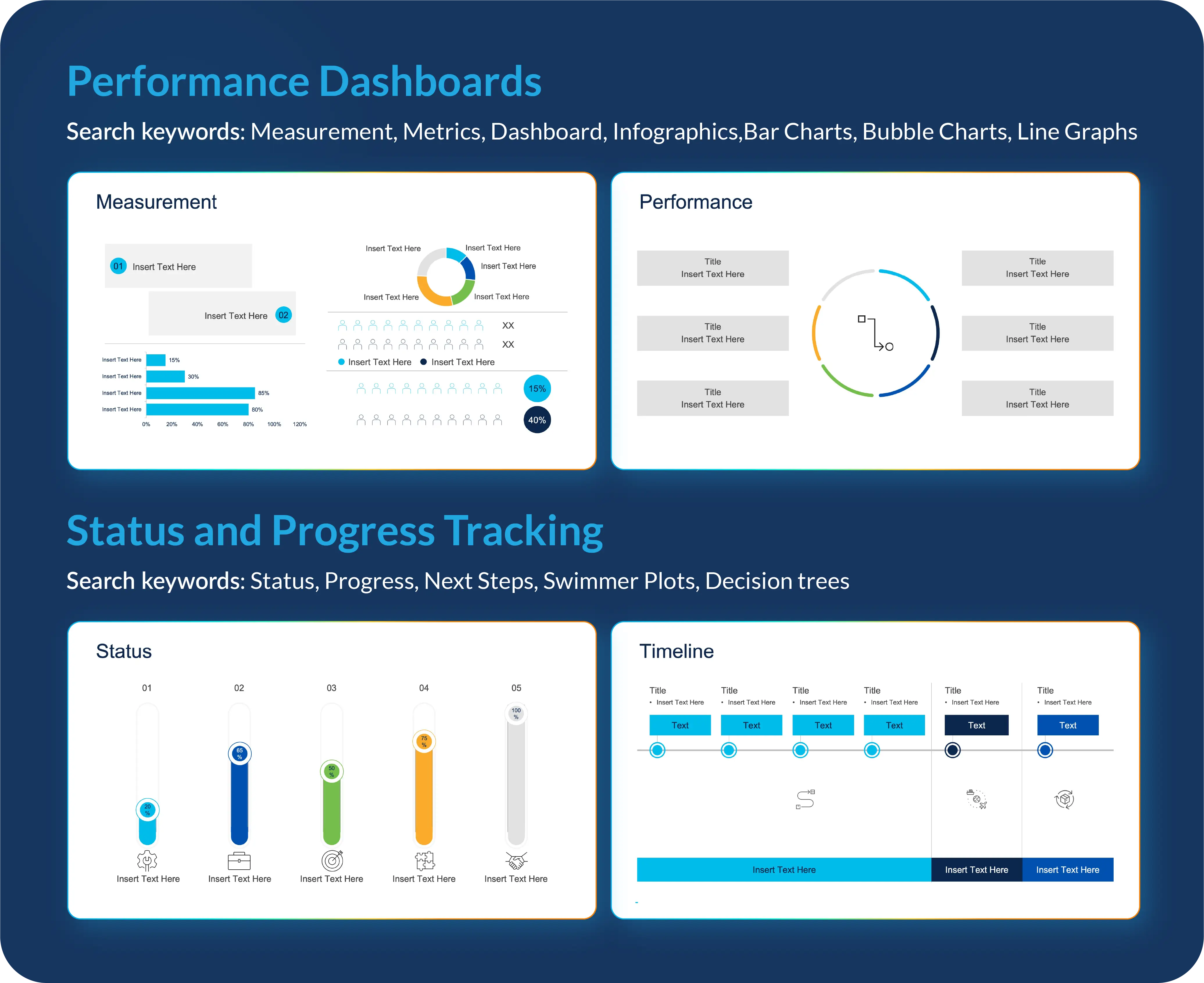
Each slide comes with a clear structure and placeholders, allowing teams to focus on content rather than design or formatting. This improves consistency across accounts and reduces time spent on layout decisions.
As organizations grow, scaling high-quality customer QBRs becomes difficult. With Prezent APIs, teams can connect internal dashboards, CRM systems, and applications to automatically pass inputs such as:
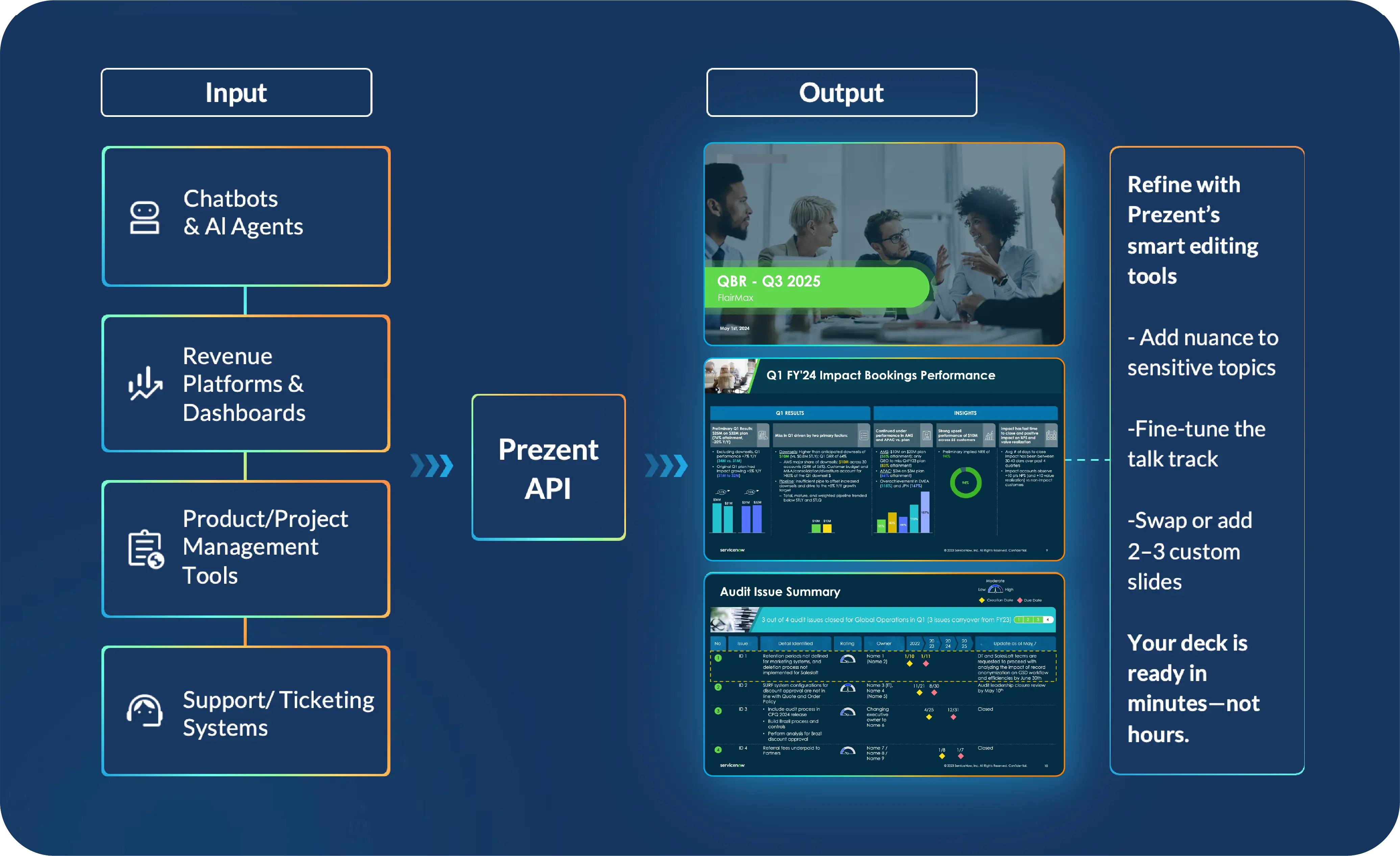
Prezent then returns a ready-to-use, brand-aligned QBR deck tailored to each account. This allows teams to move from “polished QBRs for Tier 1 accounts” to standardized, high-quality QBRs for every customer
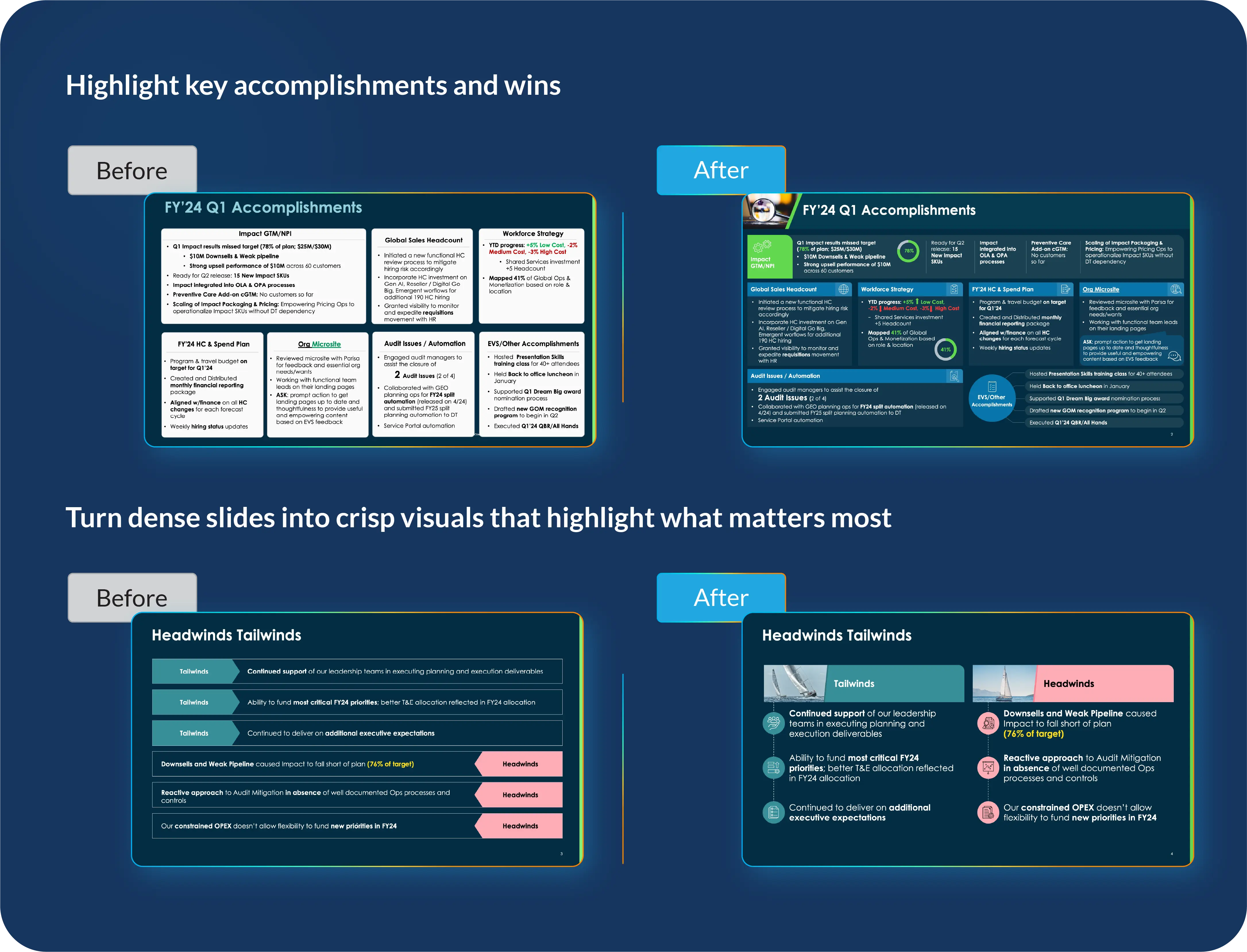
Some customer QBRs come with little room for iteration—renewals, escalations, or executive reviews that move faster than expected. For these situations, teams can submit existing, data-heavy slides to Prezent and receive:
Delivered overnight, this option helps teams stay prepared even when timelines compress.
Certain customer QBRs carry more weight than others. Renewals, expansion discussions, and strategic accounts often require careful handling of both data and messaging.
Presentation Engineers work one-on-one with teams to:
This support gives teams added confidence when the stakes are high.
When customer QBRs are no longer slowed down by manual slide creation, the focus shifts. Teams spend more time analyzing insights and preparing for meaningful discussions. Executives see clear narratives instead of cluttered decks. Customers experience consistency and clarity quarter after quarter.
The customer QBR stops being a reporting exercise and becomes a strategic touchpoint—one that strengthens trust and shapes what comes next.
Customer QBRs aren’t going away. If anything, expectations around them are rising. Prezent helps teams meet those expectations by making customer QBRs faster to build, easier to repeat, and consistently executive-ready, without changing the substance of the conversation.
So teams can spend less time assembling slides, and more time building stronger customer relationships.
To see how teams run customer QBRs with Prezent, request a demo or get started by creating a free account.

Bharti is a product marketing writer at Prezent who believes great writing starts with deep reading. She began her career in finance, switched paths in 2019, and has since worked with Kintegra, Clearout, Miko, CaratLane, and, of course, Prezent. From content marketing to product marketing, she enjoys simplifying complex product and technical ideas without losing meaning. As she always says, “If it needs explaining twice, it needs better writing.”
Connect with her on LinkedIn.