No items found.
No items found.

I’ve spent 15 years helping B2B teams, from marketers to enterprise leaders, choose tools that scale with how they create and deliver presentations.
Canva is a common starting point for slide design. It works well for quick decks and internal updates because it’s simple and template-driven.
The gaps appear when presentation demands grow. Larger teams, board-level decks, sales enablement at scale, and compliance requirements bring new expectations around brand control, structured approvals, and audience-specific storytelling. What works for speed does not always support governance or consistency.
In this guide, I analyze leading Canva alternatives, including Prezent, Visme, Adobe Express, VistaCreate, and others, through a presentation-first lens. You’ll find pricing, core capabilities, G2 insights, and ideal use cases to help you choose the right platform for your team’s presentation needs.
Before we dive deeper, here’s a side-by-side snapshot of how the leading Canva alternatives compare across core features, pricing approach, and ideal use cases.
I’ve reviewed official product pages along with G2, Capterra, and recent user feedback to make sure this reflects how these tools are positioned today and how teams are actually using them.
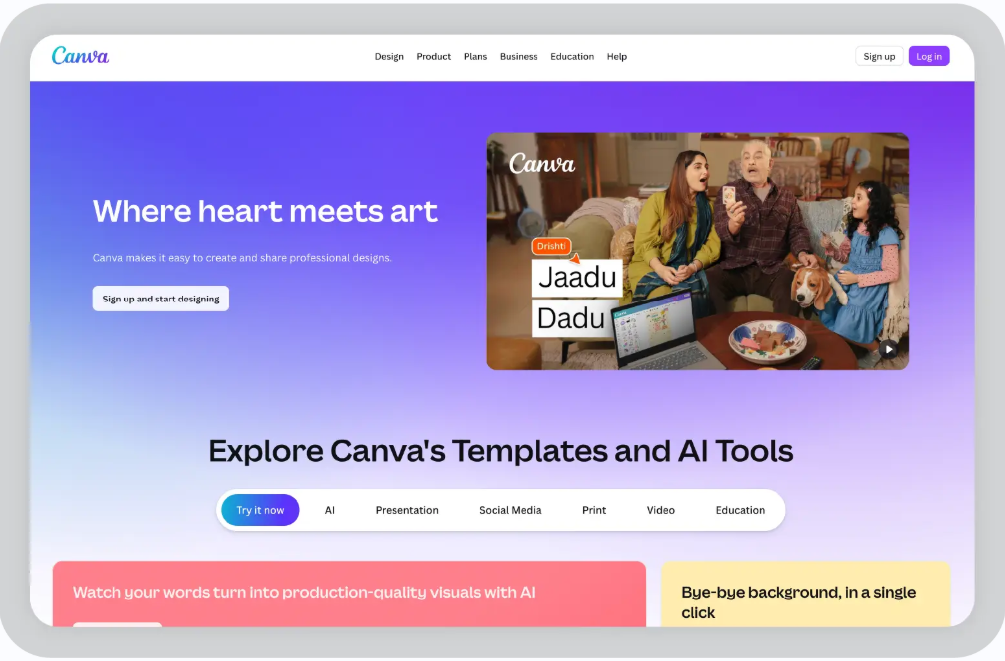
Canva is a browser-based, drag-and-drop design platform built for non-designers. It helps users to create social media graphics, presentations, flyers, videos, and other marketing assets without needing a graphic designer or advanced tools like Illustrator or InDesign.
The interface is user-friendly and easy to navigate, offering a wide selection of templates that make it simple to create professional visuals quickly. That accessibility has made it popular with freelancers, small businesses, and enterprise marketing teams in their early growth stages.
Key features of Canva:
Pricing:
Free plan available with watermarked premium assets; Pro at $12.99/month; Teams at $14.99 per user/month; custom pricing available for enterprises.
Why do users like Canva?
Simplicity is its biggest strength. Marketers can create LinkedIn carousels quickly. Solopreneurs can design logos without learning complex design software. The free plan lowers the barrier to entry, and many users upgrade once it becomes part of their daily workflow.
As teams and companies grow, expectations and priorities shift. What works well for quick content creation can become harder to manage when brand consistency, compliance oversight, and executive-level communication become critical.
Some common challenges I see with Canva include:
Now let’s take a closer look at the leading Canva competitors. These tools were selected based on G2 top ratings and real-world adoption across client engagements.
Prezent is an enterprise AI presentation platform powered by Astrid, built specifically for business teams that create high-stakes presentations.
Unlike general slide design tools, Prezent combines generative AI features like automatic deck creation, built-in brand governance, hyper-personalization, and expert support such as Overnight Presentation services to help organizations produce compliant, audience-specific decks at scale. It is popular in Life Sciences, Technology, and large enterprises where messaging accuracy and brand control are critical.
Astrid is designed to understand more than a simple prompt. It factors in your industry context, brand guidelines, audience type, and communication goals to generate structured presentations such as investor decks, sales playbooks, board updates, QBRs, and regulatory communications.
Prezent integrates with enterprise workflows, and the output is aligned with business standards and ready for review or final delivery, reducing the need for manual restructuring or editing fixes later in the process.
Key features of Prezent:
.webp)
Prezent pricing:
Prezent doesn't have a free version. A 14-day trial is available, and paid plans begin at $33.25 per user per month, with custom pricing options for enterprise teams.
Best for:
Enterprises and growing business teams that require fully on-brand, compliant presentations at scale. Particularly valuable for sales enablement, investor relations, board communications, and compliance-driven departments.
Pros & Cons:
Use case scenario:
A business team needs separate earnings decks for analysts and board members. They enter performance data into Astrid, which generates structured versions tailored to each audience. Brand standards are automatically applied, and the draft routes through legal for approval before distribution.
The result is faster turnaround, lower external spend, and improved compliance control.
User feedback:
“Prezent combines the power of AI with intuitive design templates to help professionals create clear, compelling, and on-brand slides—without spending hours on formatting or structure.”- G2 user reviewG2 rating: 4.7 out of 5
My review:
After implementing Prezent across multiple large enterprise teams, I’ve seen how it changes presentation workflows at scale. Astrid is built for business communication, not generic content generation. It aligns outputs to brand standards and executive messaging from the start, which reduces cleanup and redesign cycles.
Where general slide tools can create formatting inconsistencies that require manual fixes, Prezent focuses on delivering structured, production-ready presentations.
If your team produces a high volume of high-stakes decks each month, the efficiency gains become noticeable quickly. For lightweight or occasional design needs, simpler tools may still be sufficient.
What is Visme?
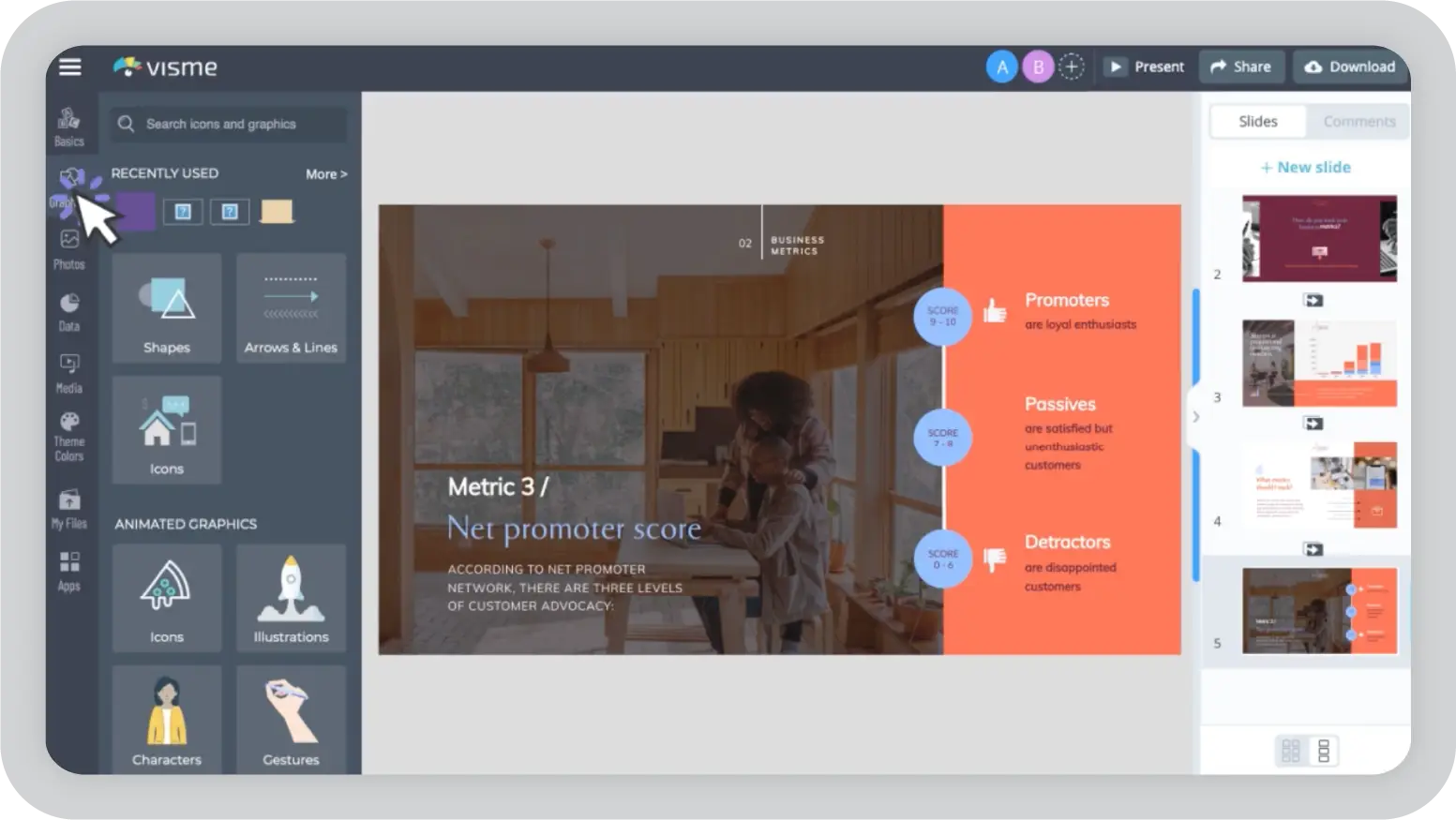
Visme is a cloud-based visual content platform focused on data-driven presentations, interactive infographics, and visual reports. It is commonly used by marketers, educators, sales teams, and analysts who need to turn complex data into structured visual narratives. The platform emphasizes interactive and analytical presentations rather than lightweight social graphics.
Key features of Visme:
Visme pricing:
Free plan available with 5 projects and limited storage. Paid plans start at $12.25 per month (annual billing). Enterprise plans offer custom pricing.
Best for:
Small to mid-sized teams that rely heavily on data visualization, interactive presentations, and performance reporting.
Pros & Cons:
Use case scenario:
A marketing team builds a quarterly performance deck by connecting analytics data, generating interactive charts, and collaborating live. Leadership can engage directly with the data during the presentation.
User feedback:
“Visme is easy to use, gives you many great templates”- G2 user review
G2 rating: 4.5 out of 5
My review:
Visme is strong when data visualization and interactivity are central to the presentation. It allows teams to present performance metrics in a more engaging format than static slides. One limitation is that brand governance and structured approval workflows are not deeply built in. For organizations that require strict brand enforcement and compliance controls across large teams, more specialized enterprise presentation platforms may provide stronger oversight.
What is Adobe Express?
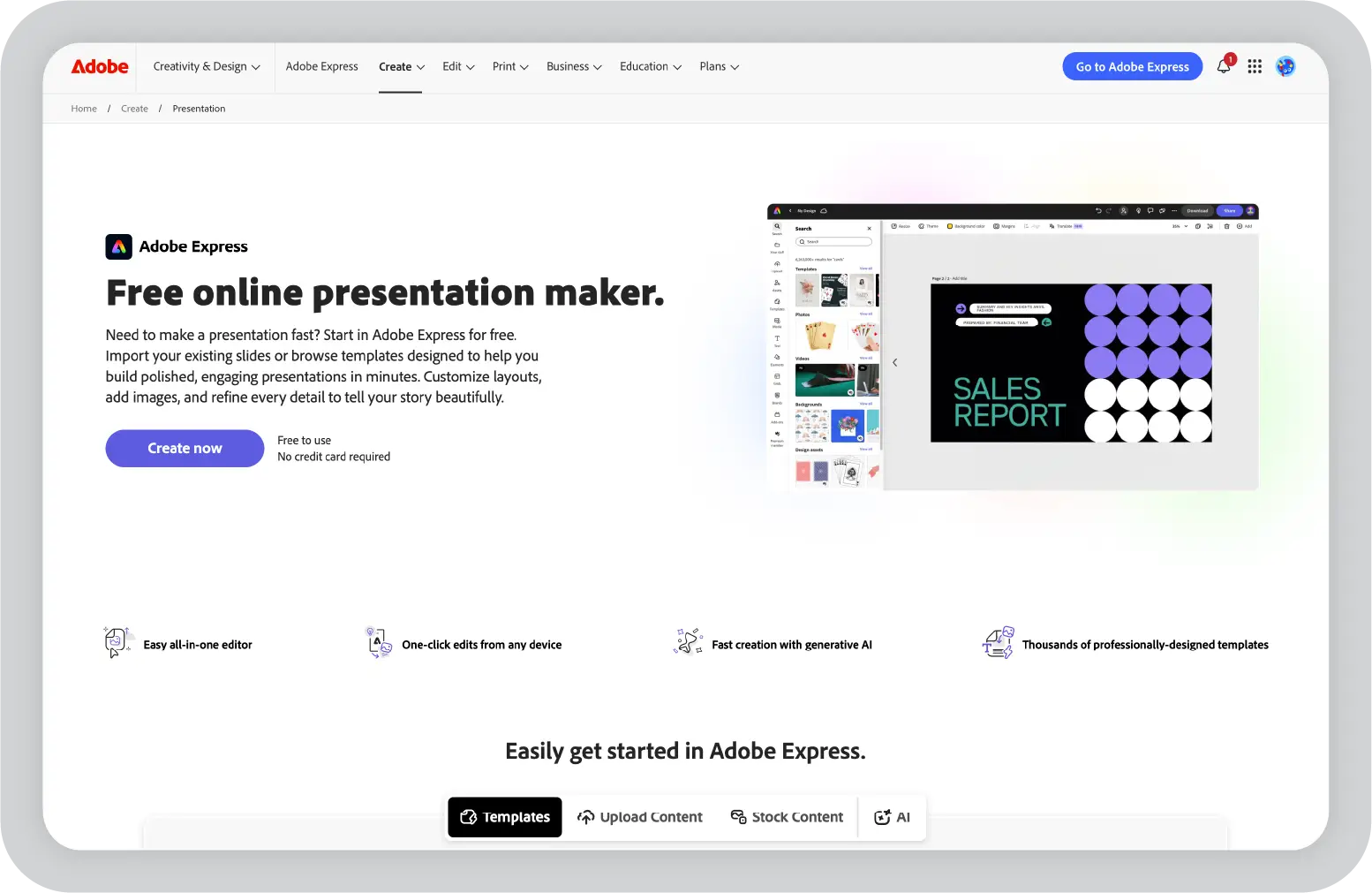
Adobe Express is a browser-based design tool within the Adobe Creative Cloud ecosystem. It is built for fast visual content creation rather than structured business presentations.
The platform is commonly used by freelancers, small agencies, and marketers who already work with Photoshop or Premiere and need quick access to professional assets for social graphics, short videos, and basic multi-page layouts.
Adobe Express is not presentation-first. It is optimized for rapid creative output using Adobe’s asset library rather than scalable, governance-driven business communication.
Key features of Adobe Express:
Adobe Express pricing:
Free plan available with watermarked premium assets; Premium at $9.99/month with full Firefly AI and unlimited Stock and Fonts; Enterprise plans available through Adobe’s admin console.
Best for:
Freelancers, social media managers, and Adobe ecosystem users are creating quick client deliverables or campaign assets. Most suitable for small creative teams rather than enterprise presentation environments.
Pros & Cons:
Use case scenario:
A marketer needs a LinkedIn carousel quickly. They select a Stock image, use Firefly to generate a background, apply branded fonts, resize for multiple formats, and export within minutes. The workflow is efficient for social content production.
User feedback:
“I appreciate the wide variety of templates available for social media posts, presentations, flyers, and other projects. While the free version is useful, certain templates, fonts, images, and advanced tools are locked behind a premium plan.”- G2 user review
G2 rating: 4.5 out of 5
My review:
Adobe Express is often evaluated alongside Canva and other design tools. It is effective for quick creative output, especially for teams already working within the Adobe ecosystem and leveraging Stock and Fonts for polished visuals.
That said, its focus is on design speed rather than structured presentation workflows. Organizations that require formal brand governance, approval processes, and scalable business storytelling may need to assess whether it aligns with enterprise presentation requirements.
What is VistaCreate?
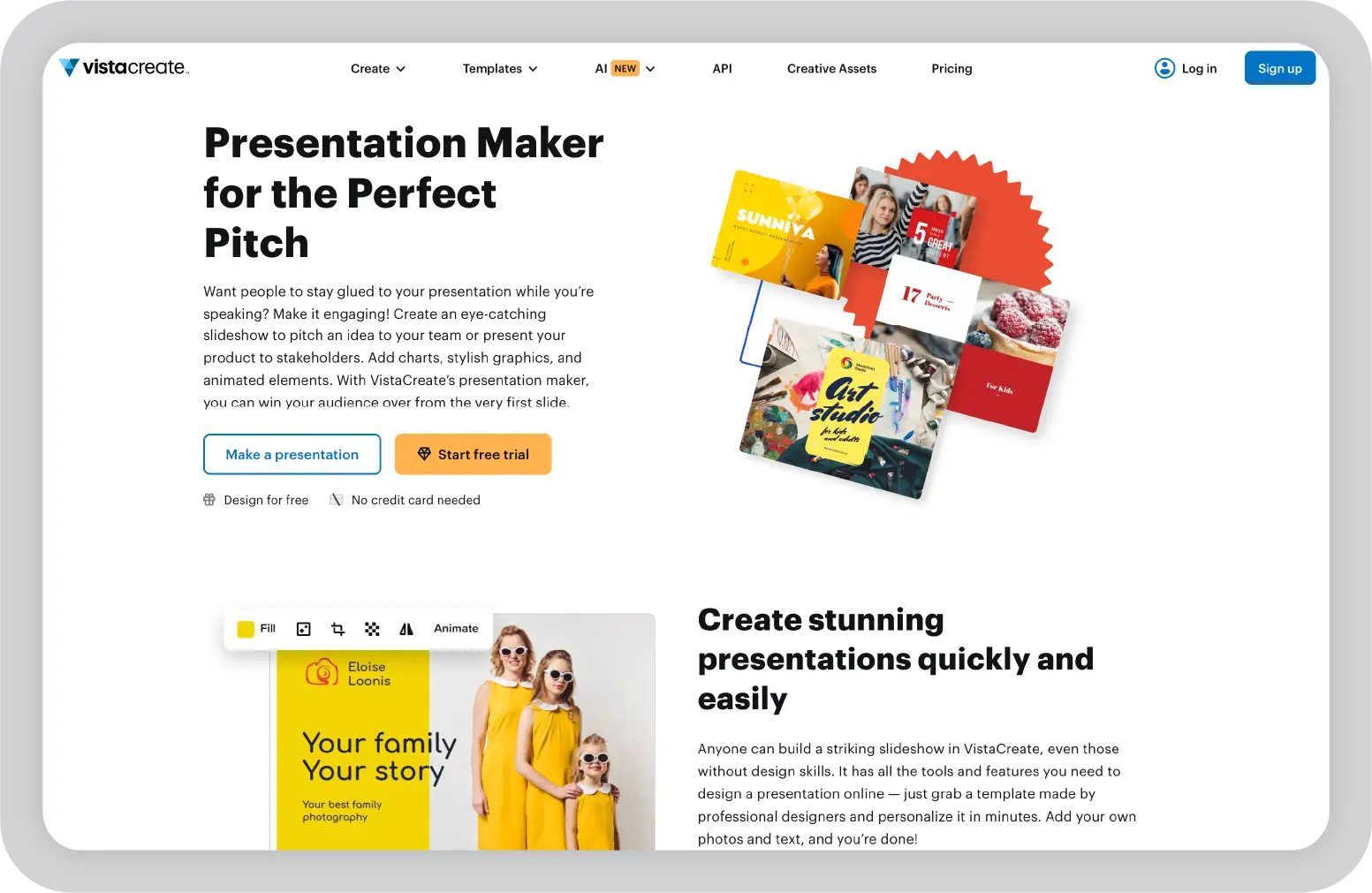
VistaCreate, formerly Crello, is a browser-based design platform focused on social media graphics and animated content. It includes presentation functionality, though its primary strength lies in promotional visuals rather than structured business decks.
The tool is commonly used by freelancers and small teams creating social posts, ads, and lightweight slideshows.
Key features of VistaCreate:
VistaCreate pricing:
Free plan with 10GB storage and watermarked premium assets; Pro at $10/month with unlimited storage and brand kits; Enterprise plans available with custom pricing and standard administrative controls.
Best for:
Freelancers, social media managers, and small teams focused primarily on animated social content or simple promotional slideshows.
Pros & Cons:
Use case scenario:
A social media manager needs an animated Instagram carousel to promote a webinar. They select a template, update branding and text, resize it for Stories, and share a review link with the client. The workflow is efficient for promotional content and short-form visuals.
User feedback:
“They have a larger template library. Sometimes, we have some issues while exporting the templates.”- G2 user review
My review:
VistaCreate is well-suited for teams prioritizing social media visuals and animated content. For organizations that require structured presentation workflows, advanced collaboration, or compliance oversight, additional evaluation may be needed depending on use case complexity.
Beyond the major platforms, there are several other tools that can be considered Canva alternatives for presentation creation. Below is a brief overview of five options, including where they perform well and where their limitations may matter depending on your presentation needs.
Enterprise teams are managing distribution across regions, aligning messaging across departments, and ensuring that every external-facing presentation reflects the company accurately.
That often means handling:
At this level, presentations become a workflow problem, not just a design task.
The comparison is no longer about who has more templates or faster formatting. It is about which platform supports structured processes, scalability, and accountability across teams.
The table below outlines how Prezent and Canva differ when evaluated through that enterprise lens.
Prezent AI vs Canva: Enterprise decision table
After reviewing leading Canva competitors through a presentation-first lens, one gap becomes clear: most tools optimize for design speed, not enterprise communication control. For organizations managing high-stakes, high-volume presentations, Prezent differentiates itself across four areas that matter most.
1. 100% brand compliance means reduced rework
The challenge with flexible design tools:
Brand kits help maintain consistency, but users can often override colors, fonts, and layouts. In large teams, this leads to off-brand decks that require legal or marketing review and correction.
How Prezent addresses it:
Brand elements, templates, and structural standards are enforced across slides. Teams work within predefined guidelines, reducing deviation and manual corrections.
Business impact:
Real impact: Workday rebranded 23,000 slides quickly and saved over $675K by eliminating manual brand cleanup.
2. From one master deck to multiple audience-ready versions
The manual workflow challenge:
Creating separate versions of the same presentation for analysts, executives, clients, and prospects often requires duplicating slides and adjusting messaging manually.
How Prezent supports personalization at scale:
Input core business data once. Astrid adapts structure, depth, and framing based on audience type, generating tailored versions for different stakeholders.
Business impact:
Real impact: A cloud networking company strengthened communication with structured storylines and personalized presentations, cutting agency spend by 60%.
3. Contextual content across five intelligence layers
The challenge with general AI slide tools:
AI-generated slides are often layout-driven and generic. The same structure may be used for technical analysts, executives, and external stakeholders. Teams then spend time reorganizing depth, framing, and data for each audience.
How Prezent addresses it:
Astrid evaluates multiple contextual inputs before generating a deck:
Business impact:
Real impact: A top 10 biopharma company cut presentation creation time by 80% and accelerated decision-making.
4. Built-in business storytelling structure
The challenge with flexible slide tools:
Without structured storytelling guidance, presentations can become collections of slides rather than cohesive narratives. Technical depth may overwhelm executives, while high-level summaries may not satisfy analytical reviewers.
How Prezent addresses it:
Prezent incorporates structured storytelling frameworks, including pyramid-based communication principles. Decks are organized logically from problem to insight to recommendation, with depth adjusted by audience.
Business impact:
Real impact- A leading insurance company cut meeting time by over 50% by translating complex technical details into clear, story-driven presentations for non-technical stakeholders.
Choosing a Canva alternative for presentations is not about finding more templates or better design effects. It’s about deciding how your organization wants to manage communication at scale.
If your team creates occasional slides or social graphics, flexible design tools may be enough. But when presentation volume increases, brand risk rises, and stakeholder expectations become more complex, structure and governance start to matter as much as design.
Prezent is built for teams that treat presentations as strategic assets, not just slides. It brings together features like brand enforcement, contextual AI, structured storytelling, and enterprise workflows in one platform. The result is fewer revisions, faster approvals, and more consistent communication across teams.
If you are evaluating Canva alternatives for enterprise presentation needs, the next step is to see how it works in your environment.Schedule a demo to explore how Prezent can support your team’s presentation workflow.
If you’re looking for a Canva alternative built for business presentations, Prezent is one of the best options for enterprise teams. It goes beyond a standard graphic design tool by offering brand governance, AI tools for structured storytelling, locked templates, approval workflows, and security controls.
While Canva remains popular for graphic design and photo editing, Prezent is designed to create professional presentations at scale across large organizations.
Prezent provides the strongest brand compliance capabilities among tools like Canva and other design platforms. Its locked templates, granular permissions, and automated brand enforcement help teams maintain high-quality, consistent presentations without manual formatting fixes.
Unlike flexible editing tools, users cannot override core brand elements, which reduces rework across large teams.
Direct import from Canva is not currently available. You can export Canva files as images or PDFs and upload them into Prezent for AI-enhanced editing and brand alignment.
This approach allows teams already using Canva to transition content while improving structure and consistency.
Prezent’s AI focuses on business communication. It helps structure narratives, adapt content for different audiences, and generate presentation storylines aligned with enterprise standards.
Canva’s AI features are well suited for general graphic design, photo editor tasks, and quick creative work. If you need AI tools that support business storytelling rather than just layout or image editing, the difference becomes clearer.
The best alternative depends on your use case.
If you are using Canva primarily for presentations, it helps to evaluate whether you need structured AI features or just design flexibility.
VistaCreate offers a free plan with generous limits compared to many free tools. Some platforms like Visme or Adobe Express offer a free trial or limited free versions, though premium features may require a subscription.
If you’re searching for free Canva alternatives without watermarks, it’s important to review export limits and editing features before deciding.
Canva Pro starts at around $15 per user per month under a subscription model. Alternatives vary. VistaCreate offers lower-cost plans, while enterprise platforms like Prezent focus on business-grade features rather than entry-level pricing.
If your priority is advanced editing, AI features, or brand governance, pricing should be evaluated alongside functionality rather than cost alone.
.jpg)
Anoob is the Head of Content at Prezent with over 16 years of experience in marketing and content. He has worked with leading startups such as SocialPilot, Writesonic, BigBasket, FreshMenu, GupShup, and SimplyHired. Passionate about social media and digital tools, Anoob enjoys testing new platforms to help businesses make better marketing decisions. You can connect with him on LinkedIn.


.png)