No items found.
No items found.
If you’re looking for Visme reviews, chances are creating presentations is already an important but frustrating process for you.
Visme positions itself as a modern, AI-powered presentation platform designed to streamline slide creation with pre-built templates and AI automation.
But when client renewals or budget approvals are on the line, presentations need to frame data well and bring out insights clearly, rather than just be aesthetically pleasing.
Does Visme hold up to these requirements?
I’ve tested Visme keeping these enterprise workflows in mind. In this review, I’ll explore how the tool performs with respect to its AI capabilities, brand governance, template flexibility, and turnaround time, so you decide whether it aligns with your presentation standards.
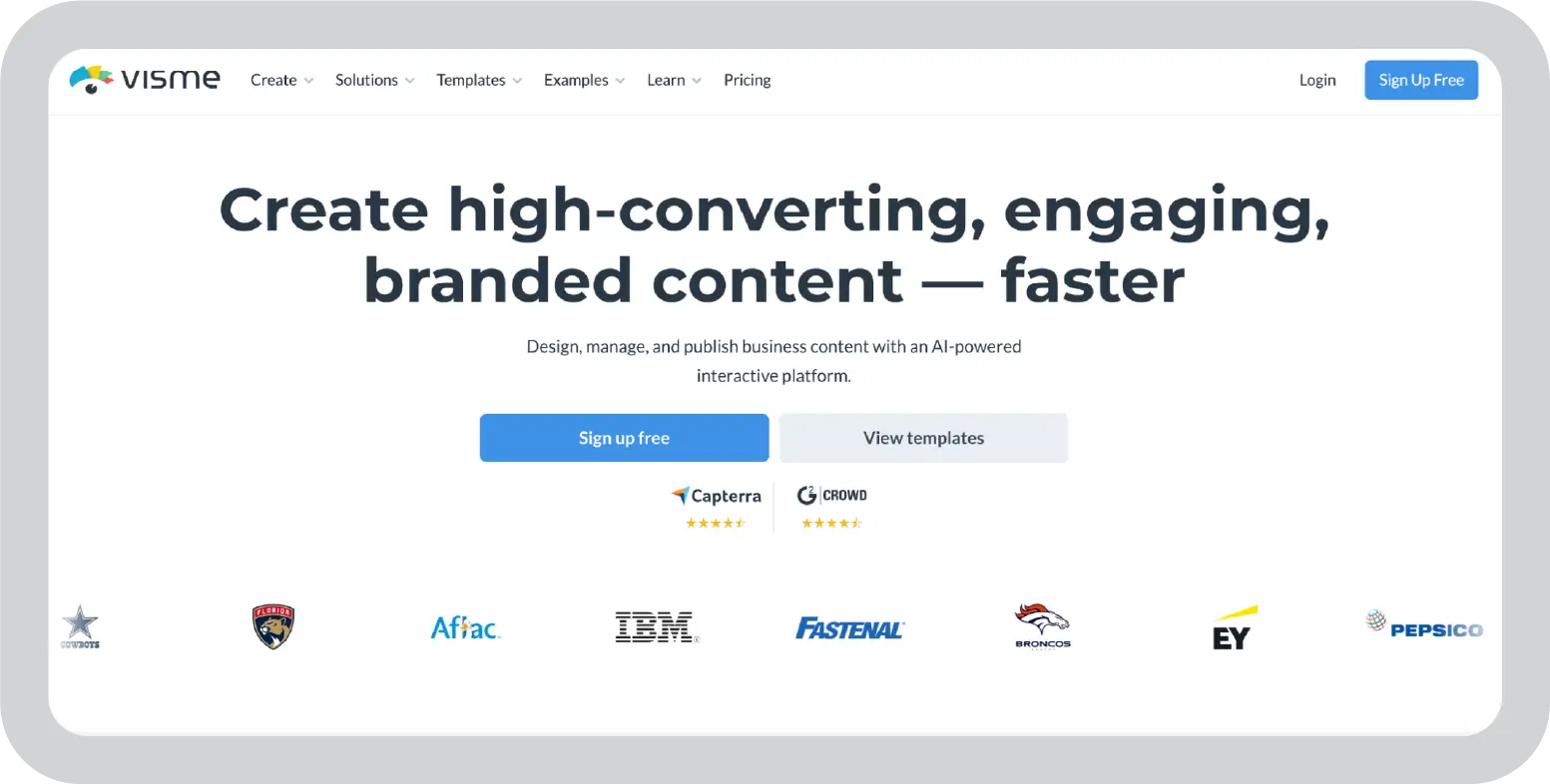
Visme is a cloud-based visual content platform built for reports, marketing materials, infographics and presentations. It has:
Its positioning is clear: simplify visual communication for teams without requiring advanced design skills.
For marketing teams, HR departments, educators, and small businesses, that breadth is valuable. You can create everything from pitch decks to social graphics in one environment.
The key question for enterprise presentation workflows, however, isn’t breadth. It’s depth.
Does Visme meaningfully reduce the effort behind executive-ready decks, or does it primarily help with designing?
Let’s break that down.
At Prezent AI, we constantly think about how to make presentations easier for teams. And that means I, and the entire team, have reviewed a lot of presentation tools and have a pretty good sense of which features actually make a difference in real workflows.
For this Visme review, I evaluated the platform by:
I also compared the features with other tools like Canva and checked G2 and Capterra to check how real-user experiences align with my testing.
The aim of this review is simple: provide a clear, experience-based breakdown of Visme so you can decide whether it fits your workflow for creating presentations and visual content.
AI slide generation is one of the main reasons teams explore Visme. It was also the feature I was most excited about.
The process is simple. You can write a prompt or upload an existing document, and Visme automatically chooses a template and generates slides based on the content.
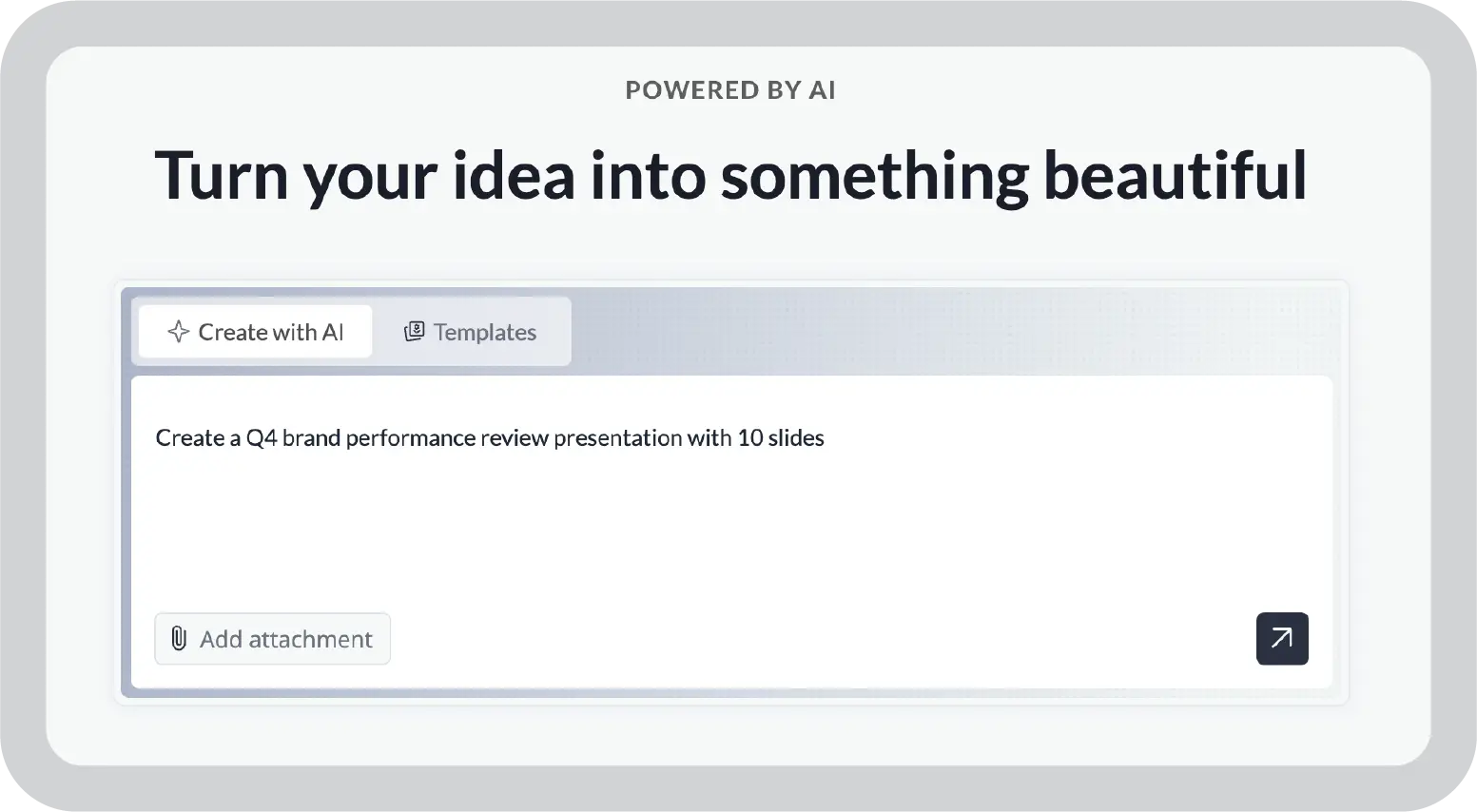
When I tested this feature, I got a structured deck with consistent layouts and readable slide within minutes. But once I started refining the deck, the limitations became clearer.
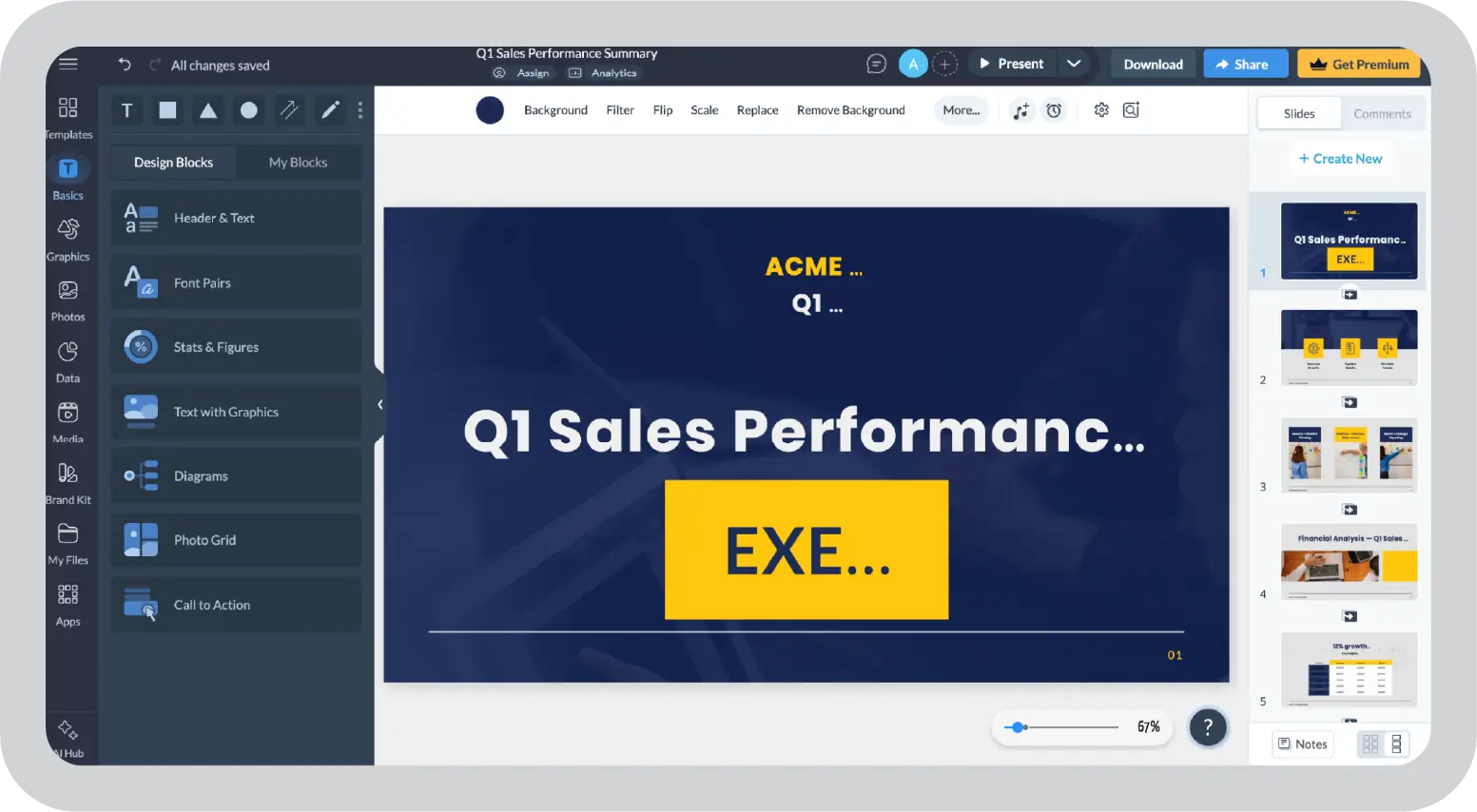
After the AI generates the slides, everything moves into the regular Visme editor. If the narrative structure isn’t quite right (which happens often) the only way to fix it is to manually adjust slides one by one.
You can regenerate the presentation, but each regeneration consumes credits and repeated regenerations become impractical.
That means, Visme’s AI isn’t any different from manually choosing and editing a template.
I’ve seen much better AI presentation generators, such as Prezent’s Astrid AI, that create presentations which are brand-aligned and also have impactful messaging hierarchy. In comparison, Visme’s AI feature looks only like a fancy add-on and nothing more.
Visme’s template library, on the other hand, is genuinely impressive.
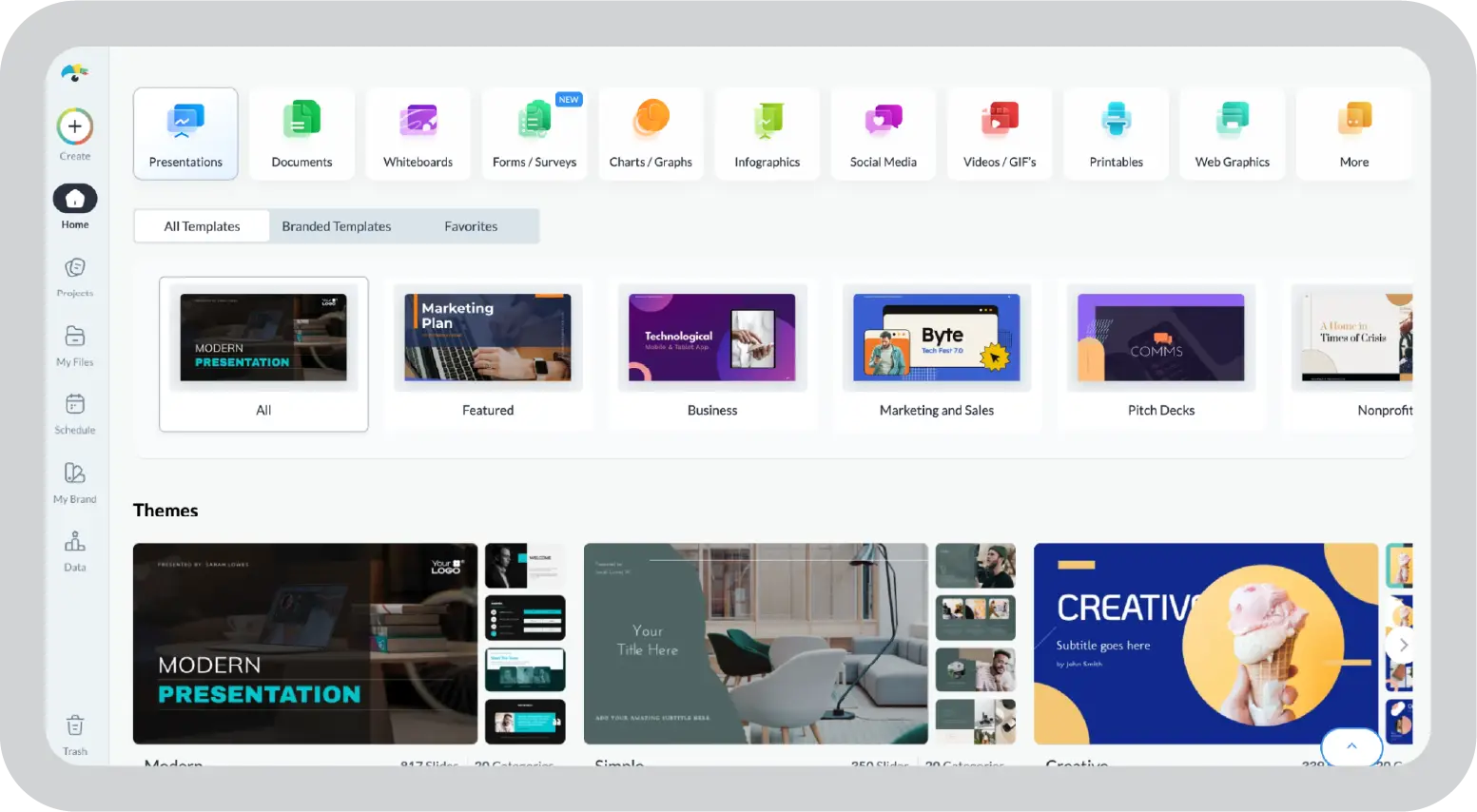
It offers a large collection of presentation templates across different categories: business reports, marketing decks, pitch presentations, HR materials, educational content, and so on.
Editing them is also straightforward. You can easily adjust layouts, change fonts, replace icons, and swap stock images without much friction.
The editor itself feels fairly intuitive to use, especially if you've worked with design platforms like Canva before.
Visme includes a centralized Brand Kit where teams can upload logos, define brand colors, and set fonts.
That’s about it.
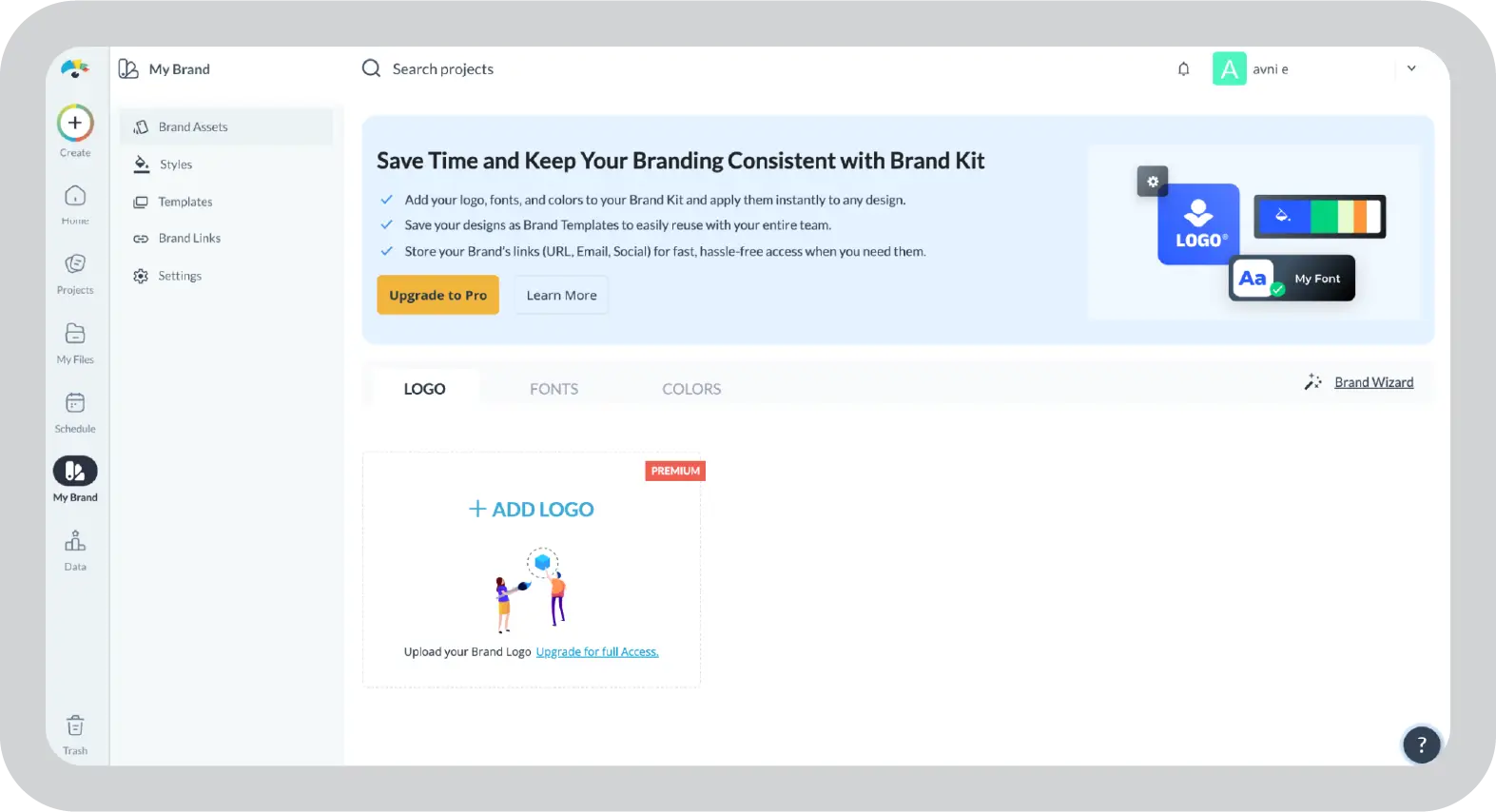
I expected Visme to strictly maintain brand consistency across slides considering it is an enterprise platform. But things like locking layouts, standardizing templates, preventing accidental design deviations, and even maintaining the messaging simply aren’t there.
For teams creating occasional presentations, that might not be a major concern.
But in environments where brand compliance matters, especially across large teams or client-facing decks, this lack of guardrails becomes noticeable quickly. Visme helps you apply brand elements, but it doesn’t really enforce brand governance.
In large organizations, this problem tends to grow over time. Multiple teams, vendors, and regional offices often contribute presentations, and even small inconsistencies in fonts, logos, or layouts can accumulate quickly.
Platforms built specifically for enterprise presentations approach this differently. For example, Prezent AI locks brand elements directly into templates and slide libraries, ensuring fonts, colors, logos, and layouts remain consistent across every deck. Instead of relying on users to remember brand rules, the system enforces them automatically.
Visme’s approach is much lighter in comparison. If maintaining strict brand standards across presentations is a priority, the platform still leaves a lot of that responsibility to the user rather than the software.
Visme also provides built-in tools for charts, graphs, diagrams, and infographics. You can paste data directly, upload files, or manually input numbers to generate visuals.
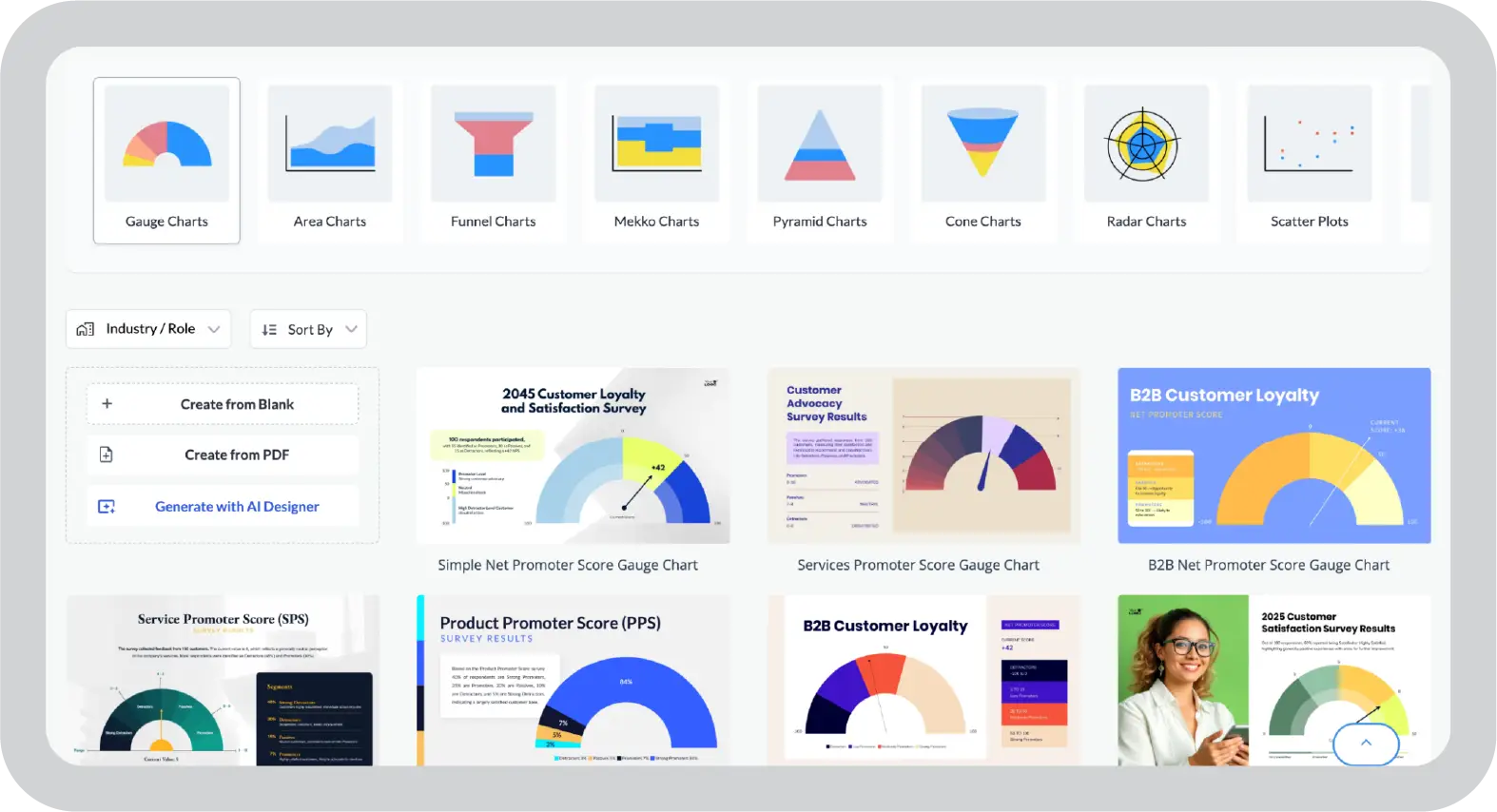
When I tested this feature, creating basic charts was fairly easy. The editor allows you to adjust colors, modify layouts, and add icons or graphic elements to align visuals with your brand.
For marketing reports, KPI summaries, or performance updates, this workflow works well.
However Visme doesn’t help with data interpretation. Say you upload a CSV file or a document with a large dataset. It won’t automatically convert it into a relevant chart.
So you are left to create a bar graph or a pie chart on your own. For data-heavy presentations, this can take up a good chunk of your time.
In other platforms like Prezent AI, uploaded documents or datasets can be translated into structured slides automatically. Visme takes a more design-focused approach, giving users flexible charting tools but leaving most of the interpretation and structuring to the user.
Presentations rarely move from draft to final version without input from multiple people.
Marketing teams, sales leaders, executives, and clients often review and comment on the same deck before it’s complete.
Visme supports this process with real-time collaboration.
Multiple users can work on the same presentation simultaneously, leave comments, and edit slides without duplicating files. Feedback stays attached to specific slides or elements, which makes revision discussions easier to track.
Shared workspaces also help organize projects across teams.
For me, collaboration generally worked as expected for design edits and feedback cycles.
Overall, Visme is best understood as a visual design platform for presentations. It simplifies slide design, but it doesn’t do much beyond that. If you need help tailoring presentations for different audiences or maintaining strict brand consistency, those decisions still need to be handled manually.
After testing Visme across different workflows, a few strengths and limitations stood out. The platform clearly prioritizes design flexibility, but some areas still require manual effort.
Visme has good ratings on both G2 and Capterra:
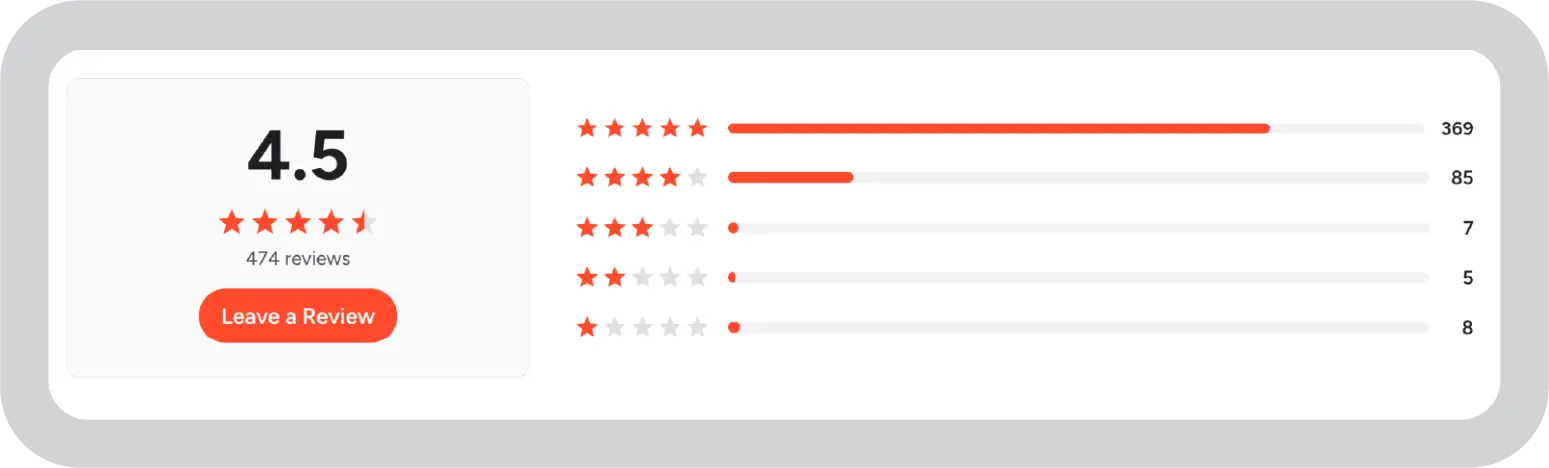

To get a broader picture beyond my own testing, I looked through user feedback on G2, Capterra, and Reddit to see how Visme performs in real-world workflows.
Most reviews of Visme said about how it works well for designing different types of visual content.
Meredith S., a VP of Marketing, says on Capterra:
“We use it for everything - marketing materials, catalogs, social posts, web graphics, posters, etc. It has thousands of templates and it's fun and easy to use. Cannot recommend enough!”
But friction can appear when presentations become more complex or data-heavy. Many users have to say that while Visme is a great design tool given a wide selection of templates, it could be better in areas like editing and maintaining brand consistency.
For example, Ryusei H., a small-business reviewer on G2, mentioned challenges when editing charts inside the editor:
“Whenever I want to open and edit a chart, the screen is moved, and the presentation is no longer in the middle, making it harder to find where I was editing.”
Some users also report limitations when working with larger datasets in charts. A verified G2 user noted:
“When using more than 15 data points in a Bar Graph, I ran into a problem with the legend — meaning that I couldn't see which data point was aligned to.”
Overall, my experience largely aligns with the general user feedback. While Visme is definitely appreciated for its design flexibility, templates and assets, some workflow limitations appear when projects involve larger datasets, heavier slides, or more complex editing tasks.
Visme’s pricing is structured in tiers, with each plan unlocking additional design assets. The platform includes a free Basic plan, which lets you explore the editor, along with three paid tiers designed for individuals, teams, and larger organizations.
Something to keep in mind: Visme’s free version adds a Visme watermark on all design assets. If you are creating client-facing presentations, you’ll need the paid plans for a watermark-free design.
Below is the current pricing structure based on Visme’s annual billing.
A couple of aspects of Visme’s pricing are worth paying attention to.
If you’re evaluating Visme for enterprise use, it’s worth considering whether your organization needs more than just design capabilities. Many large teams need tools that help manage presentation production at scale and not just create slides.
While Visme works well for designing visually polished slides, reports, and infographics, it’s primarily a visual content creation platform. Visme doesn’t fully address some enterprise presentation needs such as strict brand governance, structured storytelling, audience-specific messaging, and scalable presentation production across teams.
If those capabilities are important for your organization, I recommend looking at dedicated enterprise presentation platforms like Prezent AI.
With Prezent AI, teams can:
If you’re looking for a platform built specifically for enterprise presentation workflows, it’s worth exploring what Prezent AI can do.
Schedule a free demo or start your free trial to learn more about Prezent AI.
Yes, Visme is a solid tool for creating visually polished presentations, reports, and infographics. Its template library and drag-and-drop editor make it easy to design slides quickly. However, it focuses primarily on visual design rather than structured business storytelling or enterprise presentation workflows.
Yes, Visme offers a free plan that allows you to create unlimited projects. However, the free plan has several limitations, including restricted assets, limited downloads, and a Visme watermark on presentations, which can make it less suitable for professional or external presentations.
Visme works best for creating marketing visuals, reports, infographics, social graphics, and simple presentations. It is particularly useful for individuals or small teams who want to design visually appealing content without advanced design skills.
Visme can work for enterprise teams that need to create visual content such as presentations, reports, and infographics quickly. It offers collaboration features, brand kits, and enterprise-level security options like SSO and 2FA.
However, its strengths are primarily in design and visual communication, rather than structured enterprise presentation workflows or large-scale presentation production. If you are an enterprise that frequently deals with presentations, choosing a tool like Prezent AI is a better option.
For enterprise organizations that need scalable presentation production, strict brand governance, and AI-assisted storytelling, dedicated presentation platforms like Prezent AI can be a better fit. These tools are designed specifically for enterprise communication workflows rather than general visual design.

Niyati is a Content Marketing Specialist with over 5 years of experience creating product-led content that drives conversions. She focuses on building high-intent, search-driven content that aligns closely with product value and turns traffic into users. Having worked with several SaaS and AI-first companies, she specializes in bridging content strategy with measurable growth.
Connect with her on LinkedIn.





.png)





