Last Updated :
March 19, 2026
Niyati Mahale

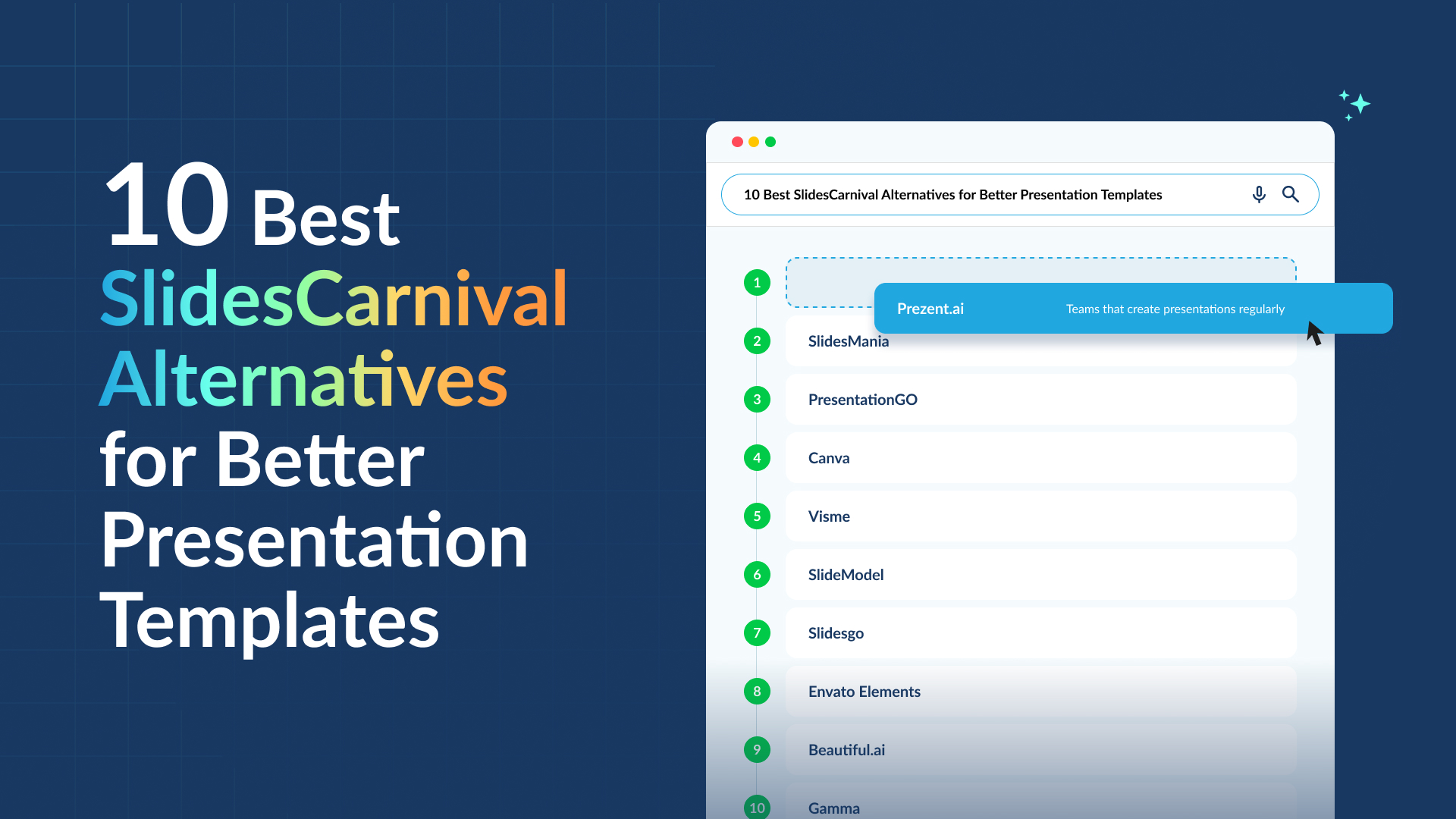
10 Best SlidesCarnival Alternatives for Better Presentation Templates

Explore the best SlidesCarnival alternatives for presentation templates. Compare tools for design, collaboration, AI slide creation, and business presentations.
slidescarnival-alternatives

SlidesCarnival has been a reliable source for free PowerPoint and Google Slides templates for years. If you’ve ever searched for presentation templates online, chances are you’ve landed on it at some point.

But as presentation workflows evolve, many teams realize that templates alone aren’t always enough. You might want better customization, collaboration features, or tools that help you structure your message rather than just decorate slides.

That’s where SlidesCarnival alternatives come in.

In this guide, I’ll walk through some of the best SlidesCarnival alternatives available today. Some focus on free template libraries, while others offer AI-powered presentation creation, collaboration tools, and brand management for teams.

Quick glance: Best SlidesCarnival alternatives

Before I walk through each tool in detail, here’s a quick comparison of the SlidesCarnival alternatives in this guide. It highlights what each platform is best known for, along with pricing and core strengths.

Tool Best for Free plan Starting price Key strengths
Prezent.ai Teams that create presentations regularly Yes Custom pricing AI-powered presentation creation, brand compliance, storytelling frameworks, collaboration
SlidesMania Free template library for quick presentations Yes Free Large collection of Google Slides & PowerPoint templates
PresentationGO Business diagrams and infographic slides Yes Free Timeline slides, frameworks, process diagrams
Canva Visual slide design and multi-purpose design work Yes $15/month Drag-and-drop editor, large template library, design assets
Visme Data-heavy and visual presentations Yes $12.25/month Charts, infographics, data visualization tools
SlideModel Structured business slide templates No $24.90 for a one-day access plan Strategy frameworks, timelines, consulting-style slides
Slidesgo Full presentation themes with visual styling Yes $5.99/month Complete slide decks with consistent design
Envato Elements Large design asset library including slides No $16.50/month Unlimited downloads, templates + graphics + assets
Beautiful.ai Automated slide design Free trial $12/month Smart layouts, structured slide templates
Gamma AI-generated presentations Yes $8/month AI drafting, card-based slides, web sharing

Best SlidesCarnival Alternatives

1. Prezent.ai

Prezent.ai is one presentation platform I genuinely feel solves many of the problems teams run into when creating slides.

A lot of SlidesCarnival alternatives focus on templates. Templates help with design, but they still leave teams doing most of the work. Someone still has to structure the story, fix layouts, and make sure every slide follows brand guidelines.

What I like about Prezent.ai is that it tackles those problems directly.

Instead of just offering slide designs, the platform helps teams create structured, business-ready presentations. The templates are built for real situations like strategy updates, sales presentations, and executive briefings. So when I start building a deck, I’m not staring at a blank slide.

I also like how Prezent.ai brings AI assistance, brand compliance, and collaboration into one place. It makes the whole process feel more organized.

Prezent.ai key features

  • Astrid AI helps generate presentation content and organize slides. Instead of building every slide from scratch, I can start with AI-assisted suggestions that help structure the presentation more clearly.
  • Slide Library gives access to thousands of professionally designed slides built for real business scenarios like strategy updates, sales pitches, project reviews, and executive briefings.
  • Brand Compliance Engine ensures presentations automatically follow company brand guidelines like fonts, colors, and logos, which helps maintain consistency across teams.
  • Storytelling Frameworks provide structured slide flows for common presentation types so it’s easier to build a logical narrative rather than arranging slides randomly.
  • Real-time Collaboration allows multiple team members to work on the same presentation together instead of sending files back and forth.
  • Presentation Analytics helps teams understand how presentations are shared and viewed, which can provide useful insights for improving future decks.

What I like about Prezent.ai

  • It reduces the time teams spend fixing slide formatting.
  • Brand guidelines are already built into the platform, so presentations stay consistent.
  • Templates are designed for real business situations, not just generic slides.
  • Collaboration is simple. Teams can work on the same presentation instead of sending files back and forth.
  • The platform focuses on communication clarity, not just visual design.

What could be better about Prezent.aiI

  • The platform includes many capabilities, so it may feel more advanced than a simple template library.
  • Teams that only create presentations occasionally may not use all the features.
  • Some users may need a short learning period when moving from traditional slide tools.

Prezent.ai pricing

Prezent.ai offers custom pricing depending on your requirements.

Who is Prezent.ai for?

Prezent.ai works best for teams that create presentations regularly and want a more structured way to build them. It is especially useful for business teams that need consistent branding, collaboration across departments, and faster presentation creation.

2. SlidesMania

SlidesMania is one of the template sites I often see people use when they want quick presentation designs without paying for a subscription.

The platform focuses entirely on free templates for Google Slides and PowerPoint. Most of the templates are colorful and visually creative, which makes them popular for quick internal decks or informal presentations.

Unlike presentation platforms that include collaboration or AI features, SlidesMania works as a simple template library. You browse the templates, open one in Google Slides or PowerPoint, and then customize the slides yourself.

SlidesMania key features

  • Free Google Slides and PowerPoint templates that can be opened directly in Google Slides or downloaded as PowerPoint files for easy editing.
  • Wide range of creative themes including timelines, infographics, and themed presentation designs.
  • Templates with built-in slide layouts such as agenda slides, section dividers, and visual diagrams that help structure a presentation.
  • Direct Google Slides integration which allows users to open templates with one click and immediately start editing.
  • Regular template updates so new themes and designs are added frequently.

What I like about SlidesMania

  • The templates are completely free to use.
  • It is very easy to start. I can open a template in Google Slides within seconds.
  • The designs are creative and visually engaging.
  • It works well for quick presentations when I need a starting design.

What could be better about SlidesMania

  • The templates are often more design-focused than business-focused.
  • There are no collaboration, analytics, or brand management features.
  • Everything still needs to be customized manually in Google Slides or PowerPoint.

SlidesMania pricing

SlidesMania templates are free to download and use.

Who is SlidesMania for?

SlidesMania works best for professionals who need free presentation templates for occasional decks. It is useful when someone wants a quick visual starting point before customizing the slides for a business presentation.

3. PresentationGO

PresentationGO is another template site that often comes up when people look for SlidesCarnival alternatives. Like SlidesMania, it focuses on free PowerPoint and Google Slides templates that can be downloaded and edited directly in presentation software.

When I talk to teams about how they currently build presentations, PresentationGO comes up fairly often. What they usually mention is the large number of diagram and infographic slides available on the platform.

Instead of only offering full presentation themes, the site includes slides for timelines, process flows, comparisons, and charts. That is usually why teams turn to it. They want a quick visual slide to explain an idea clearly.

PresentationGO key features

  • Business diagram slides including timelines, process flows, comparison layouts, and strategy frameworks.
  • Infographic-style templates designed to present data and structured information visually.
  • Editable slide elements such as icons, shapes, and charts that can be customized easily.
  • Templates organized by category so users can quickly find slides for specific presentation needs.

What I like about PresentationGO

  • I often hear teams mention the variety of diagram slides available.
  • The templates are easy to edit in PowerPoint or Google Slides.
  • The platform offers many useful visuals like timelines, frameworks, and comparison slides.
  • Most templates are free to download.

What could be better about PresentationGO

  • From what I have seen, teams still have to spend time adjusting slides to match company branding.
  • The platform focuses mainly on individual slide designs rather than the full presentation workflow.
  • There are no collaboration or presentation management features.

PresentationGO pricing

PresentationGO templates are free to download and use.

Who is PresentationGO for?

PresentationGO works best for professionals who want ready-made diagrams or visual frameworks to include in business presentations. It is commonly used when teams need visual slides to explain processes, comparisons, or timelines quickly.

4. Canva

Canva is one tool I often reach for when I need to design something. It is known as an all-in-one design platform, and that is really how most people use it. From social media graphics to documents and marketing visuals, Canva covers a lot of design needs.

Presentations are just one part of the platform, but Canva does them quite well. The editor is very visual and easy to use, which makes slide design feel simple. Instead of working through complex formatting tools, I can move elements around with a drag-and-drop interface and quickly build slides.

That ease of use, combined with a large template library, is a big reason why many professionals rely on Canva for presentations.

Canva key features

  • Drag-and-drop presentation editor that lets users design slides visually and adjust layouts quickly.
  • Large template library with thousands of presentation designs across business and marketing themes.
  • Extensive asset library that includes photos, icons, illustrations, charts, and graphics for slides.
  • Brand Kit that stores company logos, fonts, and colors to keep presentations visually consistent.
  • Real-time collaboration that allows teams to edit and comment on presentations together.

What I like about Canva

  • It is one place I can go for almost any design need, including presentations.
  • The drag-and-drop editor makes slide design feel quick and intuitive.
  • The template and asset libraries make it easy to build visually polished slides.
  • Collaboration features make it simple for teams to work on presentations together.

What could be better about Canva

  • Canva focuses more on design flexibility than on presentation structure.
  • With so many design options, slides can sometimes become visually busy.
  • Some templates and design assets require a paid plan.

Canva pricing

Canva offers a free plan with basic templates and design tools.

Paid plans start at $15 per month, which unlocks premium templates, brand kits, and additional design assets.

Who is Canva for?

Canva works best for professionals who want a flexible design platform that can handle presentations along with other visual content. It is especially useful for teams that create presentations as part of a broader design workflow.

5. Visme

Visme is another presentation tool that often comes up in conversations about presentation platforms beyond basic template libraries. What stands out about Visme is its focus on visual storytelling, especially for presentations that include charts, reports, or data.

From what I have seen, many teams turn to Visme when they want slides that explain information visually. The platform includes tools for charts, infographics, and other visual elements that help turn complex data into something easier to understand.

Because of that, Visme is often used for presentations that need strong visuals and data explanations, such as reports, dashboards, or marketing presentations.

Visme key features

  • Presentation editor with customizable templates that allows users to build presentations directly in the platform using professionally designed layouts for business presentations, reports, and visual storytelling.
  • Built-in data visualization tools that make it easy to add charts, graphs, maps, and infographic-style visuals to slides without needing separate design software.
  • Large library of visual assets including icons, illustrations, stock photos, and graphics that can be added directly to slides to make presentations more engaging.
  • Brand Kit functionality that allows teams to store brand colors, fonts, and logos so every presentation stays visually consistent.
  • Collaboration and sharing tools that allow teams to review, comment on, and share presentations through links or online viewing.

What I like about Visme

  • It provides strong tools for visualizing data, which makes it easier to explain numbers and insights clearly.
  • Many of the templates are designed for reports and structured presentations, not just simple slide decks.
  • The platform includes a wide range of visual assets and infographic elements, which can make slides look more polished.
  • It supports sharing presentations online, which can be useful when presentations need to be viewed digitally.

What could be better about Visme

  • The editor can take some time to learn compared to simpler presentation tools.
  • Some templates, assets, and features are only available in the paid plans.
  • Teams that only need basic slide presentations may find the platform more complex than necessary.

Visme pricing

Visme offers a free plan with limited templates and features.

Paid plans start at $12.25 per month, which unlock additional templates, visual assets, and collaboration capabilities.

Who is Visme for?

Visme works best for professionals who need presentations with strong visuals or data explanations. It is especially useful for teams creating reports, dashboards, marketing presentations, or any presentation that relies heavily on charts and visual storytelling.

6. SlideModel

SlideModel is a template library I hear about quite often when PowerPoint users talk about presentation templates. The platform focuses entirely on business slide templates, especially visuals that show up frequently in corporate presentations.

In many presentations, slides like timelines, process diagrams, roadmaps, and comparison charts come up again and again. I know how much time teams spend trying to build those slides from scratch. SlideModel provides ready-made versions of those visuals so teams can download them and edit them directly in PowerPoint.

It is less about creating entire presentations and more about giving teams structured slides they can reuse across different decks.

SlideModel key features

  • Large PowerPoint template library with thousands of slides designed for business presentations, strategy decks, and reports.
  • Business framework slides including timelines, process flows, SWOT analyses, roadmaps, and comparison charts commonly used in corporate presentations.
  • Fully editable PowerPoint templates that allow users to customize colors, layouts, shapes, and text directly in PowerPoint.
  • Pre-built diagrams and visual frameworks that help explain strategies, processes, and comparisons more clearly.
  • Regularly updated template collection that continues to add new slide layouts and designs.

What I like about SlideModel

  • I like that the templates focus on common business visuals that show up in real presentations.
  • It can save time when teams need slides like timelines, process diagrams, or strategy frameworks.
  • The slides are easy to customize directly in PowerPoint.
  • The library includes many visuals used in consulting and strategy presentations.

What could be better about SlideModel

  • The platform focuses only on templates and does not include presentation creation tools.
  • Slides still need to be manually adjusted to match company branding.
  • Teams using tools outside PowerPoint may not benefit as much from the template library.

SlideModel pricing

SlideModel offers subscription-based access to its template library.

Paid plans start at $24.90 for a one-day access plan.

Who is SlideModel for?

SlideModel works best for professionals who build presentations primarily in PowerPoint and want ready-made slides for strategy decks, reports, and corporate presentations.

7. Slidesgo

Slidesgo focuses on presentation templates for Google Slides and PowerPoint, and the platform is known for offering full presentation themes rather than just individual slides.

From what I’ve seen, most Slidesgo templates are built as complete presentation decks. A typical template includes title slides, agenda slides, section dividers, and several content layouts. That kind of structure can make it easier to assemble a presentation quickly without designing each slide from scratch.

The designs also lean heavily into visual styling. Many templates include illustrations, icons, and coordinated color palettes that carry across the entire deck.

Slidesgo key features

  • Complete presentation decks that include title slides, agenda layouts, section dividers, and multiple content slide formats.
  • Built-in illustrations and design elements that match the visual theme of the presentation.
  • Fully editable templates that allow users to customize text, colors, layouts, and graphics directly in PowerPoint or Google Slides.
  • Regular template releases that expand the platform’s library with new presentation designs.

What I like about Slidesgo

  • I like that the templates often come as complete presentation decks, which makes it easier to start building slides.
  • Many designs maintain consistent visual styling across the presentation.
  • Templates are easy to customize in PowerPoint or Google Slides.
  • The platform offers a wide variety of presentation styles.

What could be better about Slidesgo

  • The templates focus mainly on visual design rather than presentation structure.
  • Slides usually need to be adjusted to match company branding.
  • Some templates require a premium subscription.

Slidesgo pricing

Slidesgo offers free templates with attribution requirements.

Premium plans start at $5.99 per month, which unlock additional templates and removes attribution requirements.

Who is Slidesgo for?

Slidesgo works best for professionals who want visually designed presentation templates and prefer starting with a full deck instead of building slides from scratch.

8. Envato Elements

Envato Elements feels a bit different from most presentation template platforms. It is not built specifically for presentations. Instead, it works as a large subscription library for creative assets.

When I think about Envato Elements, I think of it more as a design resource than a presentation tool. Along with slide templates, the platform includes graphics, photos, fonts, videos, and many other creative assets. For teams that work on different types of visual content, having everything in one place can be useful.

Presentation templates are just one category inside the platform, but there are still thousands of PowerPoint and Google Slides templates available.

Envato Elements key features

  • Unlimited downloads with a subscription, which allows users to access templates, graphics, fonts, and other design assets without paying per item.
  • Templates created by independent designers, resulting in a wide range of presentation styles and visual themes.
  • Multiple slide layouts within each template, including title slides, section dividers, content slides, and closing slides.
  • Access to millions of creative assets such as stock photos, icons, illustrations, and videos that can also be used in presentations.

What I like about Envato Elements

  • It provides many different creative assets, not just presentation templates.
  • The unlimited download model makes it easy to explore different designs.
  • Many templates follow modern visual styles that work well for presentations.
  • It can support many types of design work beyond slides.

What could be better about Envato Elements

  • Presentations are only one part of the platform.
  • Template quality can vary depending on the designer.
  • The platform does not include tools for building or managing presentations.

Envato Elements pricing

Envato Elements works on a subscription model.

Plans typically start at $16.50 per month, which provides unlimited downloads across the asset library.

Who is Envato Elements for?

Envato Elements works best for professionals who need access to a wide range of creative assets, including presentation templates, graphics, and design resources. It is especially useful for teams working on different types of visual projects beyond presentations.

9. Beautiful.ai

Beautiful.ai focuses on helping people create well-designed slides without spending too much time on formatting. One thing I notice when looking at tools like this is how much effort people normally put into adjusting layouts in traditional slide tools. Aligning text boxes, resizing images, and keeping slides visually balanced can take longer than expected.

Beautiful.ai tries to simplify that part of the process. Slides are built using structured layouts, and the platform automatically adjusts spacing and placement as content is added. The goal is to keep slides clean and visually consistent without requiring constant design tweaks.

Beautiful.ai key features

  • Smart slide templates that automatically adjust layout and spacing as text, images, or charts are added to the slide. This helps keep slides visually balanced without manually adjusting every element.
  • Pre-designed business slide layouts for common presentation needs such as timelines, comparisons, charts, and process explanations.
  • Drag-and-drop editing interface that allows users to quickly add content, images, and visuals to slides without complex formatting.
  • Brand management features that help teams apply consistent fonts, colors, and design styles across presentations.
  • Team collaboration capabilities that allow multiple people to work on and review presentations together.

What I like about Beautiful.ai

  • The platform helps keep slides visually organized without requiring a lot of manual design work.
  • The structured layouts make it easier to maintain consistent slide design across a presentation.
  • Templates are built around common business presentation scenarios.
  • The editor makes it fairly quick to build slides without spending too much time adjusting layouts.

What could be better about Beautiful.ai

  • The automated layout system can feel restrictive when someone wants more design flexibility.
  • Teams that prefer traditional slide tools may need time to adjust to the workflow.
  • Some advanced templates and collaboration features are only available in paid plans.

Beautiful.ai pricing

Beautiful.ai offers a free trial.

Paid plans typically start at $12 per month, with higher tiers available for teams.

Who is Beautiful.ai for?

Beautiful.ai works best for professionals who want a presentation tool that helps maintain clean slide design without spending too much time on formatting. It can be useful for teams that want visually consistent presentations while reducing the effort required to design each slide.

10. Gamma

Gamma is part of a newer group of tools that try to rethink how presentations are created. Instead of working with traditional slides, the platform focuses on structured content blocks that can turn into presentations, documents, or shareable pages.

What I find interesting about Gamma is that it tries to reduce the friction of starting a presentation. Instead of beginning with a blank slide, users can generate a draft using AI and then refine the content from there.

The platform also presents content in a scrollable format, which makes it feel closer to a web page or document than a traditional slide deck.

Gamma key features

  • AI-powered presentation generation that creates an initial presentation structure from a prompt or outline.
  • Card-based content blocks that allow users to add sections, images, charts, and text without manually formatting slides.
  • Built-in themes and layouts that automatically apply visual styling across the presentation.
  • Interactive and media-rich slides that support embeds, images, videos, and charts.
  • Web-based sharing that allows presentations to be shared as a link instead of sending slide files.

What I like about Gamma

  • The AI generation makes it possible to create a first draft of a presentation quickly.
  • The card-style content blocks make it easier to organize ideas without worrying about slide formatting.
  • Sharing presentations through a simple link works well for asynchronous viewing.
  • The platform supports rich media and embeds, which can make presentations more interactive.

What could be better about Gamma

  • The scroll-based format can feel different from traditional slide presentations.
  • Teams that rely on PowerPoint-style decks may need time to adjust.
  • Some advanced AI features are limited to paid plans.

Gamma pricing

Gamma offers a free plan with limited AI usage.

Paid plans typically start at $8 per month, which increases AI usage and unlocks additional features.

Who is Gamma for?

Gamma works best for professionals who want to generate presentation drafts quickly using AI and prefer sharing presentations as interactive pages rather than traditional slide decks.

Which SlidesCarnival alternative should you choose?

SlidesCarnival is still a useful place to find free templates, especially when you just need a quick slide design. But as presentation workflows become more important for teams, many people start looking for tools that do more than provide templates.

For teams that create presentations regularly, the bigger challenge is usually not just design. It is structuring the story, keeping slides on brand, and collaborating across teams without spending hours fixing formatting.

That’s where a platform like Prezent.ai can make a big difference. Instead of starting with static templates, it helps teams build structured, business-ready presentations with AI assistance, built-in brand compliance, and collaboration tools.

If presentations are a regular part of how your team communicates ideas, it may be worth exploring a platform designed specifically for that workflow.

Book a demo with Prezent.ai to see how it can help your team create presentations faster and keep every deck consistent and on brand.

FAQs about SlidesCarnival alternatives

1. What is the best SlidesCarnival alternative?

The best SlidesCarnival alternative depends on what you need. If you want a platform that helps with the entire presentation workflow, Prezent.ai is a strong option because it combines AI-assisted presentation creation, brand compliance, and collaboration tools. For simple template downloads, tools like SlidesMania or PresentationGO can work well.

2. Are there free alternatives to SlidesCarnival?

Yes, several SlidesCarnival alternatives offer free templates. Platforms like SlidesMania, PresentationGO, and Slidesgo provide free PowerPoint and Google Slides templates that can be downloaded and customized. However, most free template sites only focus on design and do not include collaboration or presentation management features.

3. Which SlidesCarnival alternative is best for business presentations?

For business presentations, tools that support structured slides and brand consistency tend to work better. Prezent.ai is designed specifically for business communication, while SlideModel and Visme also provide templates and visuals suited for corporate presentations.

4. Can I use SlidesCarnival alternatives with PowerPoint and Google Slides?

Yes. Many SlidesCarnival alternatives provide templates that work with PowerPoint and Google Slides. Platforms like SlidesMania, PresentationGO, and Slidesgo offer downloadable templates, while tools like Canva and Visme allow users to build presentations directly within their platforms.

5. Do I need a paid tool to create professional presentations?

Not necessarily. Free template libraries can help you design slides quickly. However, teams that create presentations frequently often benefit from paid platforms that offer AI assistance, collaboration tools, brand management, and advanced design features. These tools can save time and help maintain consistent presentation quality.

Ready to create impactful presentations?

Try for free

About the author

Niyati

Niyati is a Content Marketing Specialist with over 5 years of experience creating product-led content that drives conversions. She focuses on building high-intent, search-driven content that aligns closely with product value and turns traffic into users. Having worked with several SaaS and AI-first companies, she specializes in bridging content strategy with measurable growth.

Connect with her on LinkedIn.

No items found.
No items found.
Related resources

BLOG
Niyati Mahale
March 19, 2026
9 Top AI Organization Tools for Better Productivity and Workflow Management
Discover the best AI organization tools to manage tasks, notes, meetings, and workflows. Compare platforms that help teams stay productive and organized.
BLOG
Supriya Sarkar
March 18, 2026
Benefits of an AI presentation maker: Capabilities, automation, and real-world use cases
Discover the benefits of an AI presentation maker. Learn how AI helps teams automate presentation workflows, create brand-consistent decks, and improve business results.
BLOG
Niyati Mahale
March 17, 2026
15 AI Reporting Tools I Tested for Faster, Clearer Reporting
Explore AI reporting tools that automate data analysis, dashboards, and reporting. Compare platforms that help teams turn data into clear insights faster.
BLOG
Niyati Mahale
March 16, 2026
11 Best Presentation Design Services I Recommend
Explore the best presentation design services. Compare agencies that help teams create polished slides, improve storytelling, and design clearer presentations.
BLOG
Niyati Mahale
March 16, 2026
Visme review: Features, pros, cons & pricing for 2026
Explore Visme’s features, AI slide generator, pricing plans, pros, and cons in this in-depth review to see if it’s the right tool for presentations.
BLOG
Tony Colon
March 11, 2026
Why I am joining Prezent AI’s senior executive board: Empowering storytelling in the age of AI
Tony Colon shares how his career shaped his belief in clear communication and why he chose to support Prezent AI’s mission.
BLOG
Supriya Sarkar
March 10, 2026
Claude for PowerPoint: How it works, setup, limitations, and enterprise solutions
Claude for PowerPoint guide: learn step-by-step setup, AI presentation creation, workflow best practices, and the limitations enterprise teams should consider.
BLOG
Supriya Sarkar
March 2, 2026
How to choose the best AI presentation maker: A practical buyer’s guide for modern teams
Find the best AI presentation maker for your team. Learn how to compare AI presentation generators, templates, brand control, and integrations before choosing the right tool.
BLOG
Anoob PT
March 2, 2026
What is an AI presentation maker? Capabilities, limitations & use cases
Cut deck time by 80% with AI presentation makers. This enterprise guide covers must-have features, proven ROI, and a PowerPoint comparison, plus real-world use cases for proposals, QBRs, and RFPs.
BLOG
Anoob PT
February 26, 2026
Best Canva alternatives: AI presentation tools from free to enterprise
Looking for a Canva alternative for presentations? Compare AI tools, free and paid plans, workflows, and features across small business and enterprise platforms.
BLOG
Anoob PT
February 24, 2026
7 Best Google Slides alternatives: Best presentation software for business teams
Google Slides alternatives ranked for business. Compare AI presentation tools, enterprise features, pricing, and collaboration options to find the right fit for your team.
BLOG
Supriya Sarkar
February 20, 2026
14 Best Visme alternatives: Free, AI-powered, and enterprise presentation tools compared
14 Best Visme alternatives: Compare 14 AI presentation platforms like Prezent, Canva, and Piktochart by pricing, templates, storytelling, and content creation features.
Free 14-Day Trial*

Customized On-Boarding*