No items found.
No items found.

A well-organized presentation serves as a powerful tool in the realm of effective communication. A presentation outline acts as the backbone of a successful presentation, providing a roadmap for the presenter and ensuring that key points are delivered clearly. In this article, we will examine the intricacies of presentation outlines, explore their significance, and some tips for crafting an effective outline to enhance the presentation process.
A presentation outline is a structured framework that organizes the content of a presentation by highlighting key points and supporting details. It serves as a guide for the presenter, helping to maintain a logical flow and ensuring that the audience can easily follow and understand the information being presented. Research shows that structured presentations with a clear outline led to a 40% improvement in information retention compared to unstructured presentations.
A presentation outline serves as the backbone for a well-organized and effective presentation. Here are some key reasons why having a presentation outline is important:
An outline provides a structured framework for your presentation, helping you organize your thoughts and ideas in a logical order. It plays an important role in ensuring a seamless flow of information from the introduction to the conclusion. This structured approach allows you to prioritize key information, guaranteeing that your audience understands the central message of your presentation with clarity and focus.
A well-structured outline helps in avoiding information overload. It encourages you to prioritize essential points and discard unnecessary details, keeping your presentation focused and engaging.
Time is of the essence in any presentation. An outline assists in managing your time effectively during the presentation. It helps you allocate appropriate time to each section, preventing you from running over the allotted time and ensuring a well-paced delivery.
With a clear and organized outline, you can maintain audience engagement more effectively. The structured format helps keep the audience's attention and makes it easier to follow and understand your presentation.
An outline helps your audience to retain the shared information. Its logical flow reduces your dependency on written notes as you remember the content and as a result, you establish a meaningful connection with your audience.
Before you create a presentation outline, several crucial factors must be considered to make your presentation truly impactful. These considerations will help you create a well-organized and effective outline tailored to your audience and goals:
Understanding your audience is extremely important to make business communication a success. Tailor your presentation outline to the needs and expectations of your audience. To better understand your audience, consider taking these actions.
• First, conduct thorough research on their demographics, interests, seniority level, and data consumption preferences. The more you know, the better you can tailor your messaging for a diverse audience.
• Analyze their communication styles to identify effective approaches. Apply these insights to refine your messaging and improve your business writing skills.
• Lastly, invest time in building personal connections with your key audience. Learn about their hobbies, interests, and unique preferences to demonstrate a genuine understanding in your written and verbal communications.
Defining clear presentation objectives is crucial for guiding your content creation and engaging your audience effectively. These objectives outline the purpose of your presentation, whether it's to inform, persuade, educate, or inspire. Consider the following points before working on your presentation objectives:
• Reflect on the "why" by answering questions like why the presentation matters to the audience and why they should dedicate their time and attention to it.
• Consider what you want the audience to learn, feel, and do because of your presentation. This includes the information they gather, the emotions they experience, and the actions you hope they take afterward.
• Keep each slide focused by including no more than three key points, promoting clarity in your presentation.
Without a well-defined structure in your presentation, there's a risk of losing your audience's attention, leading to communication breakdown and potential damage to your reputation.
Different types of structures serve different purposes, and before deciding, consider two crucial factors:
Your presentation objective influences the approach you take. Therefore, the structure you choose should align with your presentation's purpose, whether it's to inspire, motivate, inform, persuade, or entertain.
Consider your audience's needs. Those unfamiliar with your topic may require more background information, impacting the structure to ensure clarity and reinforcement of key points.
Additionally, prioritize the use of a storyline to facilitate a smooth transition from one point to another. This ensures a cohesive and engaging presentation, enhancing the overall effectiveness of your message.
Storytelling provides a natural structure to convey information, making it more memorable and persuasive. Storytelling has five key parts- exposition, rising action, climax, falling action, and resolution. This approach not only engages the audience but also adds depth and impact to business presentations by providing context, direction, and value to the information.
According to a study, visuals significantly improve information retention, with audiences recalling 65% of content from oral presentations with visuals compared to 10% from oral presentations alone. Effectively incorporating visuals into your presentation demands attention to two critical considerations:
• Ensure that visuals are strategically placed to reinforce your arguments. Thoughtfully integrate them at key points to enhance the narrative and reinforce your key points.
• Carefully choose visuals that align with the data you're presenting. Select the right graphs and charts that best illustrate your points.
When you correctly visualize the data you not only enhance understanding but also empower the audience to make informed decisions based on the presented data.
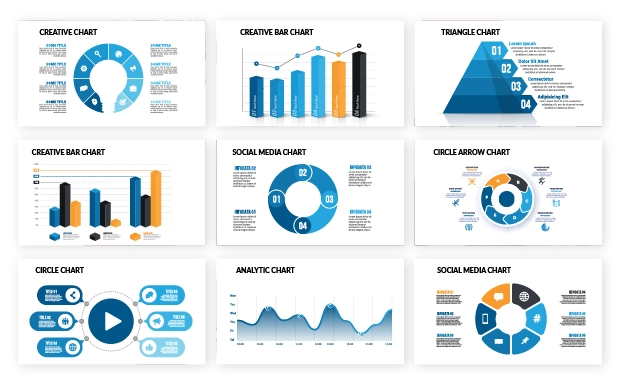
Choosing the right type of chart, graph, or map for data visualization depends on the nature of the information you aim to convey. When deciding on the most suitable visualization, consider the specific insights you want to present, understand, or prove. Aligning the visuals with the objectives of your presentation enhances clarity and ensures that your visual representation effectively communicates the intended message.
Effective time management is crucial for establishing yourself as a distinguished and well-versed presenter in your subject. Presentations that are either too short or too long can risk losing the audience's attention and may impact your reputation. Therefore, it's essential to determine the allocated time for your presentation and plan strategically.
Break down the time for each section of your outline to ensure comprehensive coverage of essential points without rushing or exceeding the time limit. This approach not only keeps your audience engaged but also reinforces your credibility as a skilled presenter.
Scheduling your presentation involves careful planning to ensure effective time management and audience engagement. Here's a step-by-step guide on how to schedule your presentation:
• Capture attention at the start: Allocate a couple of minutes at the beginning of the presentation to engage and captivate your audience. This sets the tone for an attentive audience throughout your presentation.
• Plan for a Q&A session at the end: Reserve a few minutes toward the end of your presentation to address questions from the audience. This ensures a smooth and uninterrupted flow of your main content.
• Include a Call to Action (CTA): Dedicate about 30-40 seconds for your call to action. Communicate the desired action you want your audience to take after the presentation.
• Divide time for each content section: Separate the remaining time into portions, allocating specific timeframes for each section of your content. This helps in maintaining a balanced and well-paced delivery.
• Maintain a strong finish: As you approach the end, ensure a strong and memorable finish to leave a lasting impact on your audience.
Capturing and maintaining audience attention is crucial for a successful presentation, especially considering the diminishing attention spans in our digital age. Microsoft's study on digital attention spans reveals that the average attention span of humans has declined to approximately 8 seconds. This data underscores the importance of audience engagement to overcome shorter attention spans and ensure that the audience remains captivated throughout the presentation.
Here are some of the valuable insights on how to overcome the challenge of low attention span and deliver effective communication.
Emphasize conversation: Involving the audience in a conversation right from the beginning is a key strategy. Actively engaging with your audience and incorporating their perspectives creates a shared experience. This approach demonstrates that you value their input and care about what matters to them.
Bring in your authentic self: Embrace your authentic self by acknowledging the distinct qualities you bring to the table. Understand your personal story and communicate a compelling sense of purpose that deeply connects with your
Communicate confidently: Success in communication involves three key aspects: being clear with the objective of your presentation, sharing engaging and real stories to connect with your audience, and showing confidence by actively listening and asking interesting questions. Confidence is crucial for effective communication, ensuring your message is impactful and resonates with others.
Whether you plan audience engagement through questions, interactive elements, or storytelling, incorporating engagement strategies can enhance the overall experience. Keep the above insights in mind to ensure a more engaging and impactful delivery.
Prezent provides innovative solutions to streamline and enhance your presentation outline process by empowering you with the following features:
In-built storylines: Prezent simplifies the storytelling process by offering built-in storylines based on diverse business themes. This saves you valuable time in creating impactful presentations.
Hyper personalize with fingerprint: Prezent's Fingerprint feature analyzes your audience's communication style and preferences. This helps you to customize your content to align seamlessly with your audience's preferences, ensuring that your presentation resonates effectively and increases its impact.
Slide library: Prezent provides an extensive library of over 35,000 pre-designed slides, thoughtfully curated for effective communication. These slides are easily customizable, ensuring that your presentations not only convey information effectively but also align seamlessly with your brand guidelines.
Experience the power of Prezent in revolutionizing presentation creation by signing up for a free trial. Alternatively, opt for a comprehensive demo to delve into the tool's features and capabilities. Take your presentations to the next level – begin your free trial with Prezent today!













