blog
January 27, 2025

A comprehensive guide to Gantt Charts: Templates, tools, and effective presentation

Create a Gantt chart using our free Gantt chart templates to streamline your project management.

If you’re involved in project planning, chances are you’ve come across Gantt charts. While they might initially seem complex, understanding them can unlock their full potential, helping you save time, cut costs, and streamline project workflows. Invented by Henry Gantt, a mechanical engineer, back in the early 1900s, this bar chart-based tool has stood the test of time and remains a go-to resource for modern project managers, helping teams easily plan and execute projects.

In this guide, we’ll walk you through everything you need to know about creating and presenting Gantt charts. These powerful tools help teams visualize project timelines, track progress, and manage tasks effectively, even for complex projects with multiple interdependencies.

What is a Gantt Chart?

A Gantt chart is a highly effective project management tool that simplifies planning and execution by providing a clear visual representation of your project schedule. It’s especially valuable for projects with intricate interdependencies across teams and tasks.

Breaking down a project into a list of activities with clear timelines and assigned responsibilities transforms complex workflows into actionable plans, streamlining project planning and ensuring smoother execution.

Key benefits of Gantt Charts:

  1. Streamlined timelines: Gain a clear overview of the entire project timeline from start to finish, ensuring milestones and deadlines are easily trackable.
  2. Enhanced task management: Gantt charts help with resource management, task assignment, actual progress monitoring, and adapting to changes efficiently.
  3. Improved collaboration: Foster better team alignment with real time updates using tools like online Gantt chart software.

Why Gantt charts matter in complex projects:
Imagine managing a product launch involving multiple teams responsible for design, marketing, and distribution. A Gantt chart ensures every team understands their tasks and deadlines while showing how their work impacts others. This clarity prevents delays and keeps the project on track.

How does the Gantt chart diagram work for project teams?

Any project has distinct phases: initiation, planning, execution, monitoring, and closing. The Gantt chart plays a pivotal role during the planning phase, where the project schedule is created. This schedule outlines key details, including project activities, durations, dependencies, resources, and milestones. These details must be communicated effectively to the teams responsible for carrying out the tasks.

Let’s make it simple. A Gantt chart is essentially a bar chart used to report team progress and track tasks. It is divided into two key sections:

  1. The left side: A grid that lists project tasks along with key details like task owners, deadlines, and resource requirements.
  2. The right side: A timeline that visually represents tasks using horizontal bars, showing their start and end dates.

Now that we understand how to read a Gantt chart let’s explore how it works in action:

  • Taskbars and progress tracking: Each task is shown as a horizontal bar stretching from its start to its end date, representing its duration. As work progresses, the bar fills up to show how much of the task has been completed.
  • Dependence: Some tasks depend on others to start or finish. Lines connecting the taskbars illustrate these relationships, making dependencies easy to spot.
  • Milestones: Milestones mark important moments in the project and typically have no duration. They’re usually represented by distinctive symbols like gold or yellow diamonds.

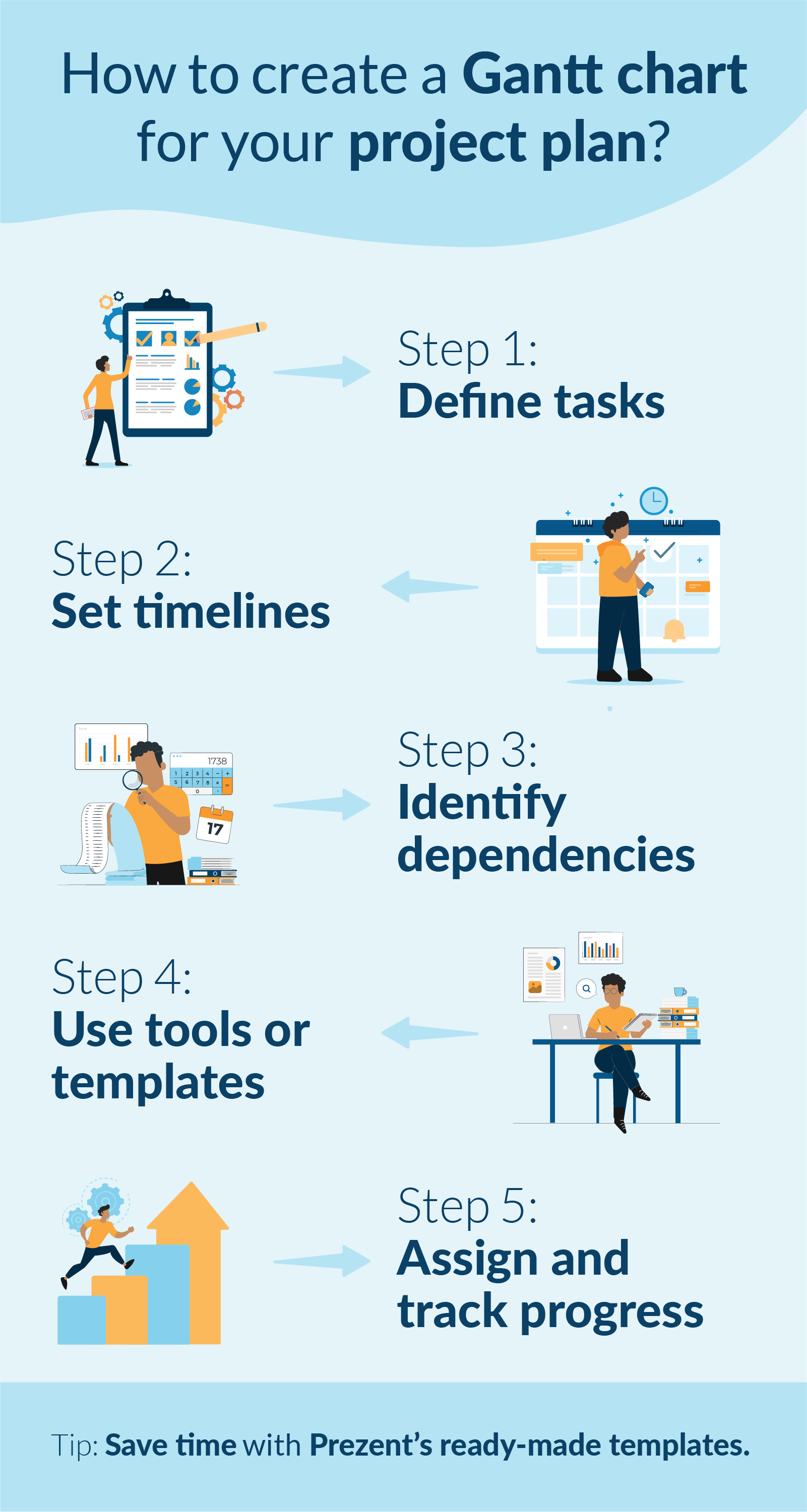
How to create a Gantt chart for your project plan?

Creating a Gantt chart doesn’t have to be overwhelming. Let’s break it down using the example of a software development project to make it easy to follow:

1. Define tasks for project teams:

Start by listing all the tasks required for the project. For our software development example, the key tasks might include:

  • Requirement gathering
  • UI/UX design
  • Coding
  • Quality testing
  • Deployment

2. Set timelines:

Determine the timeline for each task by assigning specific start and end dates. For instance:

  • Requirement gathering: Jan 1 – Jan 7
  • UI/UX design: Jan 8 – Jan 21
  • Coding: Jan 22 – Feb 28
  • Quality testing: Mar 1 – Mar 14
  • Deployment: Mar 15 – Mar 20

3. Identify dependencies:

Note tasks that depend on the completion of others. In our example:

  • Coding can only begin once UI/UX design is complete.
  • Quality testing depends on the completion of coding.

4. Use a Gantt chart software, template, or Excel:

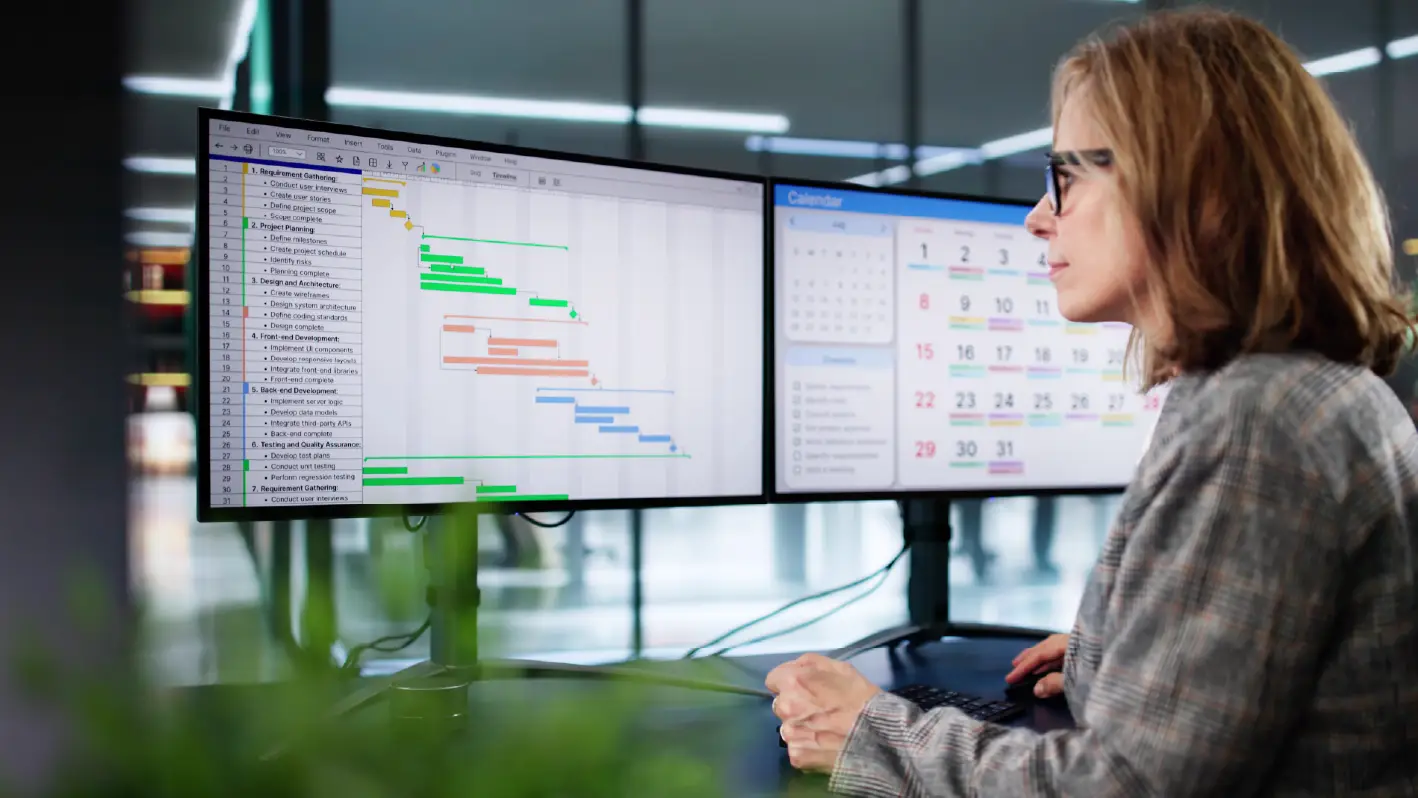
Input your task list, start and end dates, and dependencies into a Gantt chart tool like Excel, Microsoft Project, templates, or an online Gantt chart generator.

  • For Excel: Create a table for tasks and timelines and use a stacked bar chart to visualize the schedule.
  • For an online tool: Drag and drop your tasks onto the timeline for a clear, visual overview.

5. Collaborate, assign tasks, and monitor progress:

Allocate responsibilities to team members and use the chart to track progress. For example, assign the coding phase to the development team and the quality testing phase to QA specialists.

As tasks are completed, update the chart to show progress and keep everyone aligned on what’s next.

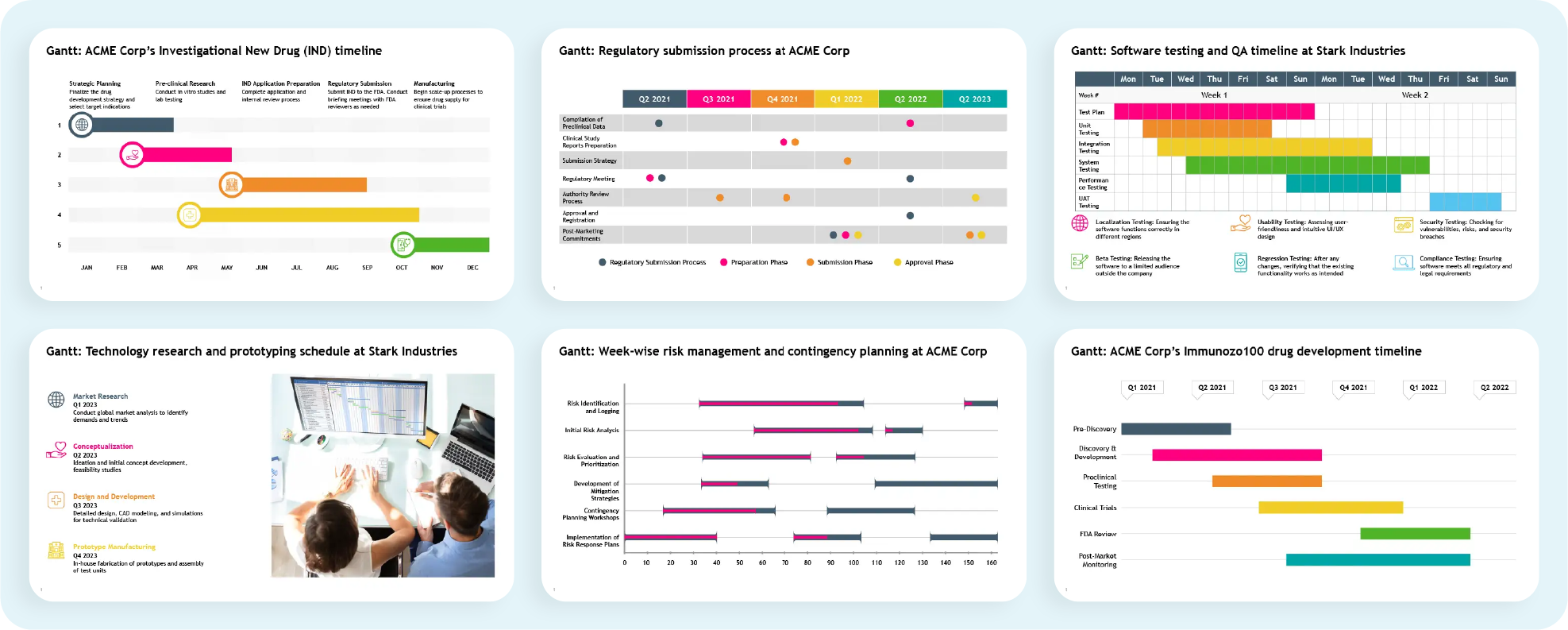
Simplify project management presentations- Free Gantt chart templates

As seen in the earlier example of a software development project, Gantt chart presentations provide the entire team with a clear and actionable visual of the project timeline. These presentations illustrate:

  • When coding begins: Tied directly to the completion of the design phase.
  • Where QA testing overlaps with coding: Ensuring a seamless process and timely delivery.
  • How each task fits into the overall project plan: Offering a cohesive view of task relationships and dependencies.

Regularly updating and presenting Gantt charts is crucial for fostering:

  • Transparency: Keeping all stakeholders informed about progress and potential challenges.
  • Accountability: Helps to define responsibilities and track task ownership clearly.
  • Coordination: Aligning teams and ensuring smooth collaboration, even for complex projects.

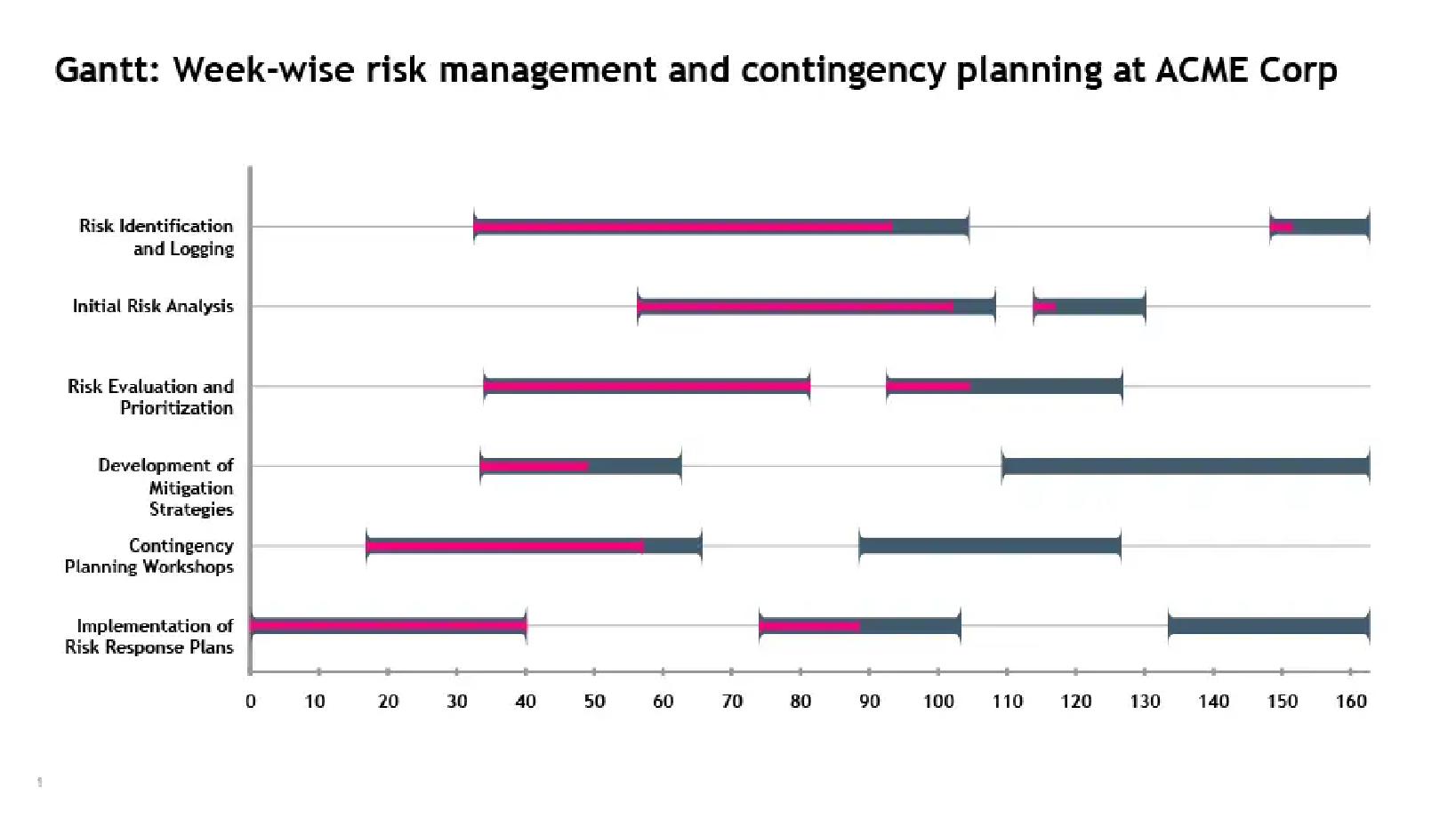
Consider using pre-designed templates like the examples below to simplify Gantt slide creation. These templates allow for quick updates and easy customization, enabling you to create professional Gantt chart slides with minimal effort.

A well-designed Gantt chart does more than just plan projects—it effectively communicates key details, making it easier to manage stakeholder expectations. To maximize impact, keep these best practices in mind:

  • Simplify visuals: Opt for a clean, straightforward Gantt chart format with clear labels and minimal distractions.
  • Highlight milestones: Draw attention to critical deadlines and deliverables to keep the team focused on priorities.
  • Provide context: Clearly explain task dependencies and potential ripple effects of delays on the project timeline.

By following these strategies, your Gantt chart presentations will not only guide project execution but also enhance team alignment and stakeholder confidence.

Make a Gantt chart online with Prezent:

Gantt charts are invaluable for planning, tracking, and presenting project timelines. They offer a clear roadmap for teams to navigate even the most complex workflows. With the right approach, these charts transform daunting schedules into actionable plans that drive transparency, accountability, and seamless collaboration.

Manually creating and maintaining Gantt charts can be tedious and time-consuming, pulling you away from core responsibilities. That’s where Prezent makes a difference. With Prezent, professionals can:

  • Create stunning Gantt charts in minutes: Use ready-made templates tailored for impactful project presentations. Whether you need to showcase milestones, manage dependencies, or track progress, Prezent simplifies the process, letting you focus on delivering results.
  • Ensure brand consistency effortlessly: Maintain 100% brand alignment across all your slides without manual adjustments.
  • Personalize presentations effectively: Tailor your Gantt chart slides to suit your audience, ensuring they resonate and make a lasting impact.
  • Leverage modern Gantt chart features: Auto-create project presentations in minutes, track progress visually, and manage dependencies seamlessly using a simple Gantt chart layout.
  • Facilitate real-time collaboration: Easily collaborate with your team on slides and project presentations, ensuring efficient teamwork and on-time delivery. Also, get real-time feedback on project details without delays.

FAQ's:

1. Can a Gantt chart be used to identify and manage the critical path in a project?

Yes, a Gantt chart is an excellent tool for identifying and managing a project's critical path. By visually representing task sequences and their dependencies, it helps project managers pinpoint tasks that directly impact the project’s timeline, ensuring timely interventions to avoid delays.

2. How can using Gantt charts improve collaboration and communication within a project team?

Gantt charts provide a centralized visual representation of project timelines and responsibilities, fostering transparency. By outlining task dependencies and milestones, they align all team members, improve accountability, and enable real-time updates for better coordination.

3. How can Gantt charts be adapted for agile project management methodologies?

While traditionally used in waterfall methodologies, Gantt charts can be adapted for agile by representing sprints as individual tasks and using flexible timelines. They can also track progress through visual indicators like percentage completion, allowing for iterative updates.

4. What are the challenges of using Gantt charts for large-scale projects, and how can they be addressed?

Challenges include excessive complexity, difficulty in maintaining updates, and visual clutter. These can be addressed by breaking the project into smaller sub-projects, using filters to focus on critical tasks, and leveraging software with automation features to simplify updates.

Take the first step toward streamlined project management and elevate your presentation game. Book a demo today or explore our free trial to experience how Prezent can transform the way you communicate your project timelines and engage stakeholders effortlessly.

Ready to create impactful presentations?

Try for free
No items found.
No items found.
Related resources

BLOG
Supriya Sarkar
January 16, 2026
11 Best Beautiful.ai alternatives in 2026 for enterprise presentations
Looking for Beautiful.ai alternatives that scale beyond individual slides? This guide reviews the best AI presentation tools for enterprise teams and compares pricing and use cases.
BLOG
Supriya Sarkar
January 16, 2026
Why a Gamma vs Presentations AI comparison falls short for enterprise presentation needs
Gamma vs Presentations AI comparison explained for enterprises. Learn where they fall short and why Prezent stands out.
BLOG
Marine Queniart Stojanovic
January 16, 2026
Why I’m joining Prezent’s Senior Executive Board: Helping transformations land through communication
BLOG
Rashmi Priya
January 13, 2026
Prezi vs Prezent: Which presentation platform works best for enterprise teams?
This in-depth Prezi vs Prezent comparison breaks down how the two platforms differ across enterprise needs like automation, brand compliance, AI-driven creation, and presentation scale.
BLOG
Anoob PT
January 12, 2026
Marine Queniart Stojanovic Joins Prezent to Accelerate Life Sciences Growth
Marine Queniart Stojanovic joins Prezent’s Senior Executive Board to accelerate healthcare and life sciences growth with her global pharma leadership experience.
BLOG
Anoob PT
January 11, 2026
Prezent AI’s 2025 Review: Establishing Category Leadership in Enterprise Business Communication
Explore Prezent AI’s 2025 year in review highlighting major milestones, product launches, leadership expansion, and growth.
BLOG
Bharti Jain
January 7, 2026
Prezent API: Generate on-brand presentations within your chatbots and applications
Prezent API enables enterprises to create and transform on-brand PowerPoint presentations directly within applications, chatbots, and automated workflows.
BLOG
Bharti Jain
December 18, 2025
Brand Chaos ends here: How Prezent’s Template Converter solves enterprise brand compliance
Enterprise teams struggle with off-brand presentations. See how Prezent’s Template Converter automates brand compliance without slowing teams down.
BLOG
Tom McCarthy
December 16, 2025
Why I’m joining Prezent: Democratizing world-class business communication
Legendary high stakes coach Tom McCarthy joins Prezent to bring AI Communication Coaching to teams through interactive coaching avatars.
BLOG
Anoob P.T
December 16, 2025
Tom McCarthy joins Prezent: Scaling business communication coaching with AI avatars
Prezent partners with high stakes coach Tom McCarthy to scale communication coaching with interactive AI avatars.
BLOG
Bharti Jain
December 9, 2025
The smartest way to brief your presentation AI: Meet Prezent’s Prompt Library
Stop guessing what to write. Prezent’s Prompt Library gives you expert-built prompts, storylines, and structures that transform scattered notes into compelling presentations.
BLOG
Supriya Sarkar
January 5, 2026
Prezi vs Canva vs Prezent: The 2026 enterprise guide to scalable presentation solutions
A 2026 guide comparing Prezi vs Canva vs Prezent to help enterprises choose smarter, scalable presentation solutions.

category 1

category 2

category 3