No items found.
No items found.
Effective communication holds a company together. I’ve seen how quickly things break down when the right business communication tools aren’t in place.
Messages get lost, teams drift, and simple decisions take far too long. But when the tools work, people stay aligned, informed, and confident in what they’re doing.
Workplaces today look very different from one organization to the next: office-based, hybrid, fully remote, or spread across multiple locations. That mix makes choosing the right business communication tools a real challenge.
You need smooth internal communication, reliable knowledge sharing, and a culture supported by clear, consistent updates. The tools you choose shape all of that.
With hundreds of messaging apps, video conferencing tools, and visual storytelling platforms available, the wrong combination can create more noise than clarity.
The right combination helps teams stay focused, reduces friction, and supports faster decisions.
I’ve tested many of these tools across different industries and team setups.
In this guide, I share the business communication tools I trust most, covering messaging, real-time and async collaboration, video conferencing, communication tools for remote teams, and the visual storytelling platforms that help leaders communicate complex ideas with ease.
This table highlights the best communication tools for business, covering presentations, messaging, video, projects, and employee engagement in one unified stack.
Business communication tools are the systems companies rely on to share information, coordinate work, and keep teams aligned.
This includes messaging platforms, employee communication software, internal communication software, video conferencing tools, project management systems, intranets, presentation platforms, and employee engagement solutions.
These tools matter because they shape how people stay connected and how decisions move through the organization. When the tools align with how a team works, communication feels clear and dependable.
Employees know where to find updates, how to ask questions, and what they need to act on. When the tools don’t fit, messages get overlooked, teams fall out of sync, and productivity suffers.
The right business communication tools reduce noise, deliver updates to the right people, and support the everyday workflows teams rely on.
They help employees stay aligned, move faster, and trust the information they’re working with. In short, they’re a key part of how modern teams stay informed and get things done.
As a Business Communication Strategist, I’ve spent the last decade helping startups and multi-national companies build communication stacks that actually work.
I’ve tested and implemented more than 30 different business communication tools, and my goal is always the same: reduce app fatigue, improve clarity, and help teams move faster with less friction.
When I evaluate a business communication tool, I use a simple framework:
This framework helps me separate tools that look good on paper from the ones that genuinely improve how teams communicate and collaborate.
I’ve learned that the best way to choose business communication tools is to start with the problem you’re trying to fix.
Teams rarely buy a tool just because it looks impressive; they buy it because something in their communication process isn’t working. Maybe messages get lost. Maybe projects stall. Maybe people feel disconnected or overwhelmed.
So instead of giving you a long list of tools with generic descriptions, I walk through the most common communication challenges teams face and match them with the tools that solve them.
This approach reflects how real teams evaluate internal communication tools, video conferencing tools, project platforms, and visual storytelling solutions.
Communication isn’t only about emails or meetings. It shows up in how people collaborate, share files, manage projects, and even stay aligned day-to-day. The tools you choose shape all of those behaviors.
Here are the 13 business communication tools I consistently recommend and the specific problems they’re built to solve.
I start with presentations because they shape so many key moments inside a company. Leaders use them to share updates, teams use them to explain data, and sales uses them to move deals forward.
Even with all the new messaging and collaboration tools, big decisions still happen through slides.
The problem is that most teams spend too much time building them. Formatting is inconsistent, data is hard to visualize, and simple updates turn into long design cycles.
When presentations slow down, communication slows down with them, and people miss the clarity they need to do their jobs.
That’s why visual communication tools deserve a place at the top of the business communication tools list. Fixing this one workflow makes everything else, meetings, projects, and alignment run smoother.
Here are two tools I rely on when teams need faster, clearer, and more consistent visual storytelling.
Prezent is one of the strongest visual communication tools I recommend for teams that rely on slides to share updates, communicate data, and drive decisions.
It’s an AI-powered presentation platform built for executives, business leaders, and anyone who needs to tell clear, compelling stories at scale. It also sits well inside modern team communication tools stacks.
Prezent creates complete, on-brand business decks in minutes using simple prompts, outlines, or supporting documents.
It also personalizes content for your audience, visualizes complex data, and keeps every slide fully aligned with your company’s brand guidelines.
I also prefer this platform because the API lets me build on-brand presentations inside the tools my team already uses, without forcing any workflow changes.
As one of the most effective AI communication tools for presentations, it helps teams move from idea to polished story much faster.
{GIF}
Why I think it’s great:
Prezent turns time-consuming presentation work into a fast, structured workflow. It cuts slide-creation time by up to 90%, keeps branding consistent across teams, and makes data storytelling much easier.
For large organizations that rely on presentations every day, from QBRs and board decks to sales narratives, this tool removes the bottlenecks that slow communication and decision-making.
Pros:
Cons:
Pricing
Prezent offers a 14-day free trial. Paid plans use custom pricing based on team size and business needs.
Use cases:
Reviews:
Prezent is highly rated for ease of use, brand control, and time savings.
G2 Rating: 4.8/5
“A game-changer for anyone who regularly builds business presentations. It combines the power of AI with intuitive design templates to help professionals create clear, compelling, and on-brand slides, without spending hours on formatting or structure.” G2 user review
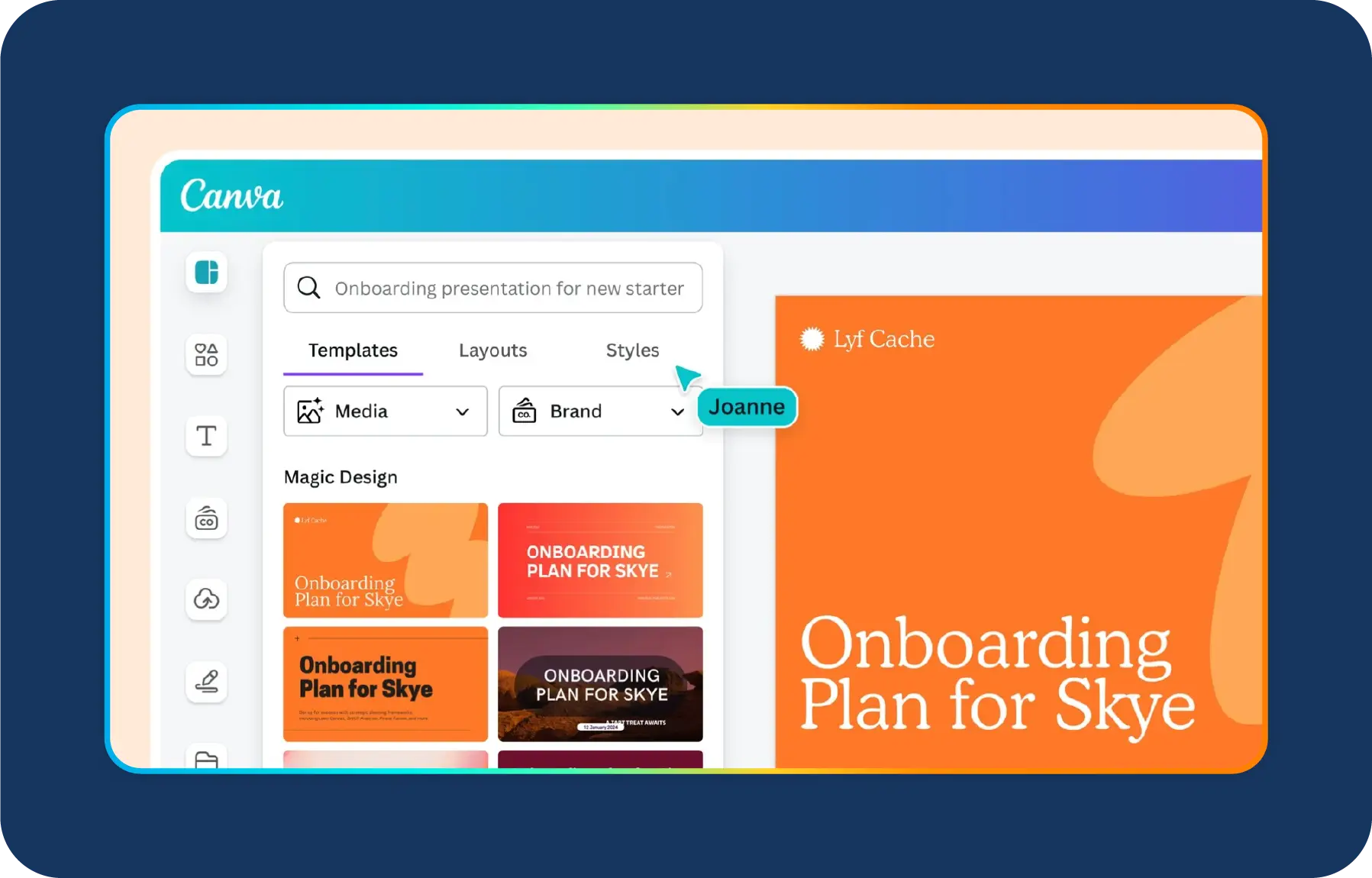
Canva is one of my go-to visual communication tools when teams need fast, lightweight designs without waiting on a designer.
It’s great for simple presentations, infographics, internal comms graphics, social posts, and day-to-day visuals that support business communication.
With an intuitive drag-and-drop editor and thousands of templates, Canva makes it easy for anyone to create polished content. It’s especially helpful for marketing, HR, and internal communications teams who produce a steady flow of visual assets.
Why I think it’s great:
Canva removes the intimidation from design. Non-designers can create clean, professional visuals in minutes, and teams can stay aligned by using brand kits and shared templates.
It’s quick, flexible, and fits naturally into everyday communication workflows.
Pros:
Cons:
Best suited for
Pricing:
Canva offers a free plan with generous features. Paid plans start around $12.99 per user per month for Canva Pro.
Use cases:
Reviews:
Canva receives high marks for ease of use and template variety.
G2 Rating: 4.7/5
“I really appreciate how simple and intuitive Canva is. Even when I’m pressed for time and need to put together training slides or posters quickly, I can always find a template that suits my needs and customize it within minutes.”- G2 user review
Email overload is one of the biggest communication issues I see inside organizations. Important messages get buried, long threads become impossible to follow, and teams waste time digging through cluttered inboxes just to complete basic tasks.
When this happens, decisions slow down, and responsibilities blur, two things that directly impact productivity.
I don’t expect email to disappear anytime soon. It still has a place for formal communication and customer-facing messages.
But when a company relies on email for updates, discussions, file sharing, and daily coordination, everything gets messy fast. That’s when I switch teams to modern messaging tools.
They reduce noise, speed up decision-making, and keep conversations organized in ways email can’t match. Some of my recommendations are:
Slack is my top pick when teams need real-time messaging with structure. Channels keep discussions organized by team, project, or topic, and integrations connect Slack to almost every major business app.

Why I think it’s great:
Slack makes communication easy to follow. Messages, files, and decisions stay in channels instead of being buried in inboxes.
Integrations with tools like Google Drive, Asana, Zoom, and Trello help teams work from one place without constant switching.
Pros:
Cons:
Pricing:
Slack offers a free plan. Paid plans start around $8.75 per user per month.
Use cases:
Reviews:
Slack rates highly for usability and integrations.
G2 Rating: 4.5/5
“What I appreciate most about Slack is how simple it makes communicating with colleagues, whether it's about work matters or personal topics.”- G2 user review
If a company already runs on Microsoft 365, I recommend staying inside that ecosystem. Microsoft Teams works seamlessly with the tools employees use every day, including email, calendars, files, and shared documents.

Why I think it’s great:
Teams reduce context switching. Employees don’t have to jump between apps because chat, meetings, files, and collaboration live in one place. The built-in security and identity management are also strong advantages for larger organizations.
Pros:
Cons:
Pricing:
Microsoft Teams is included in most Microsoft 365 plans.
Use cases:
Reviews:
Both tools are well-rated for integration and reliability.
G2 Rating: 4.3/5
“Microsoft Teams has proven to be a dependable tool for me, thanks to its user-friendly interface and straightforward design, which make daily communication effortless. Implementing it was a seamless process, largely because it integrates so well with Microsoft 365.”- G2 user review
Rocket.Chat is a strong option when companies need full control over their communication data.
It’s an open-source messaging platform built for organizations that prioritize privacy, security, and regulatory compliance.
Unlike most cloud-based team communication tools, Rocket.Chat lets you host everything on your own servers, giving you complete ownership of your data.

Why I think it’s great:
Rocket.Chat offers a level of control that most commercial messaging tools can’t match.
For industries that operate under strict regulations, such as healthcare, finance, government, and education, it provides a secure and customizable alternative without sacrificing flexibility.
Pros:
Cons:
Pricing:
Rocket.Chat offers a free community edition that works well for small teams. Paid plans use custom pricing for larger and enterprise deployments.
Use cases:
Reviews:
Rocket.Chat earns strong reviews for security and data control.
G2 Rating: ~4.1/5
“I appreciate Rocket.Chat for its flexibility and ability to support our workflow effectively. It allows us to create an almost unlimited number of channels and integrate various bots, which significantly enhances our communication capabilities.”- G2 user review
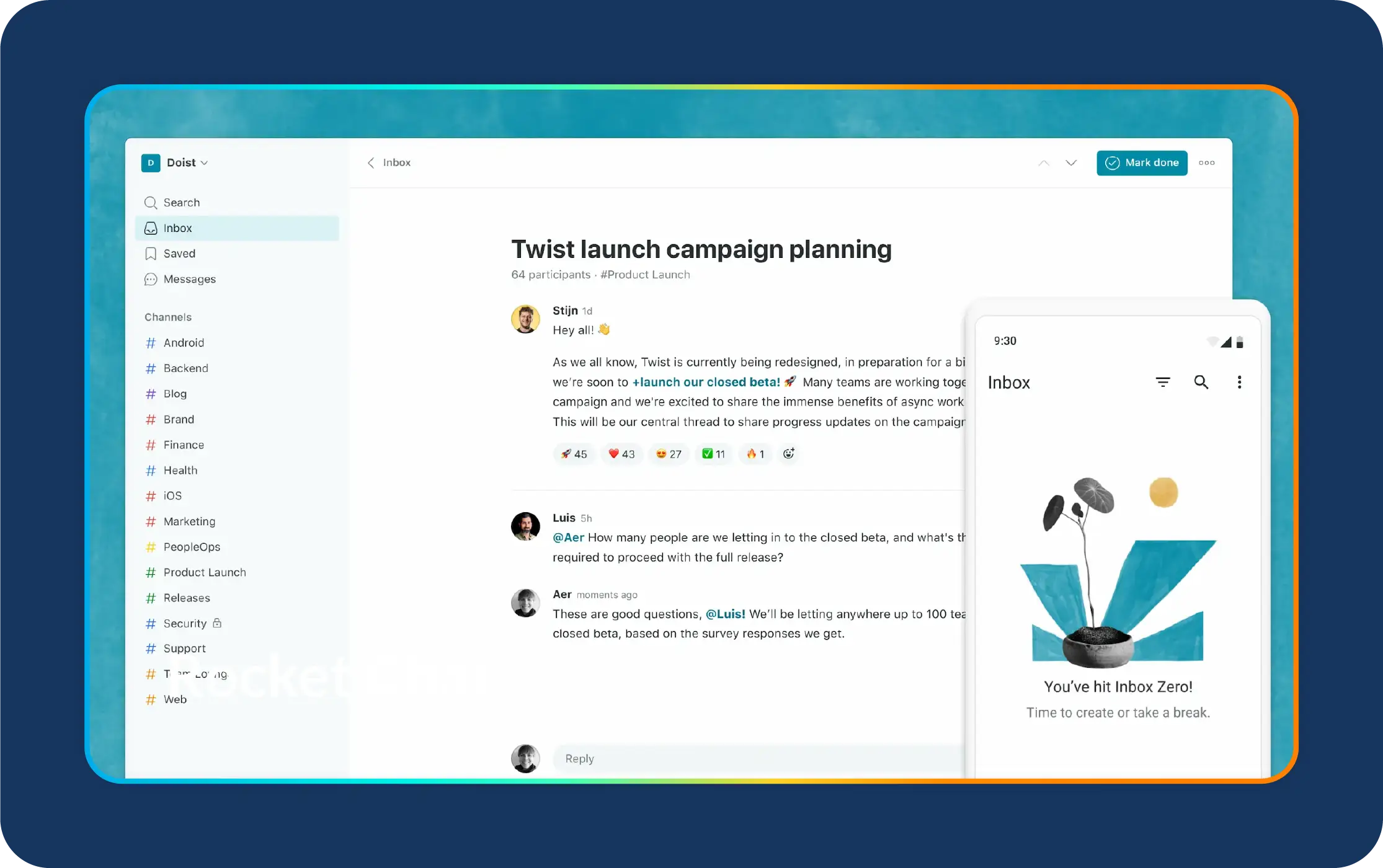
Twist is a great option when teams feel overwhelmed by constant pings, long chat threads, and the pressure to respond instantly.
It takes a very different approach to communication by prioritizing asynchronous work.
Instead of real-time chat, Twist organizes conversations into threads so people can contribute thoughtfully without interruptions, something remote and distributed teams value a lot.
Why I think it’s great:
Twist reduces communication noise. Threads keep discussions organized, and the async-first model supports deep work instead of constant context switching. For teams spread across time zones, it creates a calmer, more balanced way to communicate.
Pros:
Cons:
Pricing:
Twist offers a free plan with limited archived thread access. Paid plans start at $6 per user per month and include full history and integrations.
Use cases:
Reviews:
Twist earns positive feedback for reducing noise and improving focus.
G2 Rating: ~4.3/5
“I appreciate how Twist organizes team communication into threads, which makes it much easier to keep track of conversations without getting overwhelmed by the usual chat clutter.”- G2 user review
Project management tools play a major role in modern business communication. They give teams one place to plan work, track progress, manage deadlines, and stay aligned, especially in remote or hybrid environments.
These tools reduce confusion, clarify responsibilities, and make collaboration feel more structured and transparent.
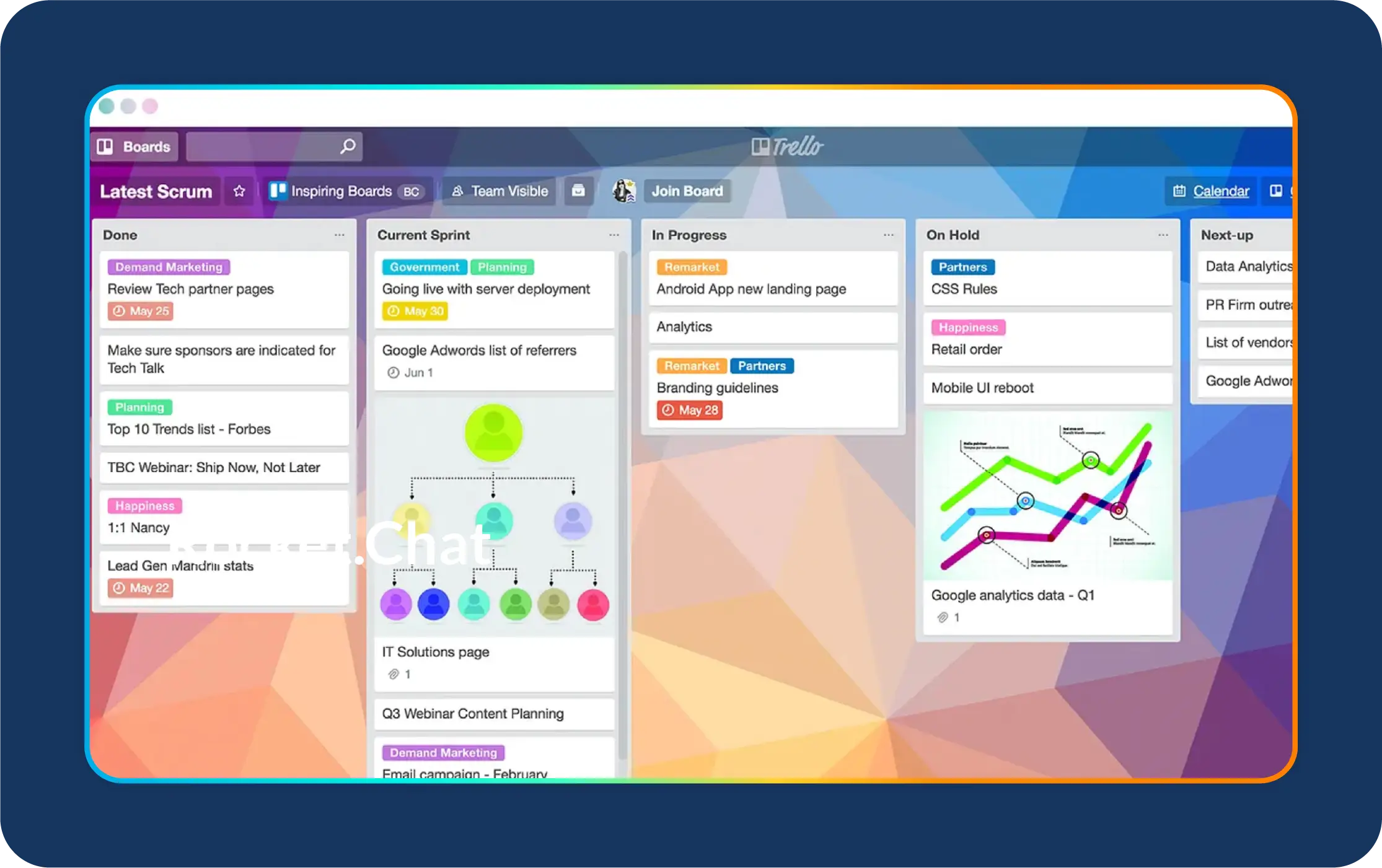
Trello is an easy-to-use, visual project management tool that helps teams organize work with boards, lists, and cards. It’s great for teams that want a clear, drag-and-drop workflow without heavy setup or complexity.
Why I think it’s great:
Trello makes task management simple. The visual layout helps teams see what’s in progress, what’s blocked, and what needs attention, at a glance.
Its automation tool, Butler, also reduces repetitive work by automating reminders, assignments, and routine updates.
Pros:
Cons:
Pricing:
Trello offers a free plan. Paid plans start at $5 per user per month.
Use cases:
Reviews:
Users love Trello for its simplicity and visual layout.
G2 Rating: 4.4/5
“I really like Trello because it keeps everything organized in a visual, easy-to-follow way. The boards, lists, and cards make it simple to track projects, share updates, and collaborate with others without anything getting lost.”- G2 user review
Asana is a more robust project management platform built for teams that need visibility across multiple projects, deadlines, and dependencies. It offers several views, such as lists, boards, timelines, and calendars, so teams can manage work the way that suits them best.

Why I think it’s great:
Asana provides clarity at every level. Teams can zoom out to see overall project progress or zoom in to view individual tasks and owners. Its timeline feature is especially useful for identifying dependencies and spotting risks before deadlines slip.
Pros:
Cons:
Pricing:
Asana offers a free plan for up to 15 users. Paid plans start at $10.99 per user per month.
Use cases:
Reviews:
Asana is highly rated for helping teams collaborate and stay organized.
G2 Rating: 4.3/5
“I appreciate how easy it is to start working in Asana even with minimal setup, and this simplicity really helps teams get moving fast.”- G2 user review
One of the biggest pain points I see inside companies is how much time employees waste searching for information like policies, updates, links, files, training materials, and everything in between.
When knowledge is scattered across email threads, old chat messages, shared drives, and personal folders, teams lose hours every week just trying to find what they need.
A strong intranet or knowledge base fixes this problem. It gives everyone a central, reliable place to access company updates, documents, resources, and workflows.
When information lives in one hub, teams work faster, onboarding improves, and communication across departments feels more consistent.
Below are two tools I often recommend when companies want a single source of truth: Axero and Notion.
Axero is a modern intranet platform that brings people, documents, and company updates into a central hub.
It’s built for organizations that want a unified, easy-to-navigate space for internal communication.
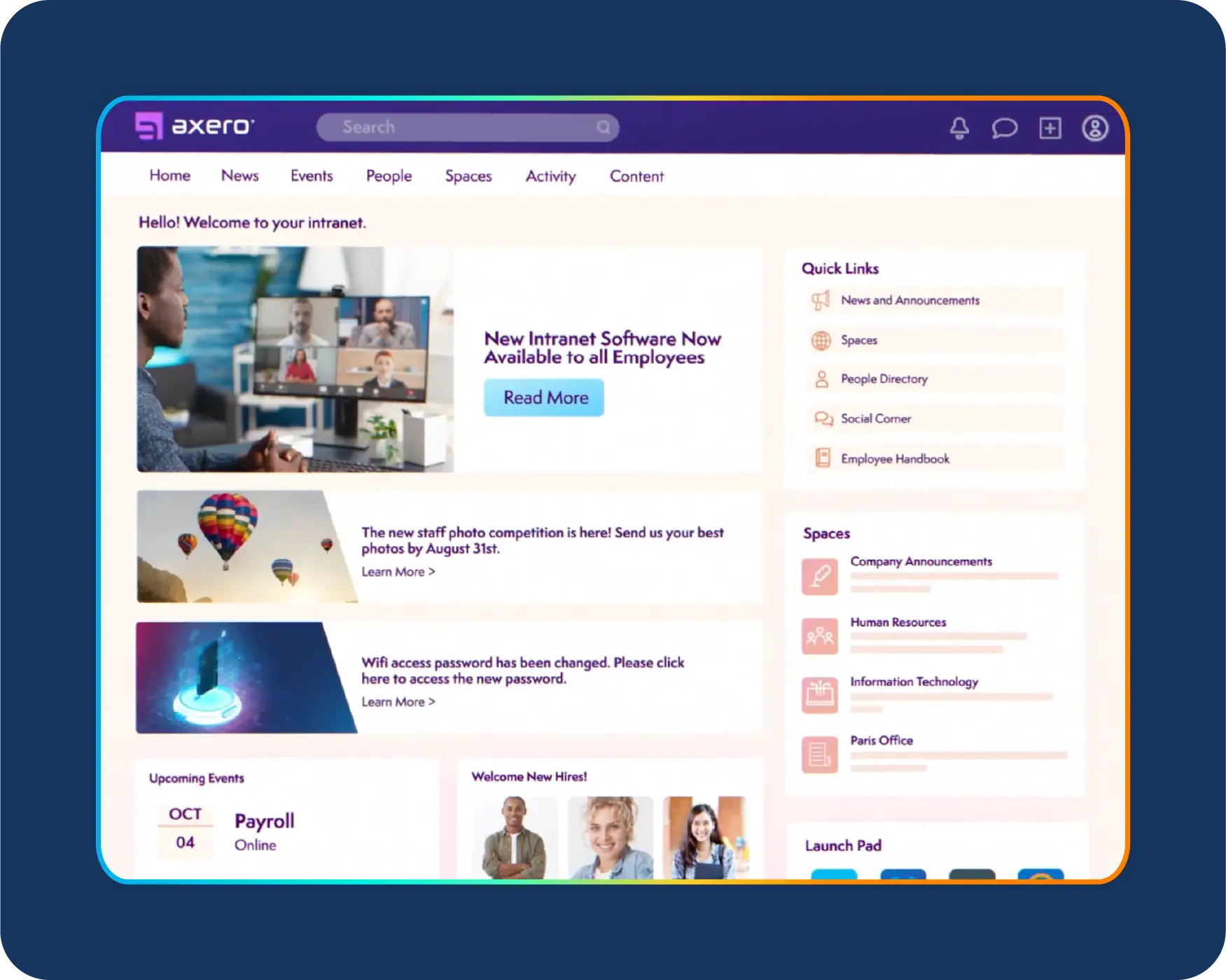
Why I think it’s great:
Axero solves the classic “Where did I see that?” problem. HR updates, policies, forms, onboarding materials, and company announcements all have a home. There is no more digging through inboxes or chasing old links.
Pros:
Cons:
Pricing:
Axero uses custom pricing based on company size and required features.
Use cases:
Reviews:
Axero earns strong ratings for usability and internal communication features.
G2 Rating: 4.6/5
“Axero provides an interface and administration capabilities that are so easy to use, and the customization options are truly endless.”- G2 user review
Notion is one of the most versatile knowledge tools available. It works as a team wiki, project hub, workspace, or internal handbook.
It’s especially helpful for startups and growing teams that want a flexible, customizable knowledge base.
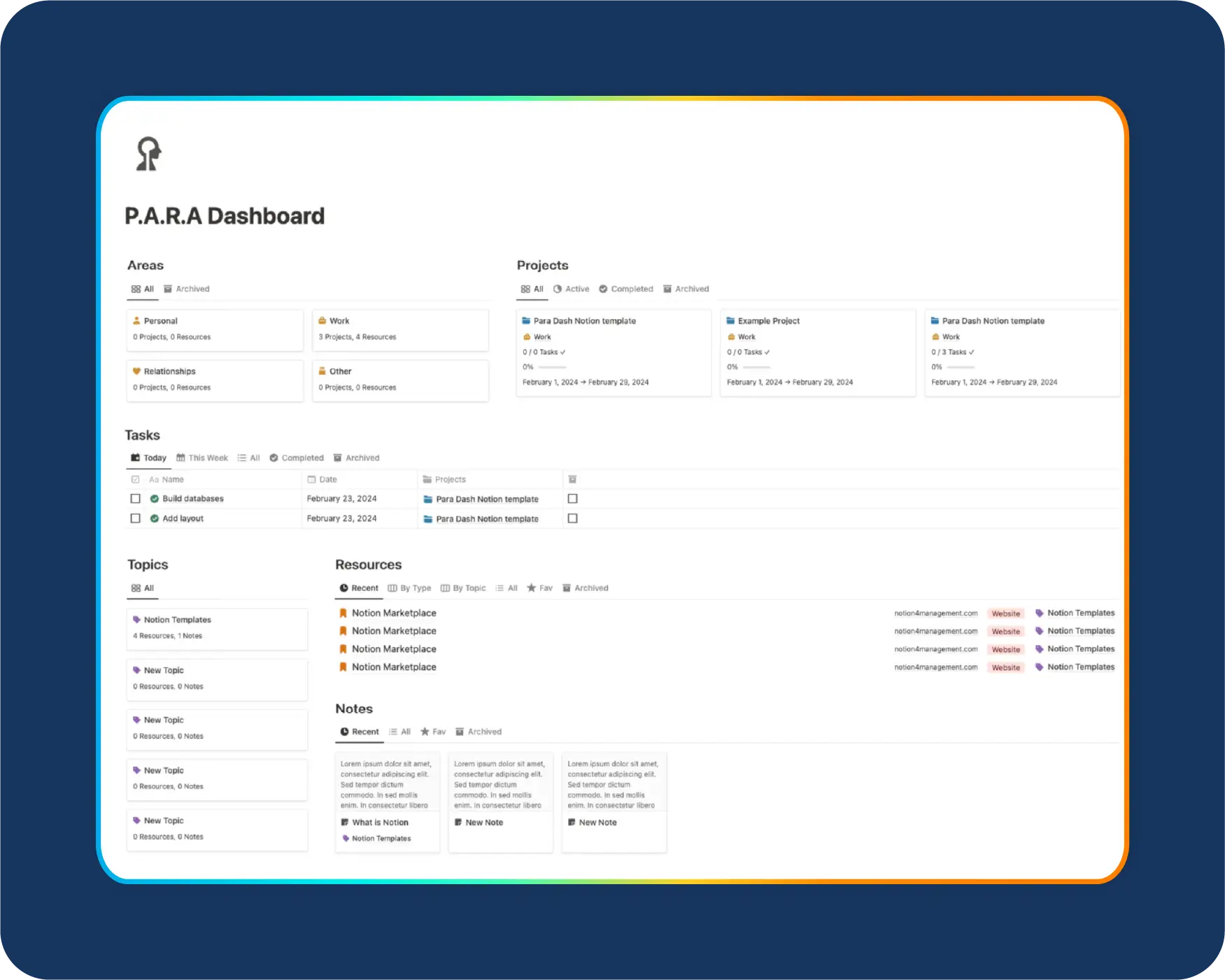
Why I think it’s great:
Notion brings notes, docs, databases, and tasks into one place. It’s simple enough for quick documentation and powerful enough to build detailed operations manuals.
I use it often for storing Standard Operating Procedures (SOPs) because it keeps everything clear, organized, and easy to update.
Pros:
Cons:
Pricing:
Notion offers a free plan. Paid plans start at $8 per user per month.
Use cases:
Reviews:
Notion is highly rated for flexibility and ease of documentation.
G2 Rating: 4.7/5
“Notion finally gives us one place to think, plan, and actually get work done. It’s flexible enough to handle strategy documents, project workflows, meeting notes, GTM plans, basically everything we’d normally scatter across five different tools.”- G2 user review
When engagement drops, productivity and morale drop right along with it. I often see that teams feel disconnected, recognition disappears, and frustration builds quietly in the background.
Strong employee communication tools help fix this. They give employees a voice, surface sentiment early, and make appreciation part of everyday work.
Below are two tools I rely on when companies want to improve engagement, communication, and culture: Culture Amp and Bonusly.
Culture Amp is a leading engagement and feedback platform built to help companies understand how employees feel and why.
It uses research-backed surveys and analytics to uncover trends in morale, engagement, and performance.

Why I think it’s great:
The benchmarking data is incredibly helpful. You can compare your engagement scores to similar organizations, spot patterns, and understand where communication or leadership gaps might be holding teams back.
Pros:
Cons:
Pricing:
Culture Amp uses custom pricing based on company size and needs.
Use cases:
Reviews:
Culture Amp receives high ratings for analytics and actionable insights.
G2 Rating: 4.6/5
“Culture Amp is always evolving, regularly introducing new features that significantly enhance the user experience.”- G2 user review
Bonusly is a lightweight, fun employee recognition tool that makes appreciation part of daily communication.
Employees give each other points, which they can redeem for rewards to celebrate wins, support teamwork, and recognize contributions.
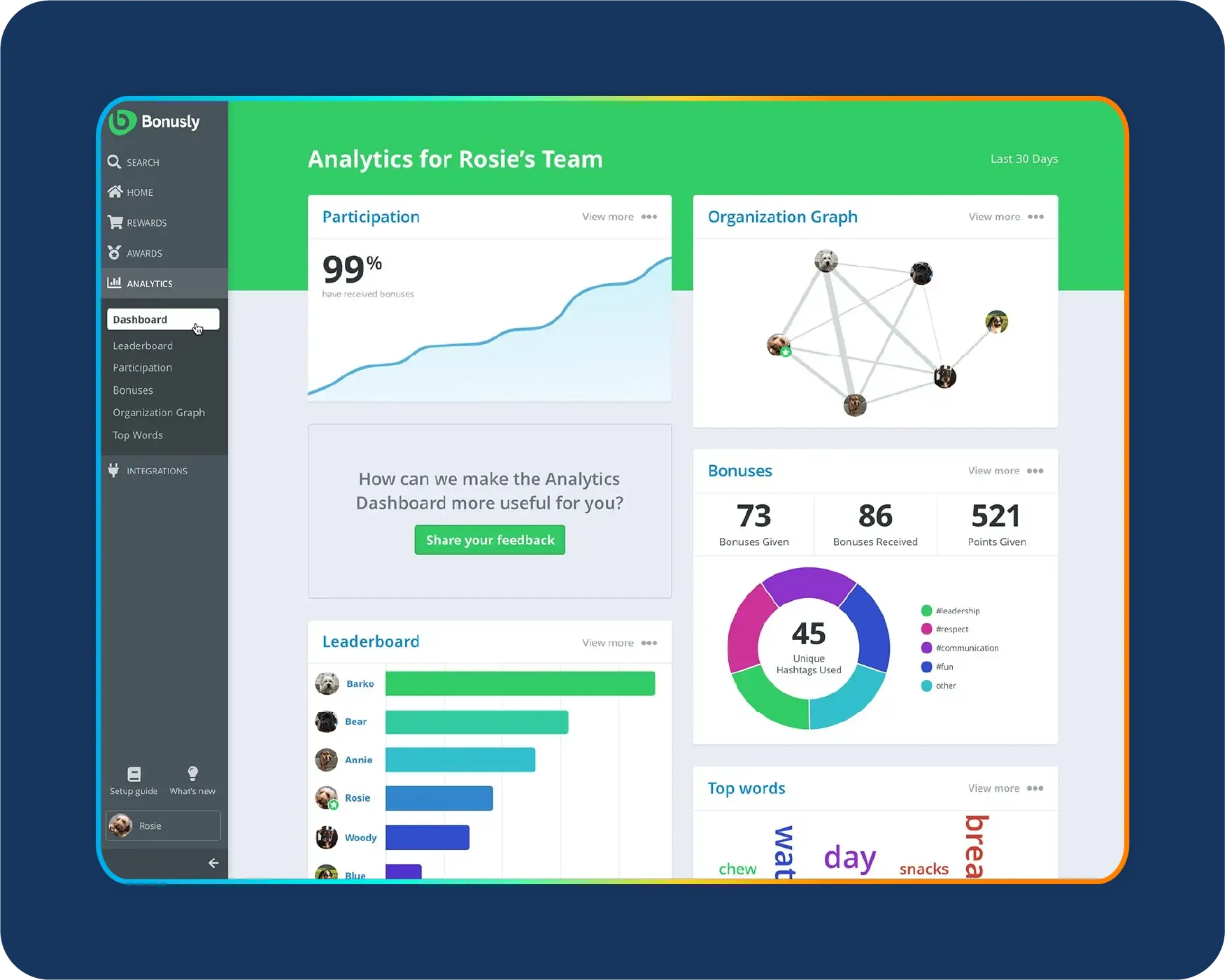
Why I think it’s great:
It makes recognition visible. A simple “thank you” can turn into something shared publicly, building community and strengthening team culture.
Pros:
Cons:
Pricing:
Bonusly offers a free trial. Paid plans start at $2 per user per month.
Use cases:
Reviews:
Bonusly earns strong ratings for ease of use and cultural impact.
G2 Rating: 4.8/5
“What I appreciate most about Bonusly is how easy and enjoyable it is to recognize others. The platform truly fosters a culture of appreciation and teamwork, ensuring that even small achievements are acknowledged.”- G2 user review
Video communication has become the backbone of remote and hybrid work.
I only schedule meetings for conversations that truly need real-time discussion, but when teams do meet live, the experience needs to be smooth, stable, and easy for everyone.
That’s where strong video communication tools make a big difference.
Below is the platform I rely on most for reliable video calls, virtual training, and large-scale communication: Zoom.
Zoom remains one of the most dependable business communication tools for video-based collaboration.
It’s ideal for virtual meetings, onboarding, training, interviews, and large company-wide events.
The platform delivers consistent audio and video quality, which matters when teams are distributed or customer-facing.
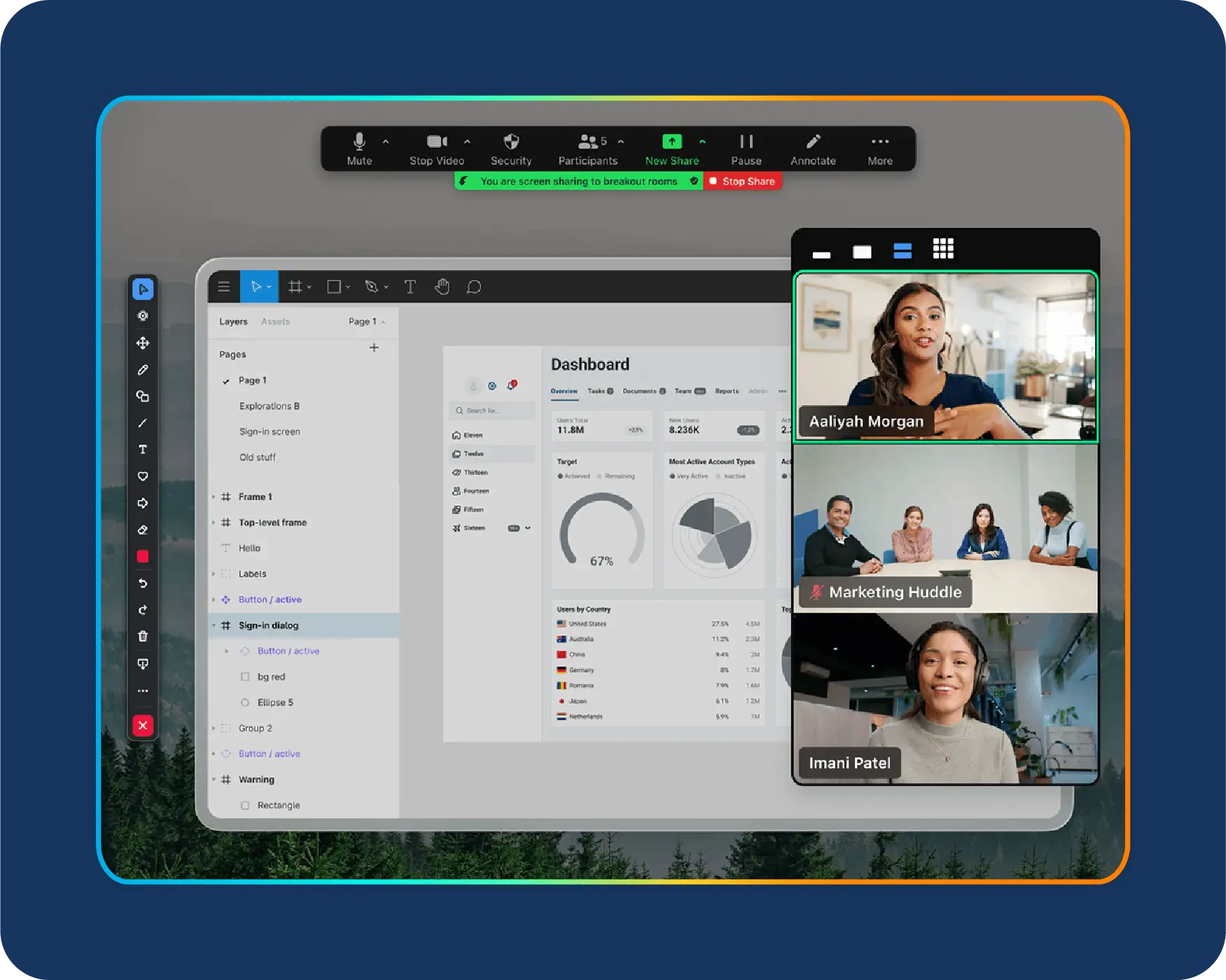
Why I think it’s great:
Zoom keeps things simple. It handles video, audio, screen sharing, and webinars without friction, and most employees already know how to use it.
That lowers the learning curve and helps teams communicate more efficiently.
Pros:
Cons:
Pricing:
Zoom offers a free plan. Paid plans start around $12.49 per user per month, depending on features.
Use cases:
Reviews:
Zoom receives consistently high reviews for reliability and ease of use.
G2 Rating: 4.5/5
“What I like best about Zoom Workplace is its overall reliability and ease of use. The video and audio quality are consistently stable, even in environments with average bandwidth. I also appreciate the seamless integration of different tools.”- G2 user reviews
In this guide, I focus on the business communication tools I use most often. That said, there are other solid options worth considering, depending on your team size, budget, and how your organization works.
You do not need every tool on the market. You need a communication stack that fits your culture, workflows, and team size.
When I design a stack, I look at what the organization truly needs rather than how many tools they can add. Below are three examples of stacks I have built for different types of teams.
Why I choose it:
It is fast, flexible, and affordable. Startups can move quickly without a heavy setup, and employees can learn the tools on day one.
Why I choose it:
Enterprises need security, compliance, and centralized communication. This combination keeps data safe and gives teams a single place to access information.
Why I choose it:
Teams that pitch often need strong visual communication. Prezent becomes the presentation layer that supports sales conversations, leadership updates, and customer storytelling.
When I help a team select tools, I follow a simple checklist that keeps the focus on real communication challenges.
1- Map problems to categories
2- Check integration with existing systems
Tools must connect to the CRM, HRIS, and document platforms the company already uses. If a tool cannot integrate, it creates friction and adds unnecessary work.
3- Assess security and compliance needs
For sensitive environments, I recommend secure or self-hosted business communication tools such as Rocket.Chat along with governance for email, storage, and access control.
4- Pilot and measure outcomes
I use short pilots with clear success metrics. I look for faster response times, fewer status meetings, higher engagement, clearer content, and quicker decisions.
A tool is useful only if it improves communication and reduces noise. Here are the metrics I track across the communication stack.
1- Time saved
2- Adoption and engagement
3- Outcomes
When clarity improves, decisions happen faster, engagement rises, and tool spending stays stable or decreases. That is when I know the business communication tools are working.
Good communication is the foundation of every successful team. When the right business communication tools are in place, work feels easier.
People stay aligned, decisions move faster, and information is clear instead of scattered across emails, chats, and old documents.
I always tell teams to start by solving their biggest communication problem, then build a stack that supports how they already work.
No matter which tools you choose, make visual communication part of your strategy. Presentations shape how leaders share updates, how teams understand complex ideas, and how decisions get made.
When visuals are clear and consistent, the entire company benefits from better understanding and better alignment.
If you want to improve how your teams communicate and want faster, on-brand presentations without the usual hassle, Prezent is a strong place to start.
You can schedule a demo or try it free to see how it fits into your communication stack and helps your teams create clear, effective stories in less time.
It depends on your needs, but I usually recommend a simple, balanced stack. Slack works well for chat, Zoom is reliable for video communication, Asana handles projects effectively, and Prezent is my choice for presentations and visual storytelling. Together, they cover most daily communication needs without creating tool overload.
For small teams, I start with Slack or Trello. Both are easy to learn, free to begin with, and flexible enough to grow with your team. They help small groups stay organized without the complexity of enterprise platforms.
I look at three things first: integrations, ease of use, and security. If a tool connects smoothly with your existing systems, is simple for new employees to adopt, and protects your data, it is worth piloting. I always recommend a short one-week pilot before making a final decision.
Some great free options include Slack’s free plan, Zoom Basic, Trello, and Canva. They all offer strong core features without requiring a paid upgrade, which is helpful for startups or teams testing new workflows.
Remote teams rely heavily on clear communication. I use Zoom for meetings, Slack for chat, and Asana for task management. These tools work together to bridge distance, keep teams aligned, and support both real-time and async communication.
.jpg)
Anoob is the Head of Content at Prezent with over 16 years of experience in marketing and content. He has worked with leading startups such as SocialPilot, Writesonic, BigBasket, FreshMenu, GupShup, and SimplyHired. Passionate about social media and digital tools, Anoob enjoys testing new platforms to help businesses make better marketing decisions. You can connect with him on LinkedIn.




.png)








