No items found.
No items found.

Presenting a financial plan is a crucial step in guiding your audience toward achieving their long-term financial goals. Whether your objective is to secure investment, address concerns about income and expense management, or provide a roadmap for retirement planning, a well-structured presentation can make all the difference.
This guide outlines the essential elements of a financial plan presentation, strategies to engage your audience, and tips to ensure clarity, accuracy, and professionalism. By the end, you’ll have the tools to effectively communicate your financial strategy, helping your clients explore their potential and align their goals with actionable steps.
Creating a comprehensive financial plan requires you to address several factors, such as income, expenses, profits, asset management, cash flow strategies & more. These elements must be presented in a way that is both realistic and sensitive to your stakeholder's needs. For businesses that rely on digital transactions, relying on secure U.S. data centers for payment processing can support both financial stability and compliance.Here are some principles to guide your planning process:
A financial plan should have a clear structure that outlines the current financial situation, long-term objectives, and actionable strategies. This helps your audience understand the big picture without getting lost in details. Visual aids like graphs, charts, and infographics simplify complex data and ensure that critical insights into financial performance stand out. Organizing your content in logical sections allows your audience to follow the flow easily and stay engaged.
Your presentation should address the specific needs and concerns of your audience. For example, a retirement-focused plan may emphasize income distribution and tax efficiency, while a business-focused audience might require detailed forecasts and asset allocation strategies. Personalization of presentations demonstrates that you understand their unique challenges and objectives, building trust and credibility. Include scenarios or case studies that make the content more relatable and impactful.
An engaging delivery can transform a financial plan from a routine discussion into an inspiring roadmap for success. Start with a compelling hook, such as an impactful statistic or a thought-provoking question. Use storytelling techniques to connect data to real-life situations, making the plan more relatable. Interactive elements like questions or quick polls can help retain attention and make the audience feel more involved in the planning process.
Highlight both short-term wins and long-term financial goals to create a balanced and actionable plan. Short-term objectives, like reducing unnecessary expenses or reallocating investments, can show immediate progress. Long-term goals, such as building retirement wealth or achieving financial independence, demonstrate a broader vision. By clearly linking actions to outcomes, you help your audience see how each step contributes to their overall success.
Financial plans must be flexible enough to adapt to changing circumstances, such as economic shifts or unexpected expenses. Address potential risks and provide contingency strategies to reassure your audience of the plan’s resilience. Use realistic assumptions for factors like growth rates, returns, and inflation to avoid overpromising. This balance between ambition and pragmatism builds confidence in the feasibility of the plan.
A polished and professional communication through presentations reinforces your credibility and expertise. Use accurate data and the latest research to back your insights, ensuring your audience trusts your recommendations. Pay attention to the design, keeping it clean and consistent with professional templates. Conclude with a strong call to action, providing clear next steps that guide your audience toward implementing the financial plan.
Here’s how to structure a financial plan presentation that effectively guides your audience through the planning process:
The title slide sets the stage. Include a professional title like “Comprehensive Financial Plan: A Roadmap to Long-Term Wealth.” Add your name, designation, and date to personalize the experience.
The executive summary slide provides a concise overview of the plan. Briefly address the client’s current financial status, outline their goals, and summarize the strategies you’ll discuss. This roadmap helps clients understand the plan’s scope and guarantees their engagement from the start.
Presenting a clear agenda ensures that your audience knows what to expect. For example:
Provide an accurate assessment of the client’s current financial situation. Include data on income, spending habits, assets, and debt. Visual aids like pie charts or bar graphs help distribute information effectively and highlight crucial points.
Discuss short-term and long-term financial goals. Use the SMART framework (Specific, Measurable, Achievable, Relevant, Time-bound) to ensure goals are realistic. For example:
Address strategies for managing expenses and increasing income. Discuss the importance of balancing investments across asset classes to optimize returns while minimizing risk. Highlight how effective management of spending habits can retain financial stability.
Forecast income growth over time, taking into account potential tax implications. Discuss strategies to reduce tax liabilities and align them with the client’s long-term objectives. Research shows that tax-efficient investment planning can significantly affect wealth accumulation.
It’s also important to plan for unexpected events. Include strategies to manage debt, secure insurance, and create an emergency fund. These steps address sensitive issues and provide clients with a sense of financial security.
Provide a clear timeline for achieving financial milestones. Use Gantt charts to visualize the planning process. Highlight recommendations for action, such as reallocating a portion of wealth to high-growth funds or addressing high-interest debt.
End your presentation with a slide inviting questions. This ensures that concerns are addressed and provides an opportunity to clarify assumptions or explore additional options.
To ensure a professional and impactful delivery, keep these tips in mind:
Prezent is a unique initiative designed to help enterprises tackle the everyday challenge of communicating with precision through presentations. Professionals often spend significant time creating presentations, which takes them away from focusing on their core activities. After all, why should a finance expert be expected to have the skills to design outstanding, understandable presentations? And when they don’t, companies often turn to agencies and pay hefty bills.
To change this, you can try Prezent's free account and create brand-aligned financial presentations effortlessly. Here are some features that might amaze you:
Slide library: Access a collection of over 35,000 professionally designed slides, covering the most frequently required templates.
Auto generator: With Auto-generator give prompts to generate hyper-personalized, on-brand decks in minutes, saving you time and effort.
Best practice library: Gain access to over 10,000 curated slides and presentations in the Best Practice Library. This feature democratizes access to high-quality, expert-curated presentation materials, traditionally available only to management consultants.
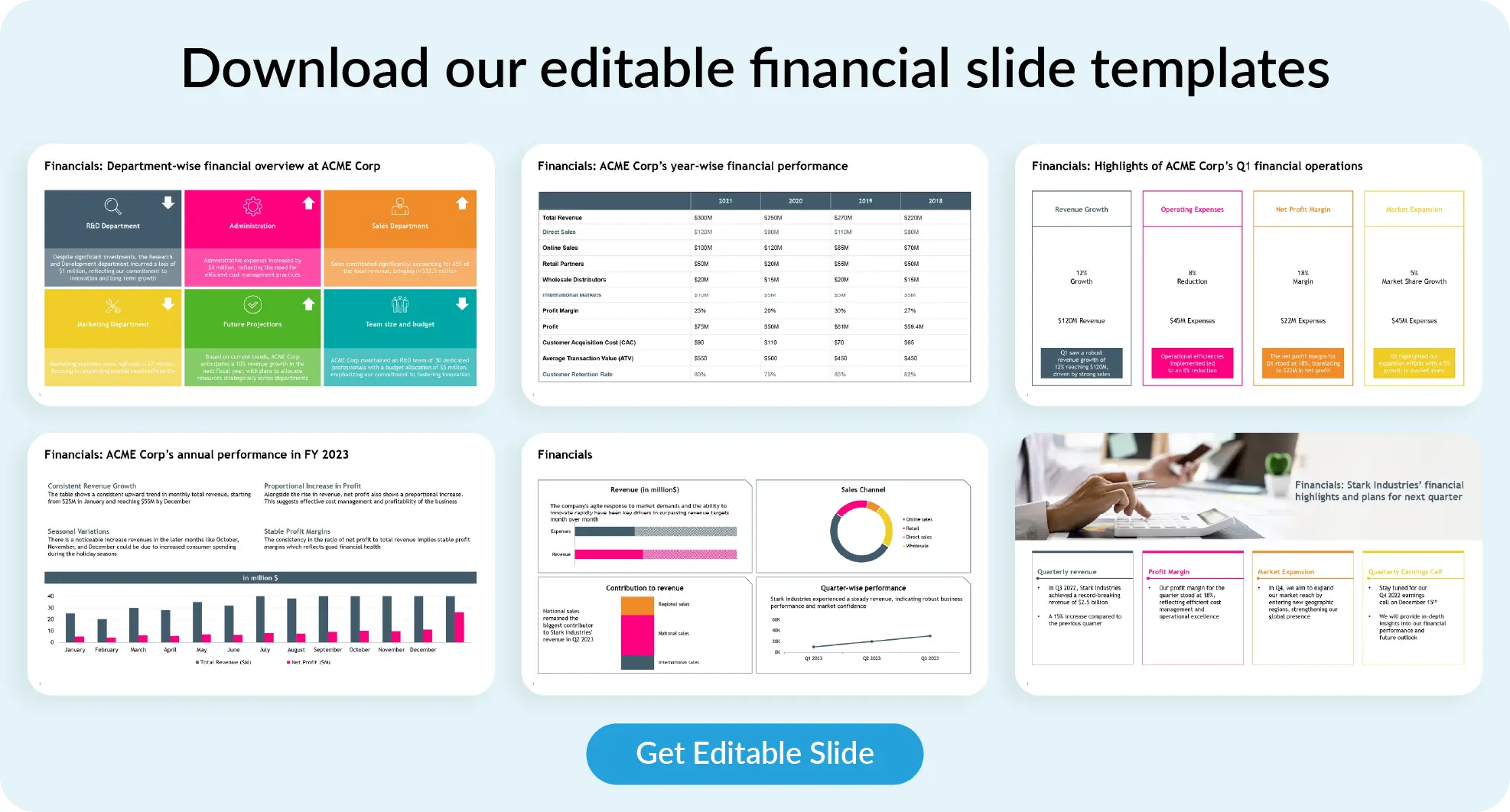
Check out our Financial Slide Template below, sign up to gain instant access, or book a demo with our experts. Start creating better financial presentations today!
storytelling

Bharti is a product marketing writer at Prezent who believes great writing starts with deep reading. She began her career in finance, switched paths in 2019, and has since worked with Kintegra, Clearout, Miko, CaratLane, and, of course, Prezent. From content marketing to product marketing, she enjoys simplifying complex product and technical ideas without losing meaning. As she always says, “If it needs explaining twice, it needs better writing.”
Connect with her on LinkedIn.













