No items found.
No items found.

You might feel a bit nervous if you’re planning to present a workshop. Whether this will be your first time or you are a long-time pro, workshops take a lot of work. Conducting a successful workshop—just like delivering presentations—takes focus, organization, and creativity.
When done poorly, workshops are boring and a waste of everyone’s time. But with the right planning, your workshop can be enjoyable and a valuable learning experience for everyone.
In this guide, we’ll walk you through 10 of the best tips to help you plan your next successful workshop.
Key takeaways
A workshop can be a fun learning tool for team building and brainstorming with a clearly defined goal. A good workshop leaves everyone excited about the next steps and bonded as a team.
All workshops have a facilitator. The facilitator presents the workshop and leads the group through activities with an expected outcome.
While some workshops finish within a few hours on a single day, others are extended over a few days or might be a weekend retreat.
All workshops must include some hands-on interaction, even if everyone is connected remotely. For example, the participants could cook together in a cooking workshop.
Workshops typically include one or more of the following goals:
If you want to avoid your workshop becoming a dreaded meeting where everyone is secretly (or not so secretly) thinking, “This could have been an email,” then use these 10 practical tips to create a successful, memorable, evergreen workshop.
What do you hope to achieve with your workshop? Do you want everyone to have learned a new skill? Created a new partnership? Solved a problem? Whatever your goal is, make sure everyone clearly understands your expectations.
A workshop is not a traditional meeting. Help your participants feel comfortable by creating a warm, welcoming environment. Your attitude sets the tone for the workshop. Smiling and greeting everyone as they arrive is a great way to start.
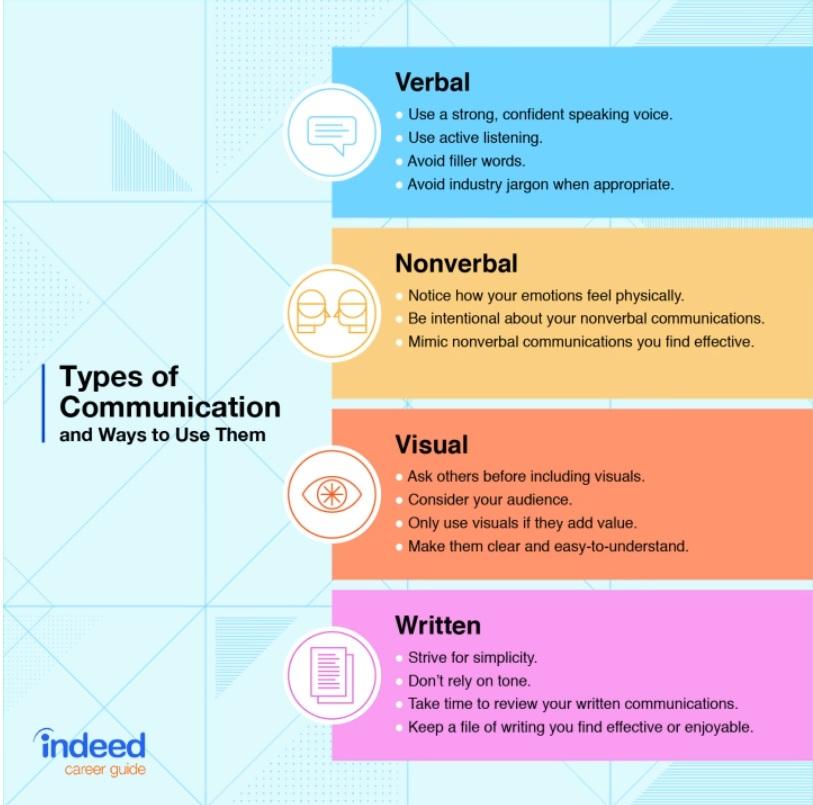
You should also demonstrate all the skills of a good communicator, including verbal, nonverbal, visual, and written communication.
Depending on the setting of your workshop, the participants might be strangers or long-time coworkers. Whatever the group dynamic is, include time for everyone to introduce themselves. In addition to sharing their name and job title, have them answer an interesting question. It could be related to the workshop or something completely off-topic, like describing the best present they ever received or their favorite vacation destination.
These personal stories can help everyone feel more comfortable and on the same level, especially if it is a work-related workshop with participants from various management positions.
You can also use technology to engage your audience, like how Buzzfeed used AR and VR technology at a recent event to combine the real and digital worlds.
In any group setting, there will likely be a handful of participants who tend to dominate the discussion. If you notice people who have not yet shared, ask for their input. They probably have something to share but feel overwhelmed by more dominating personalities. However, you should not pressure anyone to speak if they don’t want to.
If you see anyone not paying attention or getting distracted by their phone, call their name and ask for their input. Most people will pay attention when they hear their names.
Most industry professionals recognize that small groups of three to four people are ideal for productive group conversations. Groups larger than that will have individuals who feel excluded from the conversation.
If you are facilitating a large workshop, divide the participants into smaller groups for more effective brainstorming. You could assign different topics to each group and have them present their results or ideas to the whole group for feedback.
You can easily lose track of time during a group exercise. To keep everyone on schedule, use a timer to set limits for each activity, which gives everyone a deadline to finish the exercise. Monitor their progress and give reminders when time is almost up. If the exercise is particularly productive, you can extend the time. Ask the participants how much more time they think they need.
As a facilitator, it is important to remember that your job is to guide and not participate in the conversations. You can help keep people on the topic. However, unexpected ideas may help foster creativity and offer valuable insights, so pay attention to what people share. If it feels unproductive, try to guide them back to the topic.
During group discussions, there will inevitably be some disagreements. If you notice a group stuck in a debate that isn’t making progress, try to reframe the conversation, especially if they are arguing about separate issues. Pointing out the differences in their arguments may help them see that they are separate issues.
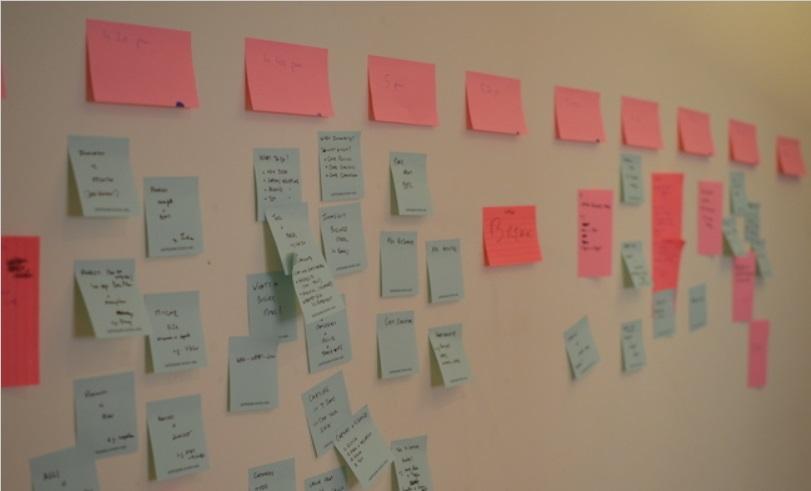
Visual aids, including presentations or charts, can be an excellent tool during a workshop. A somewhat cliched, yet still effective, workshop tool is to create an idea map. Pass out sticky notes. Have participants write a single idea on each note. Use volunteers to categorize them on the wall and create a heading that best fits each category.
At the end of the workshop, remind the group of the initial goals. As you go through the list, ask the group if they have accomplished each goal. Hopefully, you can end the workshop with a feeling of accomplishment and a plan for your next steps.
Perhaps you have a great idea for your next workshop but are struggling to finalize your thoughts. With Prezent, we can take your ideas and notes and transform them into a ready-to-share presentation.
Ready to see your ideas come to life? Contact Prezent today.













