No items found.
No items found.
I regularly test AI presentation platforms as part of my job, and Prezi is one I have worked with extensively. While it offers strong visual storytelling, it also comes with limitations.
When enterprise leaders ask me about the best Prezi alternatives for leadership teams, they are usually looking for more than motion effects. They want tools that can deliver visual impact at scale, without added complexity.
I have spent years building complex Prezi canvases and testing competing platforms in real boardroom settings. While Prezi can help create engaging presentations, enterprise teams often need more structure, consistency, and control at scale.
In this guide, I start with an overview of Prezi, then break down the major alternatives. I also explain why platforms like Prezent stand out for organizations leading large, distributed teams.
This table shows how Prezi compares with top alternatives across key enterprise factors, helping teams looking for a Prezi alternative quickly identify the best fit.
I like to think of Prezi as a giant digital whiteboard where your story zooms in and out instead of moving slide by slide. Prezi is a good tool when you want to move beyond traditional slide decks and show clear connections between big ideas. However, if you need a specialized enterprise tool for generating presentations from large amounts of data, you will need a tool like Prezent.
Prezi is a presentation tool built around a large zooming canvas that replaces traditional linear slides using animation and motion instead of slide transitions. Instead of clicking through pages, you pan and zoom across ideas like a digital whiteboard, making connections feel visually appealing and dynamic.
That same expansive canvas can also be a drawback. Because there are no clear slide boundaries, some users find it harder to think in terms of a structured presentation. The experience can feel less intuitive, especially for teams that are used to building clear, step-by-step narratives.
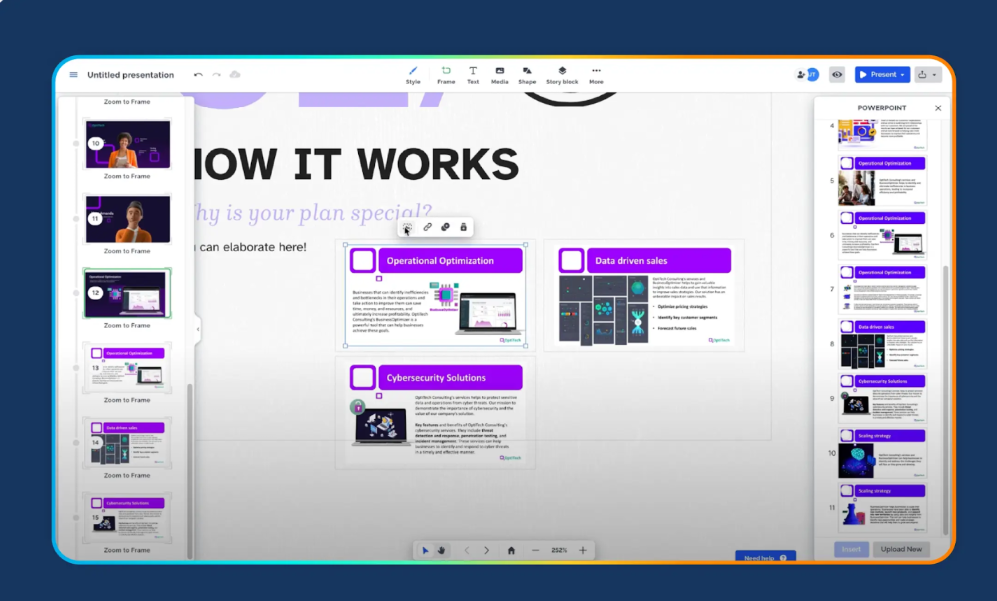
1. Zooming canvas navigation:
Prezi replaces linear slides with an infinite canvas, allowing presenters to pan and zoom between ideas. This supports flexible movement during live presentations and helps show relationships between high-level concepts and details. For teams used to slide-by-slide structure, this approach may require a shift in how presentations are planned.
2. Nonlinear storytelling paths:
Presenters are not locked into a fixed sequence and can move across the canvas based on audience interest. This can enable more interactive conversations, though it may be less predictable for structured leadership reviews or time-bound meetings.
3. Visual relationship mapping:
Prezi favors visual layouts such as mind maps and diagrams over traditional bullet slides. This works well for conceptual storytelling but may take additional effort when translating content into standard executive formats.
4. Cloud-based team sharing:
Presentations are stored online and can be shared across teams. Security and collaboration features support business use, though large organizations often look for deeper brand controls and standardized templates across departments.
5. Presentation analytics:
Prezi offers basic engagement insights, such as viewer interaction and time spent on sections. While useful for feedback, these metrics are typically one part of a broader content and performance workflow used by enterprise teams.
It is less ideal for global enterprises that need a strict brand, security, and repeatable processes.
As organizations grow, presentation needs change. What works well for individual presenters does not always scale across enterprise teams that operate under tight timelines, formal review processes, and strict brand and security standards.
While motion-driven presentations can engage smaller audiences, they may be less effective in data-heavy leadership settings. Teams also need tools that are easy to adopt, support consistent branding, and enable collaboration at scale.
Leaders often say they value Prezi’s ability to capture attention, but struggle to apply it consistently across large, distributed teams. That is why many enterprises explore Prezi alternatives for business presentations. They look for platforms that preserve strong storytelling while adding the structure, scalability, and speed required for enterprise-wide use.
When I work with enterprise leadership teams, Prezent is often my first recommendation as a Prezi alternative. Rather than prioritizing motion effects, Prezent focuses on consistency, speed, and alignment across hundreds or even thousands of presentations.
Prezent is an AI-powered presentation platform built for enterprises. It turns complex inputs such as research reports, analytics, and financial data into branded slide decks in minutes. By combining AI-generated content, standardized templates, and built-in brand controls, Prezent helps teams across sales, finance, and leadership stay consistent and on message.
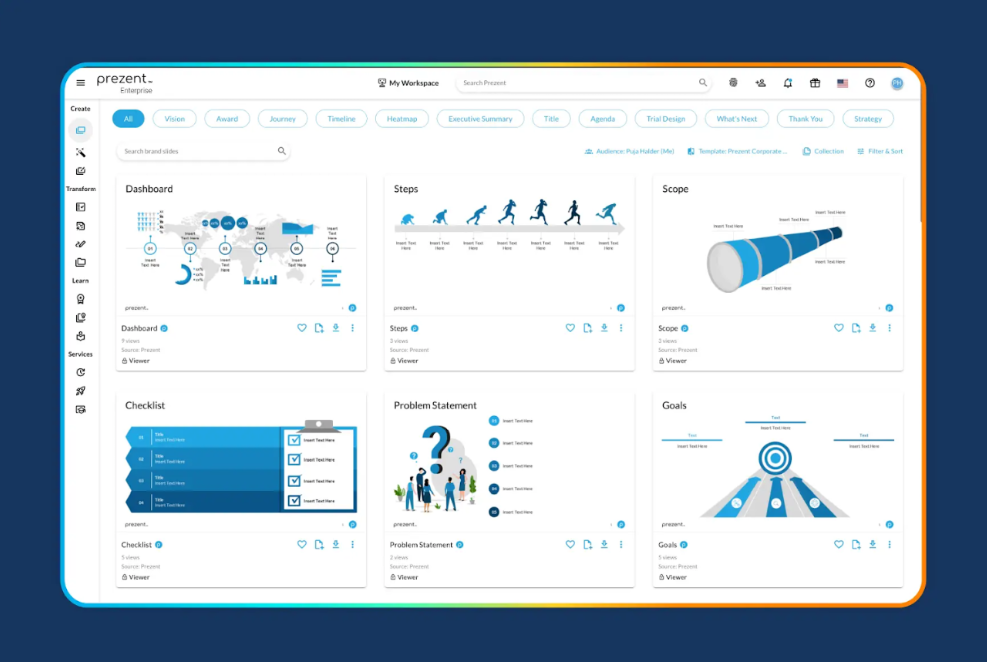
1. Contextual understanding and efficiency at scale:
This is the feature I love most about Prezent. Its AI engine, Astrid, turns notes, data, or short prompts into complete, branded presentations in minutes. It understands industry-specific language, presentation structure, and visual standards, helping teams save up to 90% of the time spent creating decks.
2. 100% brand compliance:
Brand consistency becomes effortless at enterprise scale. Every presentation follows approved brand guidelines by default, including logos, colors, fonts, and layouts. Tools like the Template Converter also make it easy to update older presentations to current brand standards.
3. Personalization for stakeholders:
Prezent’s Communication Fingerprints adjust tone, structure, and depth based on the audience. This helps tailor presentations for board meetings, investor discussions, or internal updates without rebuilding content from scratch.
4. Real-time collaboration:
Teams can edit presentations together with live comments, version history, and task tracking. This supports cross-functional collaboration across leadership, sales, and finance teams.
5. API integration to create decks within your tools:
Prezent offers API integration that allows teams to create on-brand presentations directly within their existing tools, such as chatbots, internal platforms, or data workflows. This reduces tool switching and speeds up content creation.
Pricing and best fit
G2 reviews of Prezent
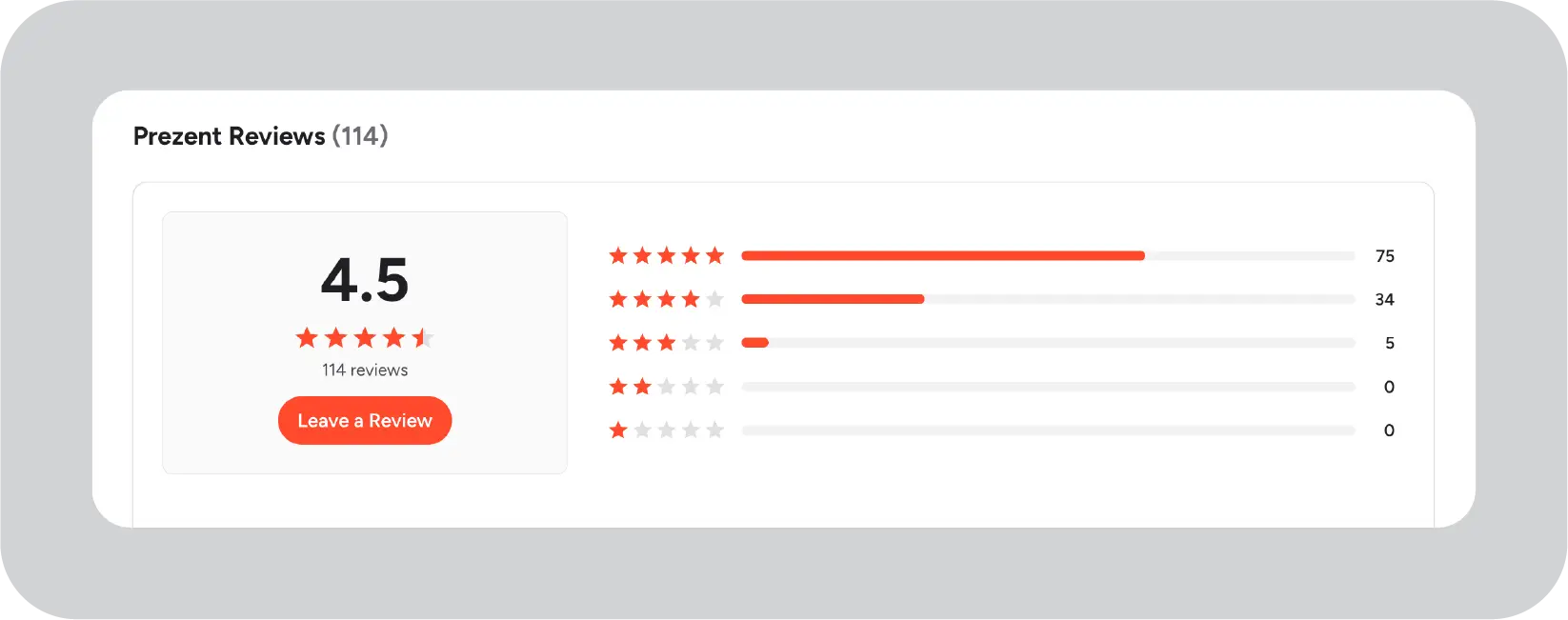
“Prezent is easy to use, simple to start, and has been a key part of our acquisitions and their integrations as well to keep the branding consistent.”- User feedback, G2
PowerPoint with Copilot serves as the standard Prezi alternative for enterprises. It integrates seamlessly with existing Microsoft 365 environments.
PowerPoint remains the familiar slide tool for most executives. Copilot AI generates outlines, slides, and visuals from prompts, Word documents, or emails.
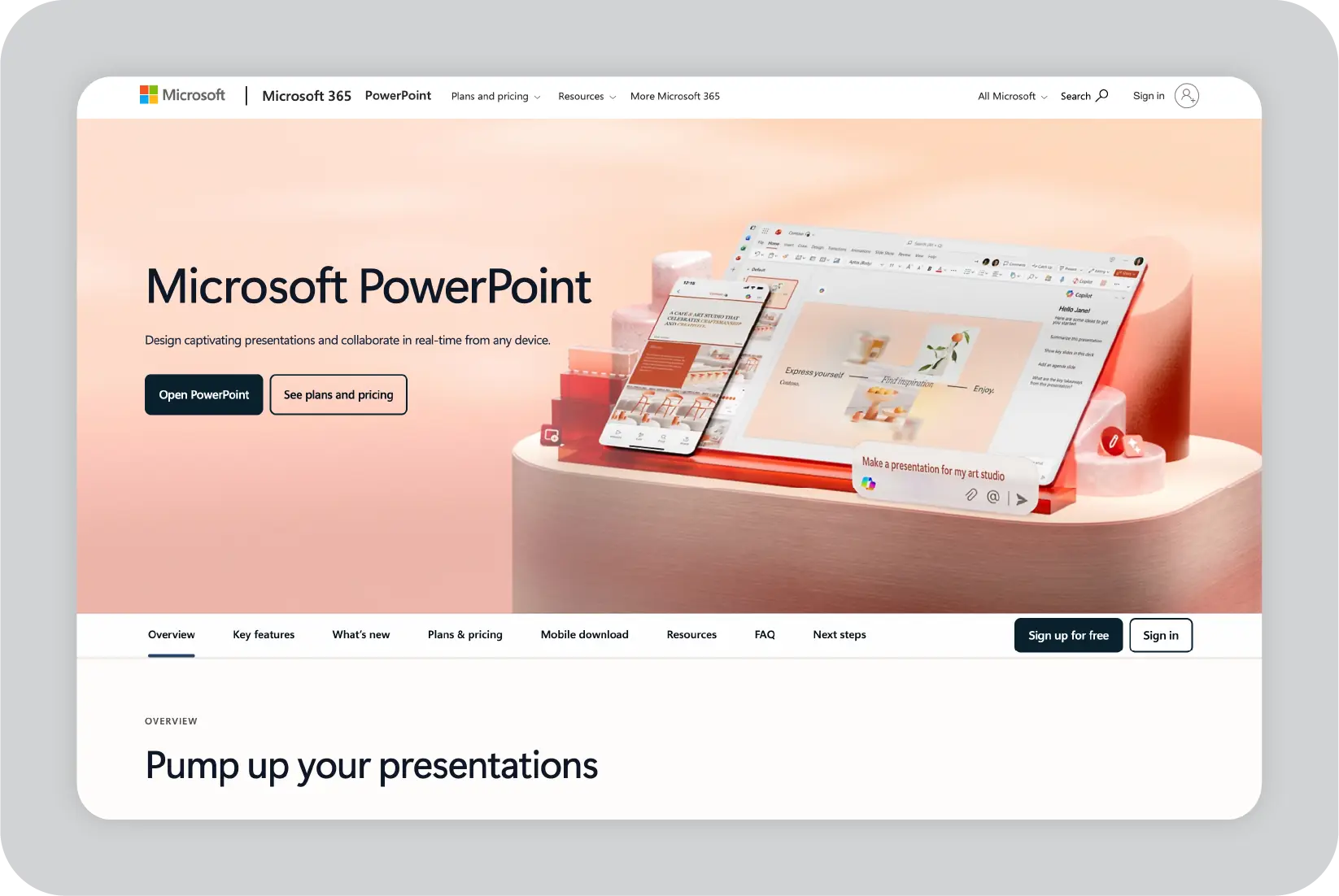
1. Seamless Microsoft 365 integration:
PowerPoint works closely with other Microsoft 365 tools. Copilot can reference content from Word documents, Excel files, Teams conversations, and emails to help draft outlines and slides. The PPTX format remains widely supported across organizations and external stakeholders.
2. AI-assisted slide generation:
Copilot transforms rough ideas into structured presentations quickly. It helps with layout suggestions, bullet refinement, and basic chart creation. Real-time coauthoring supports multiple contributors working on the same deck.
3. Designer and Morph transitions:
PowerPoint includes design suggestions and transition effects to improve visual polish. These features enhance slides within the existing PowerPoint workflow, without requiring additional tools or advanced design skills.
4. Universal accessibility:
PowerPoint presentation is widely adopted across enterprises, which reduces onboarding effort. Presentations export and share reliably with clients, partners, and regulators, minimizing compatibility concerns
Pricing and best fit:
Google Slides with Gemini is commonly used by distributed teams that rely on Google Workspace.
What Google Slides offers:
Google Slides is a cloud-based presentation tool within Google Workspace. Gemini adds AI features like text rewriting, content generation, and content summaries, all within the Google environment.
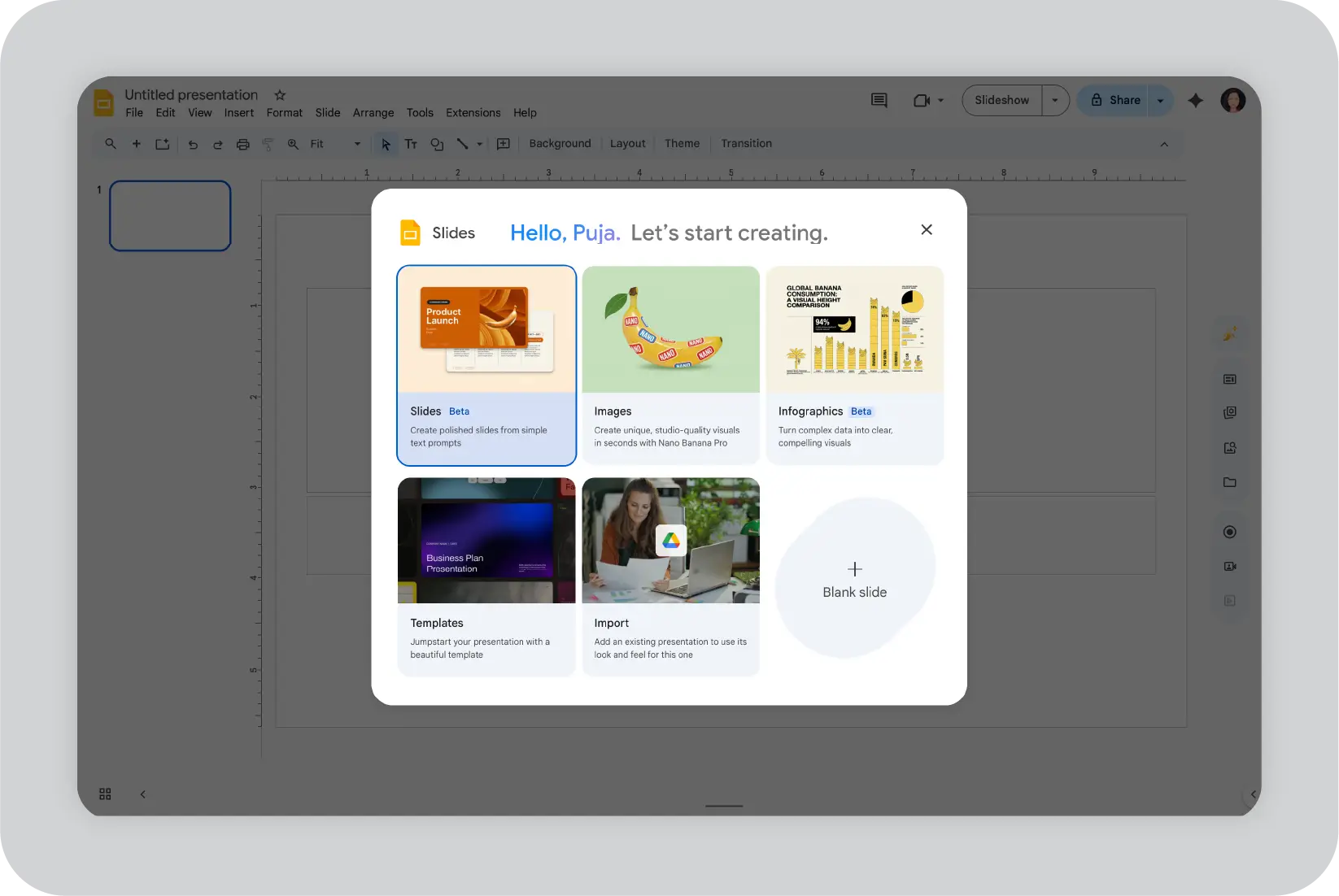
1. Real-time multi-user collaboration:
Multiple users can work on the same presentation simultaneously. Live comments and version history support team coordination and reduce file duplication.
2. Live data integration:
Slides can reference content from Google Sheets and Docs, allowing charts and text to update as source files change. Gemini can also assist with creating or refining slide content using Drive files.
3. Cloud-first accessibility:
Presentations are accessed through a web browser, without the need for local downloads. This supports teams working across locations and devices.
4. Smart content suggestions:
Gemini provides suggestions for text edits, layout adjustments, and basic image creation during the presentation-building process. This can help users create slides more efficiently.
Pricing and best fit:
For a detailed comparison of Prezi vs Google Slides, you can refer to this article.
Canva is a design-focused platform often used by marketing and communications teams.
What Canva offers:
Canva allows users to create presentations, social graphics, and other marketing materials using drag-and-drop templates. Its AI features assist with generating layouts, images, and slide designs from text input.
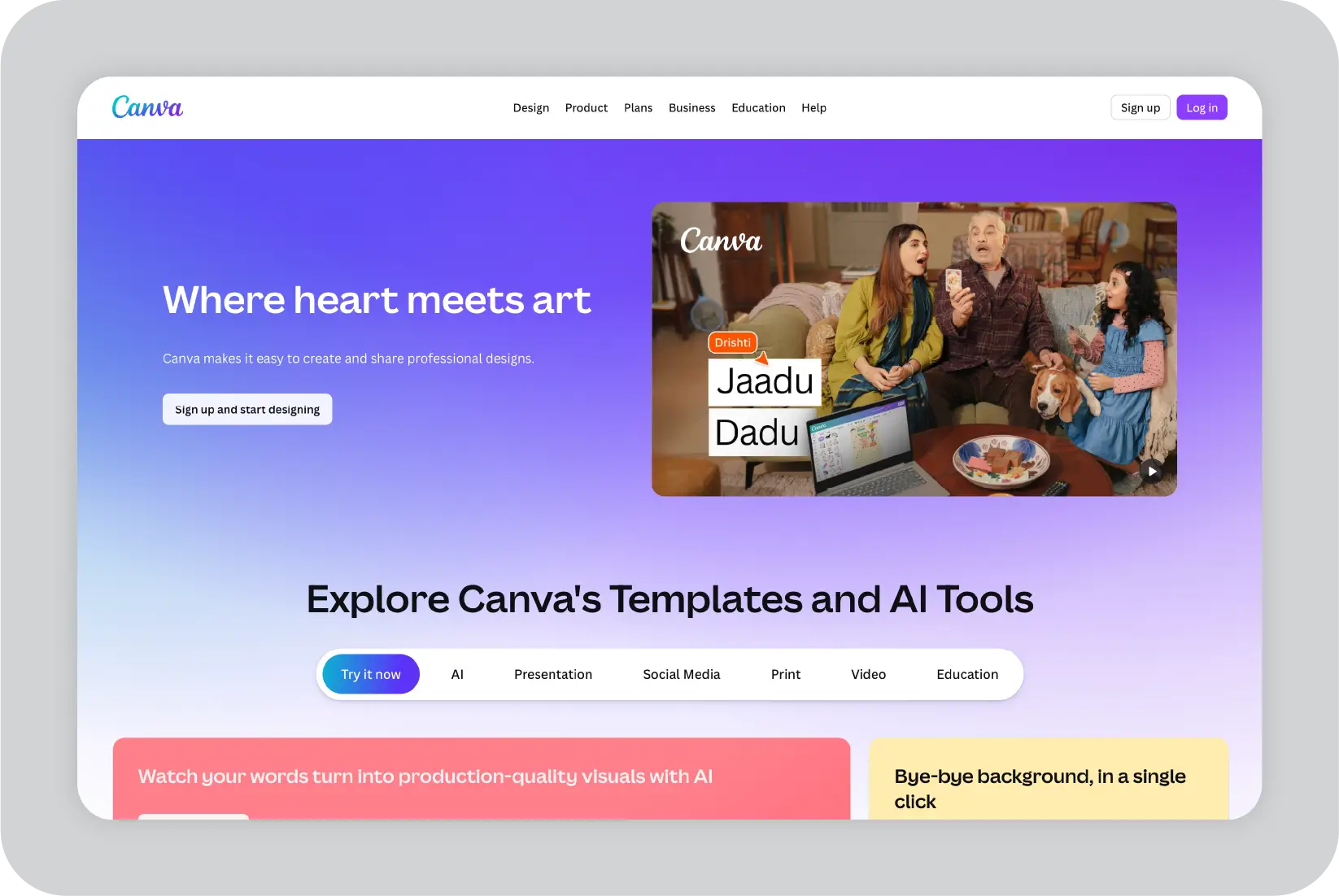
1. Extensive visual asset library
Canva provides a large collection of templates, icons, images, and charts that users can apply quickly. Brand kits help apply approved styles across designs.
2. Support for multiple content formats
The platform supports presentations, graphic designs, videos, social posts, and documents within a single workspace. This helps teams maintain visual consistency across different content types.
3. Enterprise permission controls
Administrative controls allow organizations to manage access to brand assets, folders, and shared content. This supports structured use across larger teams.
4. AI-assisted design tools
Canva’s AI features help generate layouts, images, and resized content from text prompts. These tools assist users in adapting designs across different formats with less manual effort.
Pricing and best fit:
G2 reviews of Canva:
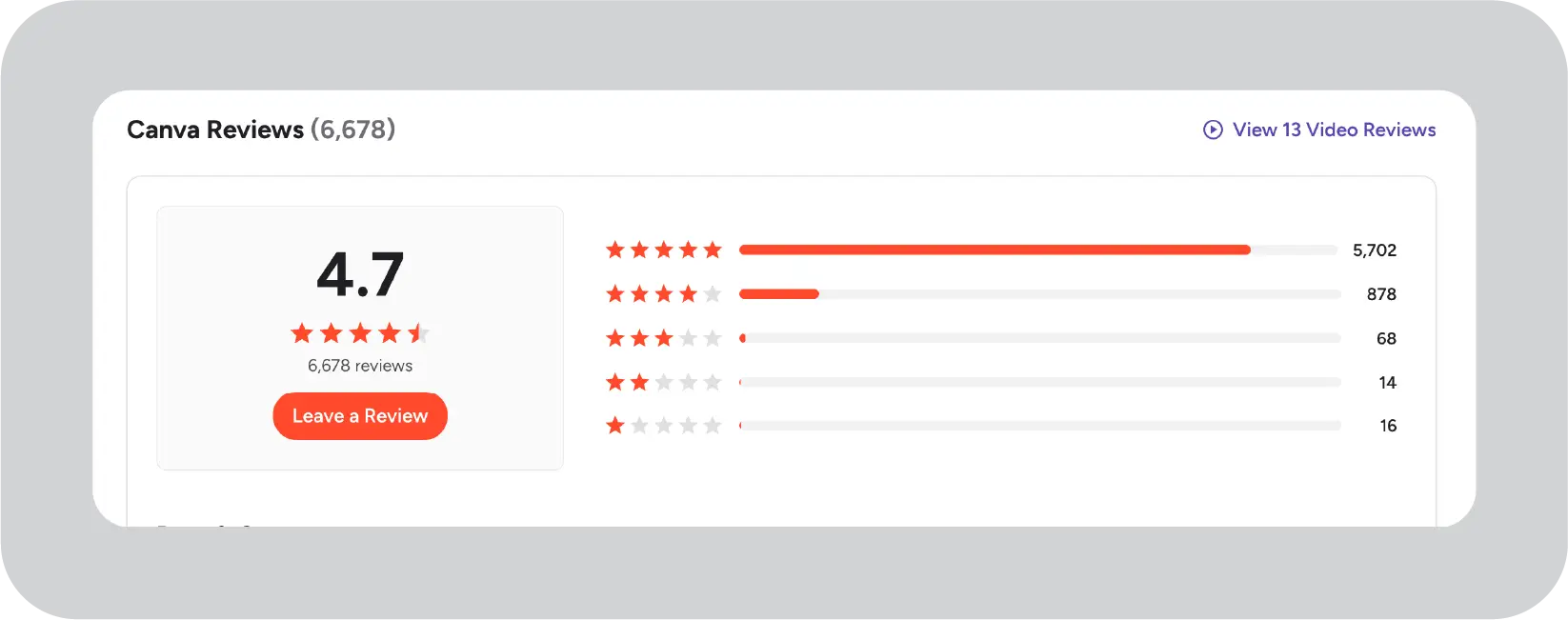
For a more detailed, side-by-side comparison of Canva and Prezi, refer to this article that systematically compares both tools and how they’re used.
Beautiful.ai is a presentation tool designed to help users create visually balanced slides with minimal manual design work.
What Beautiful.ai offers:
Beautiful.ai automatically adjusts slide layouts as content is added or removed. Its smart templates respond to text and visuals in real time, helping users maintain clean and consistent slide designs without needing design experience.
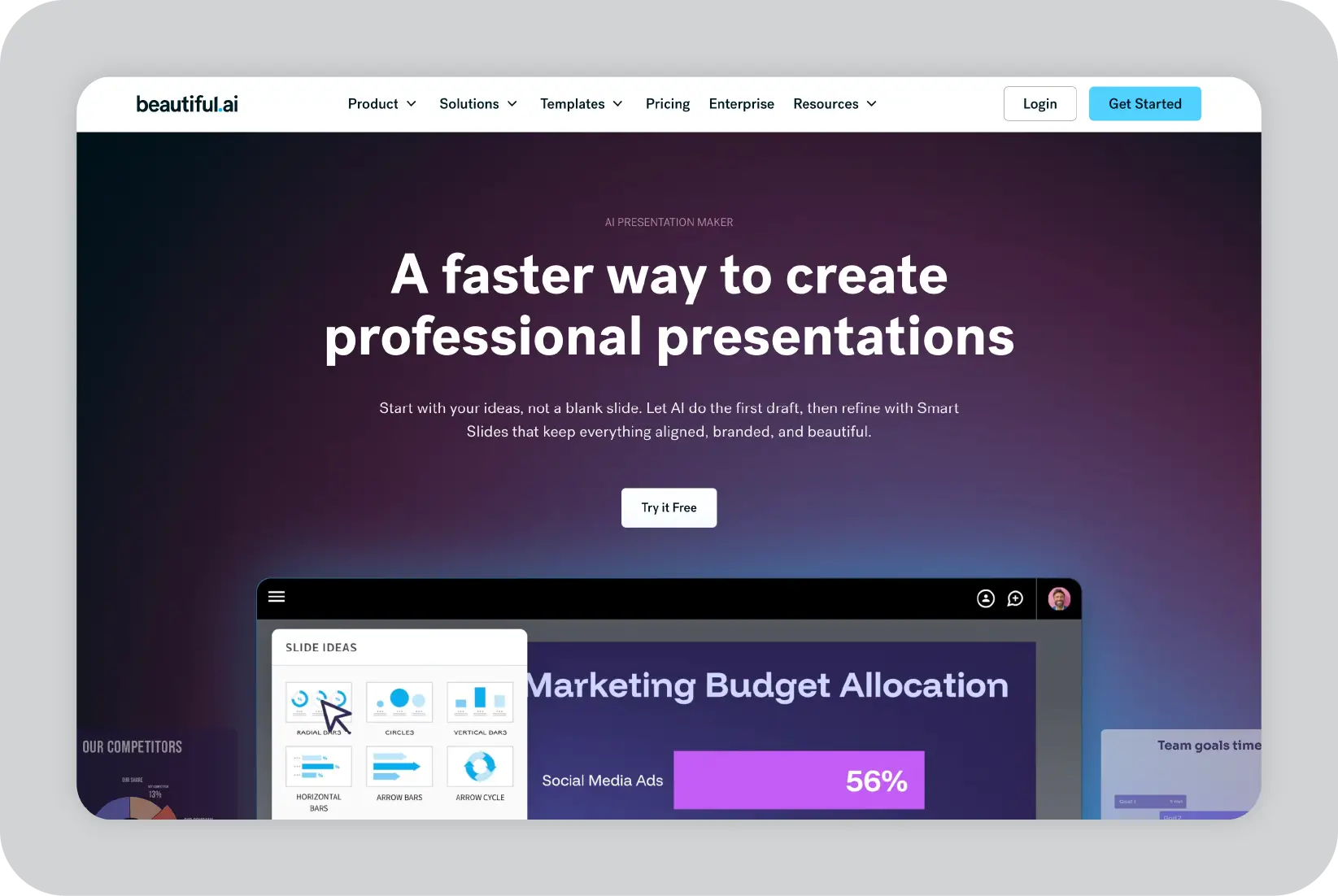
1. Automatic layout adjustment:
Slides rebalance automatically when content changes, helping maintain alignment and spacing without manual formatting.
2. Structured presentation templates:
The platform includes pre-built templates for common use cases such as agendas, timelines, comparisons, and metrics. These templates provide a consistent structure for business updates and reviews.
3. Live content embedding:
Users can embed charts, videos, and web-based content into slides. Layouts adjust automatically to accommodate updates to embedded elements.
4. Shared team slide libraries:
Teams can store and reuse approved slides in shared libraries. This supports content reuse and helps maintain consistency across presentations.
Pricing and best fit:
G2 reviews of Beautiful.ai:
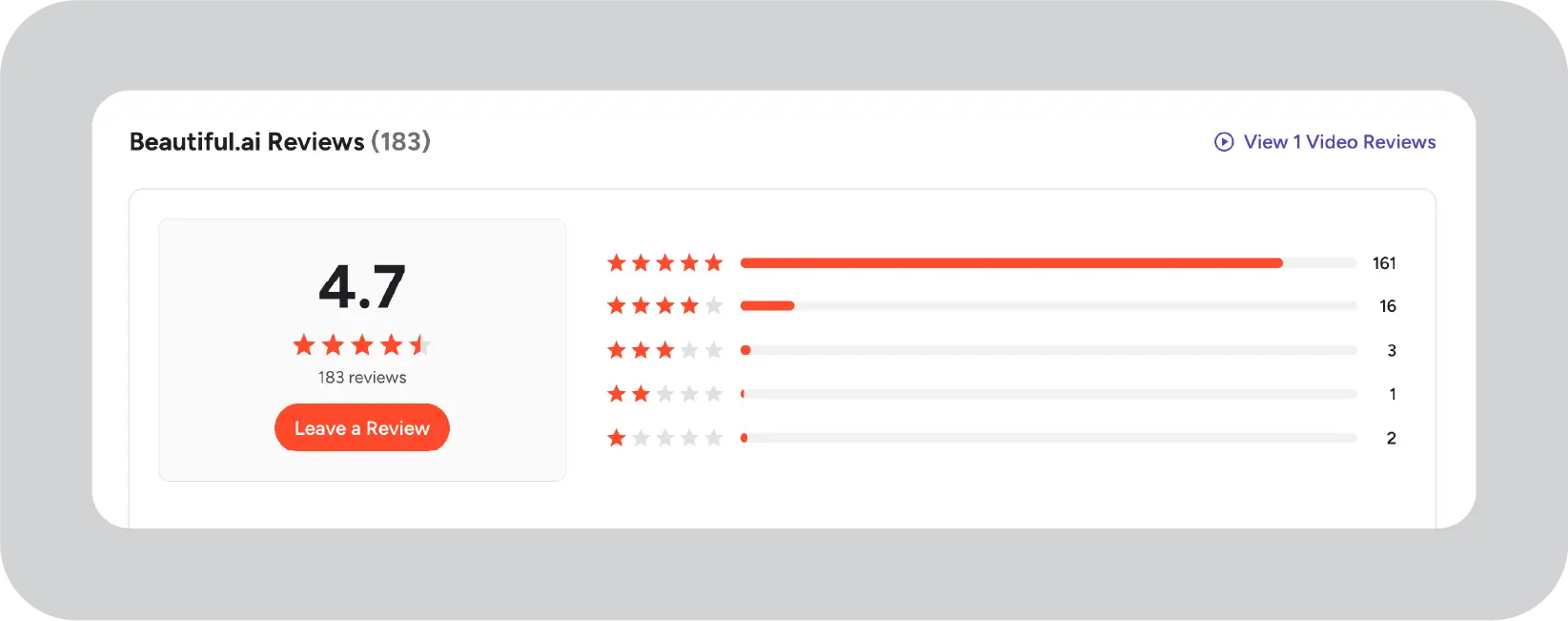
"The tool simplifies turning ideas into visual presentations, making the process very easy. The AI component is wonderful once you get the hang of it."- User feedback, G2
For a detailed, feature-by-feature comparison of Beautiful.ai and Canva, you can refer to this article, which compares how both platforms support enterprise storytelling, brand control, and team collaboration at scale.
Visme is a presentation and content creation platform with a focus on data visualization and interactive elements.
What Visme offers:
Visme supports presentations, infographics, and interactive content designed to help teams present complex data in a clear and structured way. It emphasizes visual formats that make metrics and insights easier to interpret for executive audiences.

1. Data visualization tools:
Visme includes charts, graphs, maps, and dashboards that help present complex data visually. These tools support clearer communication of metrics and trends.
2. Centralized brand asset management:
Teams can organize brand assets in shared folders with role-based access. Locked elements help maintain consistent use of templates and visual standards across users.
3. Interactive presentation elements:
Presentations can include clickable elements, pop-ups, and transitions. This allows viewers to explore information within the presentation itself.
4. Content repurposing across formats:
Visme supports converting presentations into other formats, such as infographics, videos, or social content. This can help teams reuse content across channels.
5. Performance and engagement analytics:
The platform provides analytics on views, slide-level engagement, and interactions. These insights help teams understand how content is being used and consumed.
Pricing and best fit:
G2 reviews of Visme:
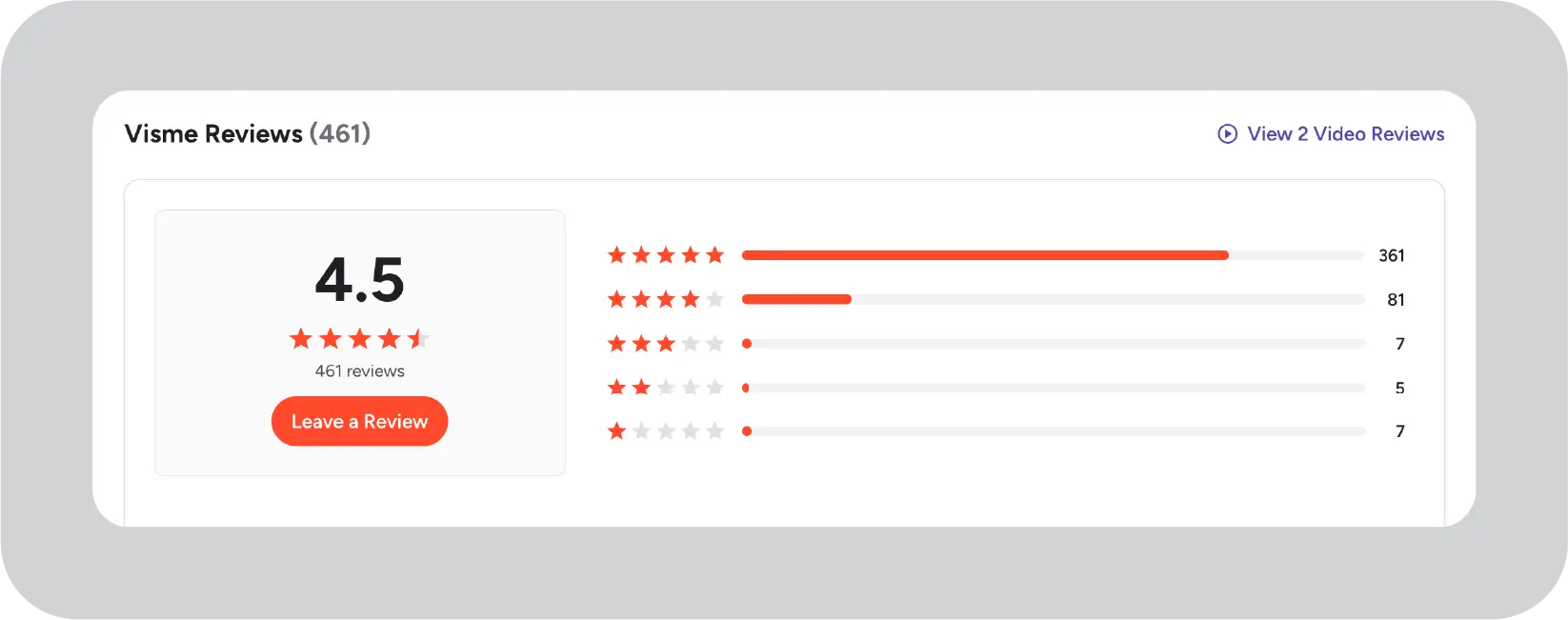
"Visme provides a wide range of user-friendly templates, making it both creative and easy to navigate."- User feedback, G2
Pitch is a cloud-based presentation tool designed to support collaboration and modern presentation workflows.
What Pitch offers:
Pitch provides a presentation platform focused on collaboration, fast iteration, and contemporary design. It supports asynchronous feedback, built-in commenting, and presentation recording to help teams work across time zones.

1. Asynchronous collaboration tools:
Teams can leave comments, assign tasks, and track versions directly within slides. This supports feedback and iteration without requiring frequent meetings.
2. Built-in presentation recording:
Users can record slide walkthroughs with voiceover and share them for asynchronous review. This can be useful for distributed or global teams.
3. Engagement insights:
Pitch offers analytics that show how viewers interact with presentations, including slide-level attention and drop-off points. These insights help teams review and improve content.
4. Modern, customizable templates:
Pitch includes contemporary templates that can be customized to match brand guidelines. Drag-and-drop editing supports quick updates and iteration.
Pricing and best fit:
G2 reviews of Pitch:
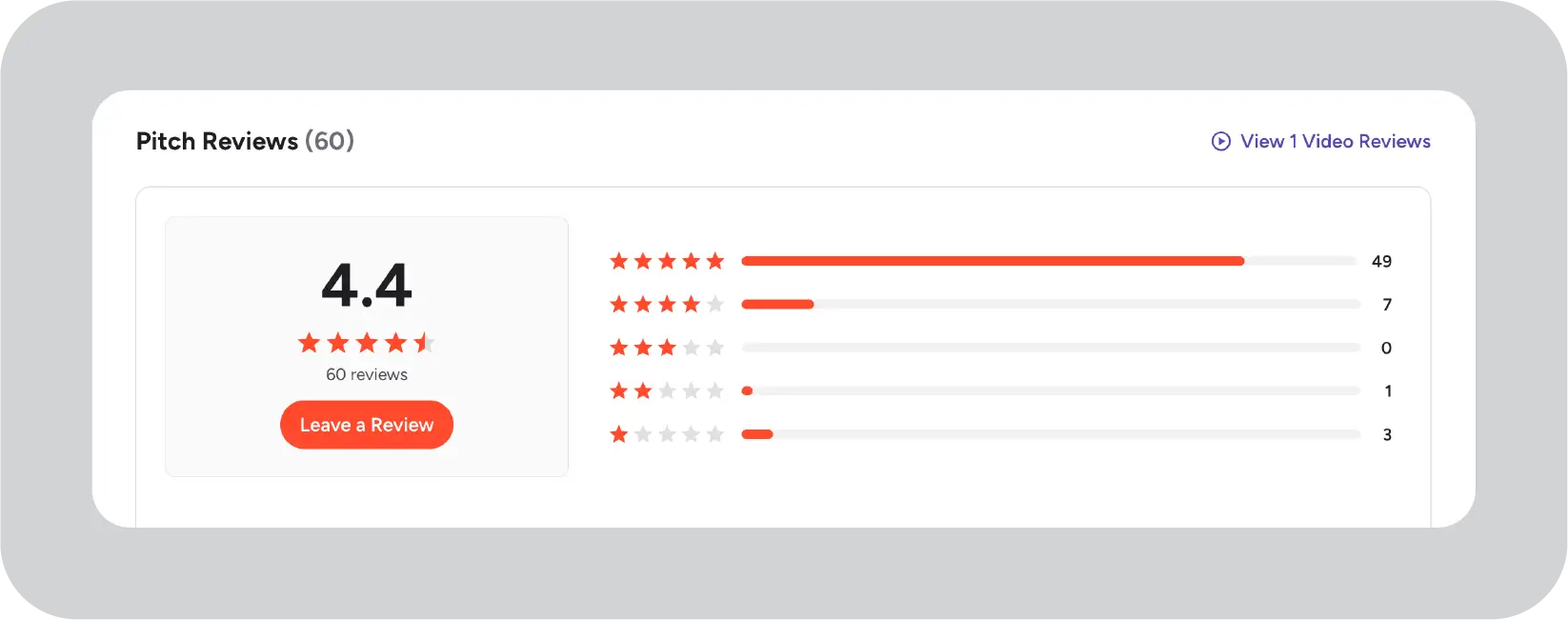
"I use Pitch to make presentations for my work, and it helps me create slides quickly and share them with my team. I like that it has ready templates and is easy to use. "- User feedback, G2
Choosing the right presentation tool can be challenging, especially when enterprise needs vary widely. This decision table maps common business priorities to the tools best suited to address them. Scan for your primary challenge to quickly identify which option aligns most closely with your team’s goals.
When comparing Prezi and Prezent for enterprise leadership, three key differences stand out:
Governance and brand protection:
Prezent ensures every presentation follows approved brand guidelines, even when thousands of employees are creating decks. Prezi is designed around individual creativity, with fewer controls for enforcing brand, legal, and compliance standards. For large enterprises, this difference is critical.
AI that scales communication:
Prezent’s AI turns source material into clear, presentation-ready narratives that align with company messaging. It supports repeatable formats for board updates, quarterly reviews, and product launches. Prezi focuses primarily on visual storytelling rather than structured, repeatable communication.
Enterprise support and adoption:
Prezent provides onboarding, training, and expert support to help leadership teams adopt the platform consistently. Prezi offers strong creative tools, but does not provide the same level of enterprise-focused enablement. When multiple executive teams rely on consistent messaging, this support becomes essential.
Prezi works well as a creative presentation tool. Prezent functions as an enterprise communication platform built for scale.
Ready to upgrade to an enterprise-grade presentation platform? Schedule a Prezent demo or start your free trial today.
Large enterprises typically need tools that balance strong storytelling with governance and scale. Prezent often leads this category because it combines AI-driven content creation with built-in brand controls and analytics designed for enterprise use. PowerPoint with Copilot is a close alternative for organizations deeply invested in Microsoft 365 and familiar workflows.
Tools like Google Slides, Canva, Beautiful.ai, Visme, and Pitch can be effective for specific teams or use cases, but they are more commonly used as complementary tools rather than enterprise-wide standards.
Prezi is commonly used for presentations that emphasize visual engagement and non-linear storytelling. However, when multiple teams create presentations frequently, challenges can emerge around governance, analytics, and workflow consistency.
Enterprise-focused alternatives such as Prezent or PowerPoint with Copilot typically offer:
For leadership teams managing recurring reviews and board presentations, these capabilities often outweigh Prezi’s visual strengths.
The right choice depends on how your sales teams work:
The key is matching the tool to the sales process, not just the visual style.
Yes. Many enterprises standardize on one primary platform while allowing limited use of specialized tools. A common setup includes:
Successful standardization depends on clear governance, training, and templates that make the primary tool easy to use correctly.
For executive presentations, priorities typically extend beyond visuals. Look for a presentation software that supports:
Prezent and PowerPoint with Copilot align well with these executive needs, especially for recurring leadership and board communications.
It depends on what you are trying to achieve. For creative, non-linear storytelling, Prezi remains a strong option. At enterprise scale, however, tools like Prezent, PowerPoint with Copilot, Google Slides, and Canva often work better. These platforms offer stronger governance, security, and collaboration for large teams.
For enterprises that prioritize brand control, speed, and repeatable executive communication, I usually find Prezent to be the best presentation tool.
Prezi did not disappear, but it never became the default standard for enterprises. Many business users realized that zooming and motion did not solve the core problem of unclear presentations and, in some cases, made them harder to follow. Teams also struggled with inconsistent design, limited governance, and presentations that felt more like visual tricks than clear business communication.
As expectations around security, brand consistency, and AI-driven workflows increased, enterprises naturally shifted toward tools that addressed these operational needs more directly.
Yes, Prezi is still used, but mainly in specific scenarios. I see it most often with solo presenters, trainers, educators, and small creative teams that value visually memorable, Zoom-based storytelling. In large enterprises, Prezi tends to remain a niche tool rather than the primary presentation platform. In those environments, solutions like Prezent or PowerPoint typically take the lead.
Canva and Prezi serve different needs. Canva works well when teams want simple, polished slides and access to a wide range of visual assets across presentations, social graphics, and marketing materials. AI tools like Prezi are better suited for dynamic, Zoom-based storytelling and non-linear presentation flows.
When comparing these tools for enterprise presentation needs, I recommend looking beyond visuals. Enterprises often need stronger brand governance, faster presentation creation, and AI features that support large teams. In those cases, tools like Prezent are typically a better fit because they are built to scale consistent, on-brand communication across the organization.
Yes. Several Prezi alternatives offer free tiers. Google Slides is the best free option with a Google account and supports real-time collaboration and basic presentation needs. Canva also offers a free plan with core templates and design features for creating slide decks and simple reports.
For enterprise use, these free tools usually work as a starting point. As teams grow, they often fall short on brand consistency, governance, and scalability, which leads organizations to adopt more enterprise-focused platforms.
When I compare these tools for large organizations, Prezent consistently stands out as the strongest enterprise alternative to Prezi. It is built specifically for leadership communication, not just visual effects. Prezent combines AI tuned for business context, automatic brand compliance, audience-aware messaging, and governance features that scale across hundreds or thousands of users.
For enterprises that need consistent, fast, and on-brand communication at scale, Prezent aligns best with how leadership teams actually work.
.jpg)
Anoob is the Head of Content at Prezent with over 16 years of experience in marketing and content. He has worked with leading startups such as SocialPilot, Writesonic, BigBasket, FreshMenu, GupShup, and SimplyHired. Passionate about social media and digital tools, Anoob enjoys testing new platforms to help businesses make better marketing decisions. You can connect with him on LinkedIn.













