No items found.
No items found.
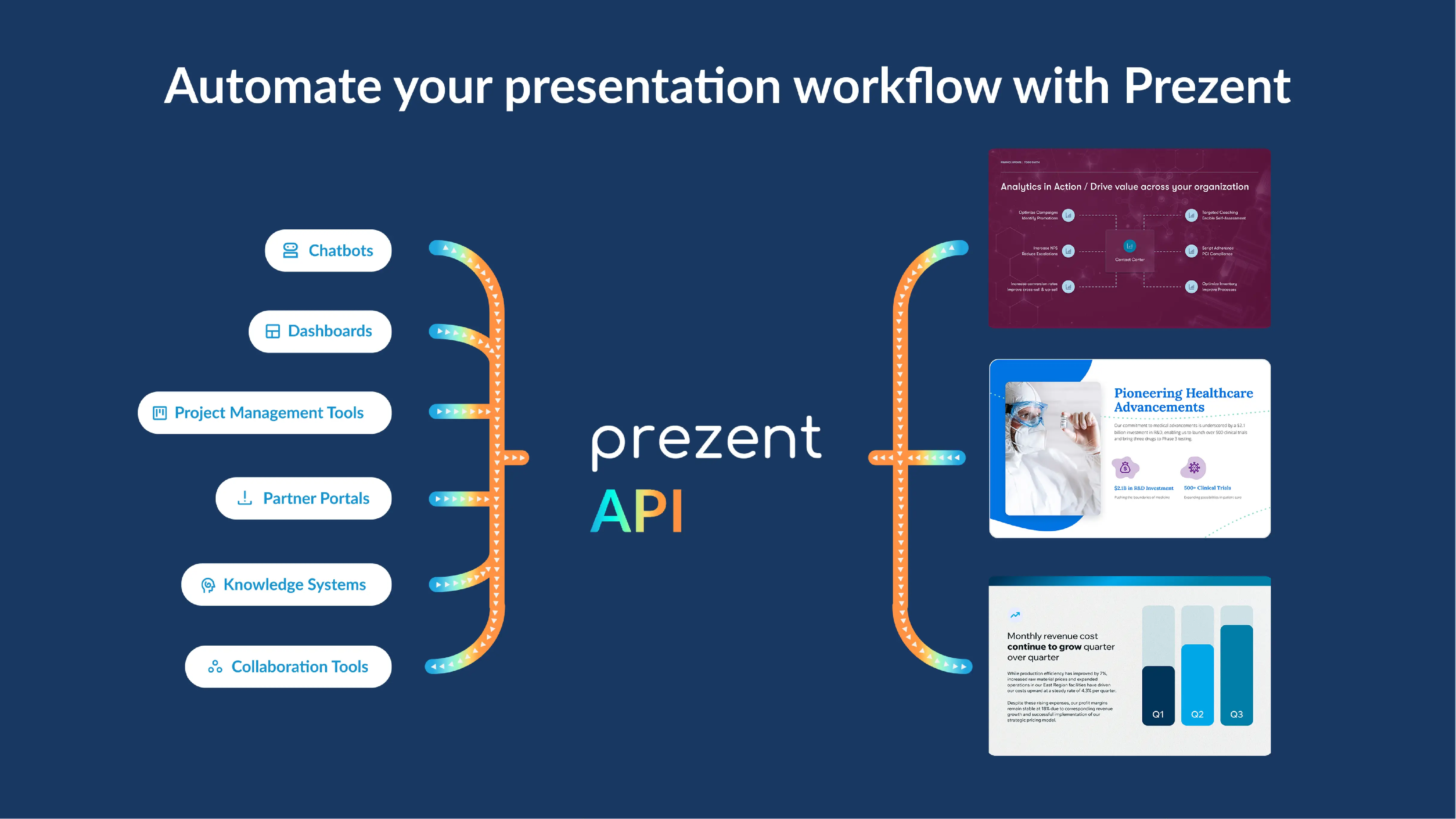
API usually stands for Application Programming Interface. But in the context of enterprise communication, it increasingly represents something far more practical: Automate Presentations Inside workflows.
While organizations rely heavily on AI systems that generate insights, summaries, and recommendations, turning those outputs into executive-ready, brand-compliant presentations remains largely manual. Copilots answer questions, dashboards surface trends, and AI agents flag what matters, yet teams continue to export data, copy content into slides, fix layouts, and manually enforce brand rules. Despite all the automation upstream, presentations remain the last mile where workflows break.
This is not a failure of AI capability. It is a gap in execution, and the Prezent API is designed to close this gap.
It is a secure, enterprise-ready API that enables teams to create and transform on-brand PowerPoint presentations directly within their existing applications, chatbots, data pipelines, and AI workflows.
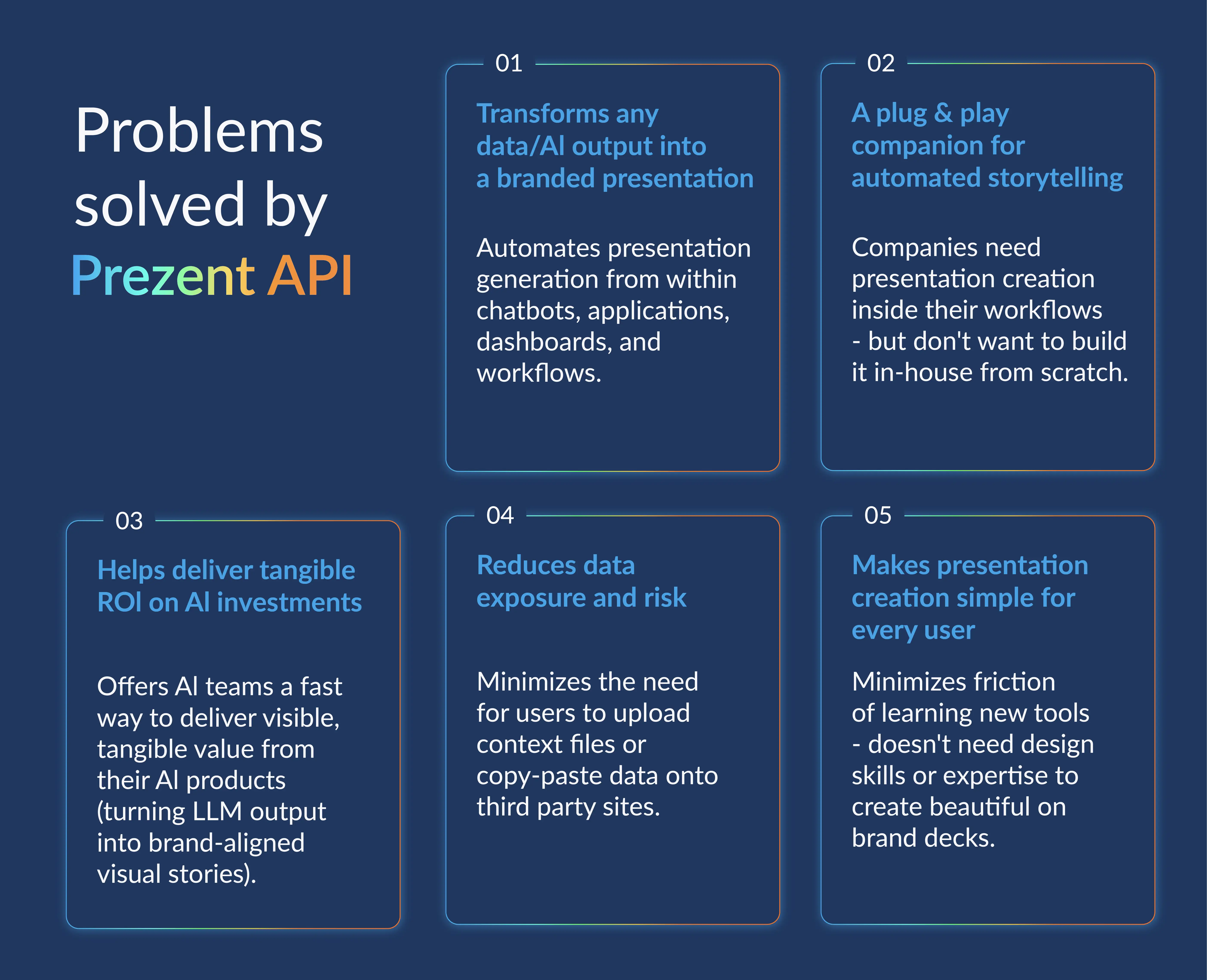
Instead of treating presentations as a separate, downstream task, Prezent API makes them a built-in outcome of work itself. The same intelligence, brand logic, and best practices used inside the Prezent platform are now available programmatically, allowing organizations to automate presentation creation without losing control, consistency, or editability.
It focuses on creation. It seamlessly connects with AI systems, applications, or internal tools and turns any data into structured, editable PowerPoint presentations.
Rather than simply placing content onto slides, the API applies presentation intelligence before the deck is created.
It accepts
It applies
It returns
The output behaves like a working presentation, not a static export, allowing teams to iterate without rebuilding.
While creation is one challenge, maintaining brand consistency across presentations is another. The Template Converter API addresses this by embedding brand compliance directly into enterprise workflows.
Instead of fixing presentations after they circulate, organizations can standardize decks as part of the creation or update process.
Through a single API workflow, teams can
This turns brand compliance into a governed, repeatable process rather than a manual cleanup exercise.

Here are three powerful ways Enterprises are using Prezent API in their workflows
Many enterprises already rely on internal copilots to surface insights. Prezent API completes the loop.
Typical flow
Common outputs
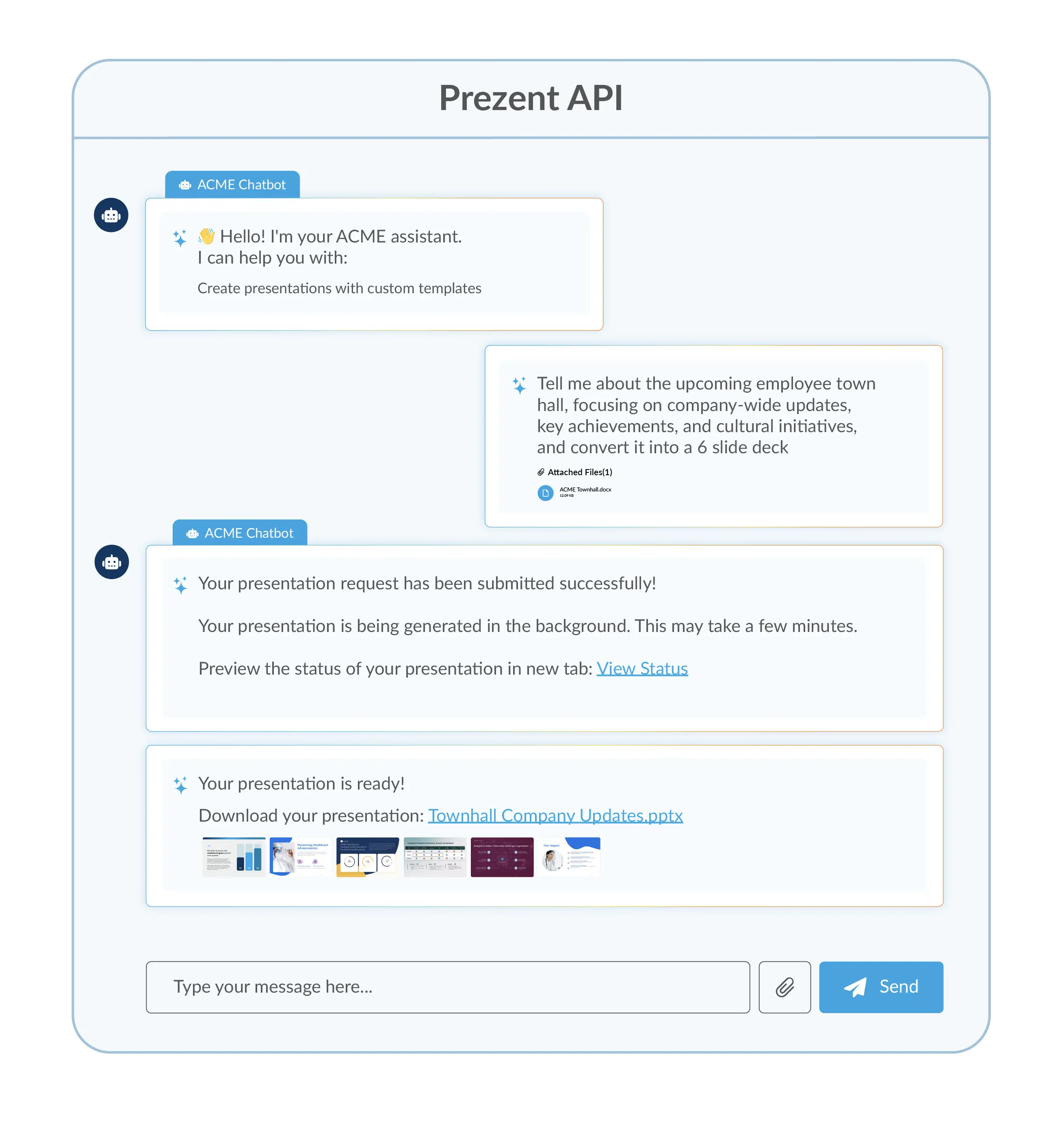
Many enterprise teams use reporting, planning, or analytics tools. Prezent API allows these systems to generate presentations without exporting data or rebuilding slides manually.
By adding a simple “Create Presentation” action, applications can turn live data into presentation-ready content.
Where this works best
The data remains in the system. The presentation is generated where decisions happen. Looking for a demo of how it can be done? Book now
In organizations using autonomous or semi-autonomous AI agents, Prezent API completes the automation loop. Schedules or events can trigger presentations without manual intervention.
Examples include
Each presentation is structured, editable, and aligned with enterprise brand standards.
Prezent API is designed for production environments, not one-off demos. It supports enterprise-grade authentication, aligns with governance and security models, and scales across teams and workflows.
Most importantly, data remains within the customer’s environment, and the API extends Prezent’s intelligence rather than bypassing it. This ensures consistency, control, and trust as presentation creation becomes automated.
AI should not stop at generating insights, and insights should not remain confined to dashboards. In an automated enterprise, presentations should not be the manual step that slows everything down.
By embedding presentation creation and transformation directly into workflows, Prezent API enables organizations to operationalize insights at scale. Presentations become a natural outcome of work—not an extra task added at the end.
That is what it means to Automate Presentations Inside workflows.
See Prezent API in action. Schedule a demo to explore automated presentation workflows.

Bharti is a product marketing writer at Prezent who believes great writing starts with deep reading. She began her career in finance, switched paths in 2019, and has since worked with Kintegra, Clearout, Miko, CaratLane, and, of course, Prezent. From content marketing to product marketing, she enjoys simplifying complex product and technical ideas without losing meaning. As she always says, “If it needs explaining twice, it needs better writing.”
Connect with her on LinkedIn.