No items found.
No items found.
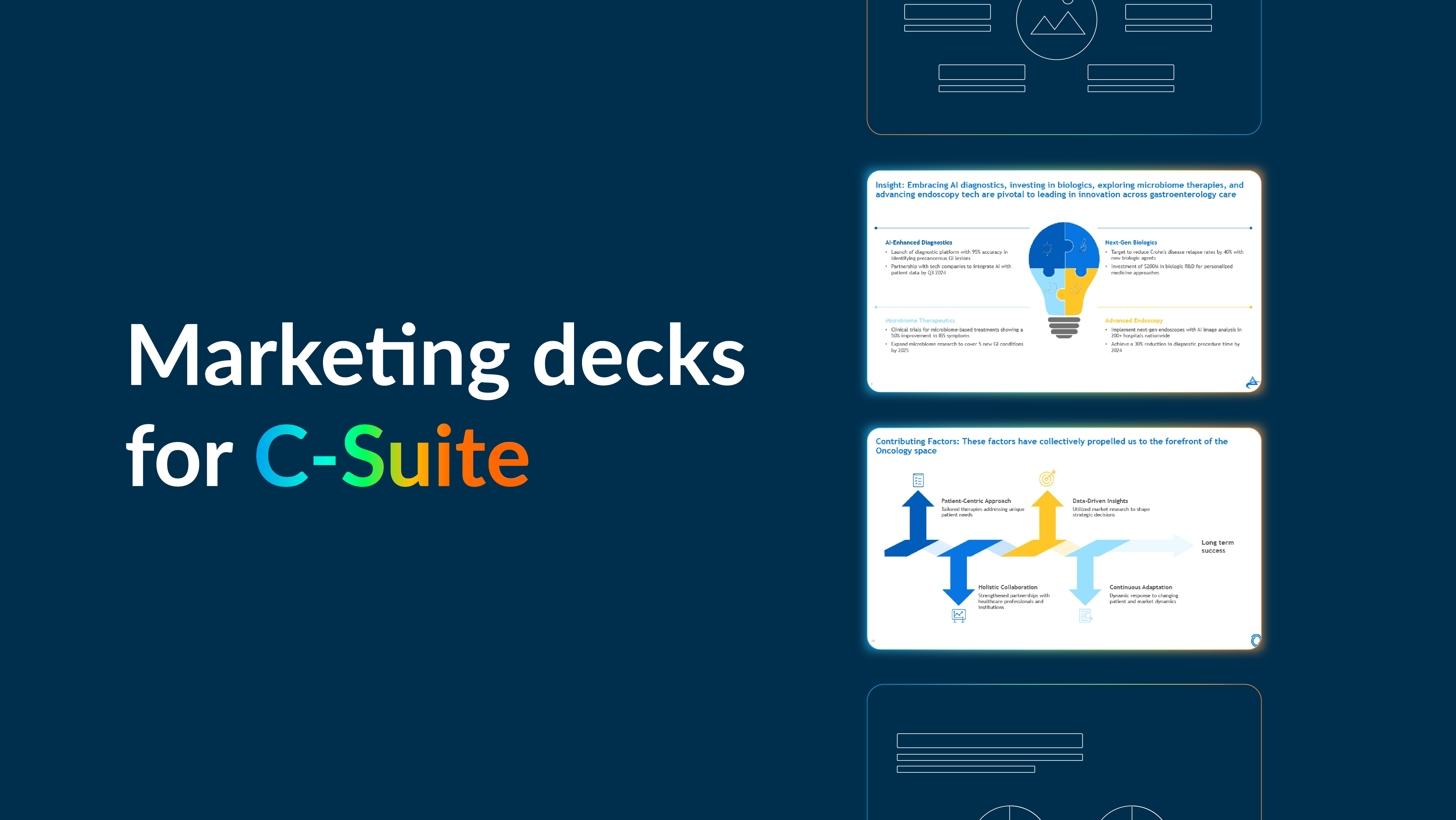
Presenting to the C-suite marketing leaders is more than just sharing slides. It is your chance to demonstrate how marketing drives growth and creates real business impact. A strong marketing deck can build confidence, answer key questions, and position you as a trusted partner at the leadership table.
Of course, it is not always easy. Securing executive buy-in requires more than good ideas. Senior leaders expect presentations that simplify complex strategies and translate them into clear business value and actionable goals. That means knowing what matters to your audience and delivering it through compelling storytelling, relevant data, and thoughtful design.
When done right, a marketing deck does more than inform. It inspires alignment, unlocks resources, and helps move important decisions forward.
In this article, we will cover everything you need to know about marketing decks, including common challenges, mistakes to avoid, practical templates, and tips for creating truly impactful marketing presentations.
Board-level and C-suite presentations require much more than a simple summary of marketing activities. They demand messaging that is tailored to the audience, storytelling that captures attention, and a clear demonstration of how marketing drives business results. As Mark Huber, VP of Marketing at UserEvidence, emphasizes:
“Marketers get stuck in their heads and talk only about marketing-specific things, using language that doesn’t really connect to the big business-level problems or issues that the board truly cares about.”
A standout C-suite presentation is built on a strong strategic narrative, direct alignment with company KPIs, and a focus on the future. Senior leaders respond to decks that clearly show ROI, highlight growth opportunities, and address potential risks. Every slide should reinforce the relevance of your marketing strategy and how it supports key decisions at a board or executive meeting.
An influential marketing deck brings together several key elements to capture attention, build credibility, and secure the support you need. Here’s what makes a marketing presentation truly influential:
A strong marketing deck does more than outline plans—it helps CMOs address the key challenges they face with the C-suite. By understanding these pain points, you can design a deck that truly resonates and drives executive buy-in.
Here’s how an effective deck can address these pain points:
By addressing these challenges, your marketing deck not only communicates strategy but positions marketing as a strategic driver, builds executive confidence, and earns buy-in for initiatives, budgets, and resources.
Different situations call for different kinds of marketing decks. While there are plenty of variations out there, three types stand out due to their frequent use and significant impact. In the next section, we’ll walk through marketing deck examples with templates for each of these three presentation types. These will help you simplify complex ideas, align stakeholders, save time, and win leadership buy-in.
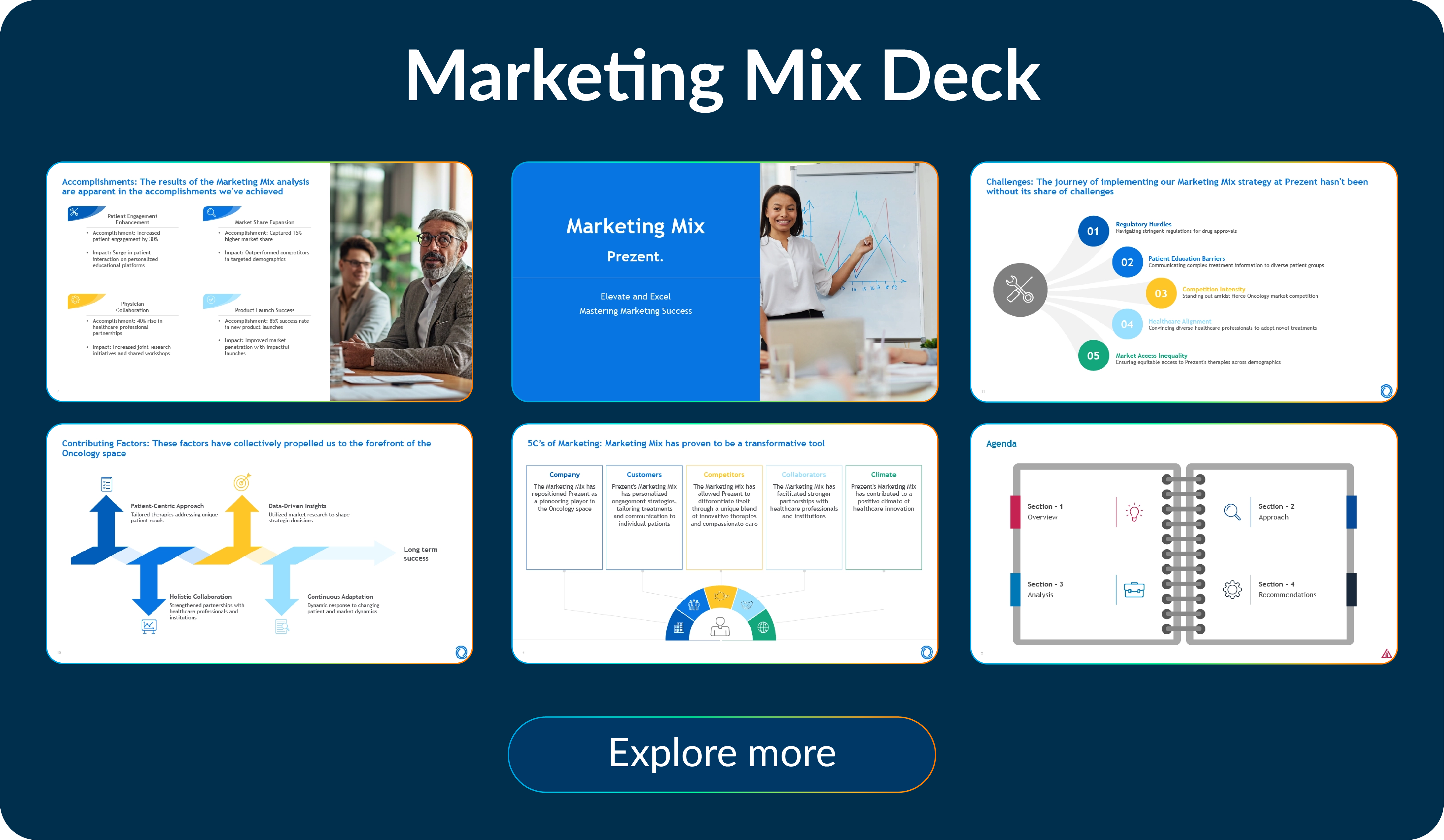
A marketing mix deck gives executives a clear view of the four core elements—product, price, place, and promotion—that drive strategy. It shows how these elements work together to impact growth, profitability, and customer success. For the C-suite, this deck provides confidence that marketing is balanced, intentional, and aligned with broader business objectives.
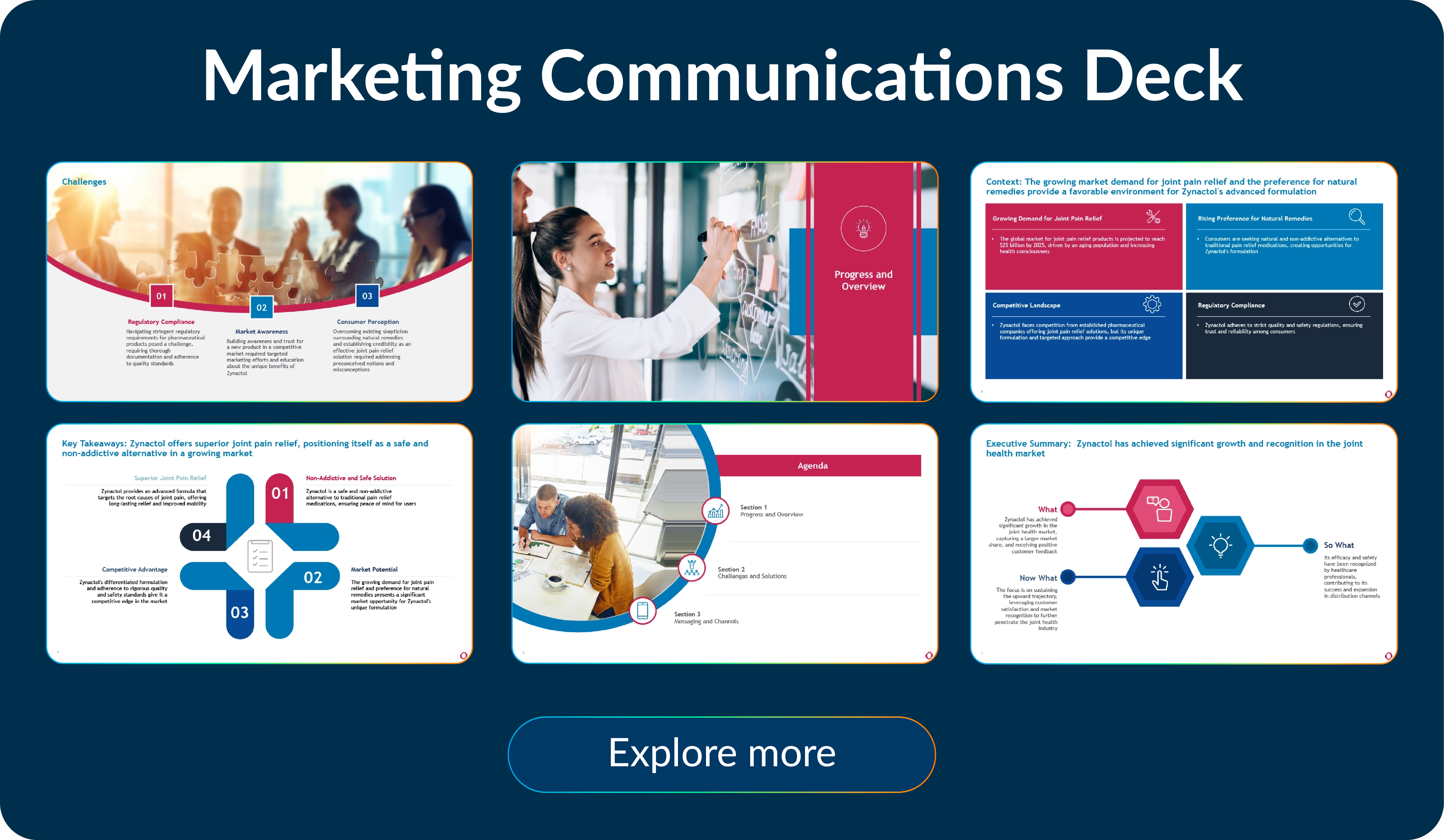
This type of deck outlines how the company communicates its value proposition and brand story across channels and audiences. At the C-suite level, it helps leaders see how campaigns stay consistent, reinforce the brand, and support business priorities. It’s especially valuable for aligning leadership on messaging before large-scale initiatives or launches.
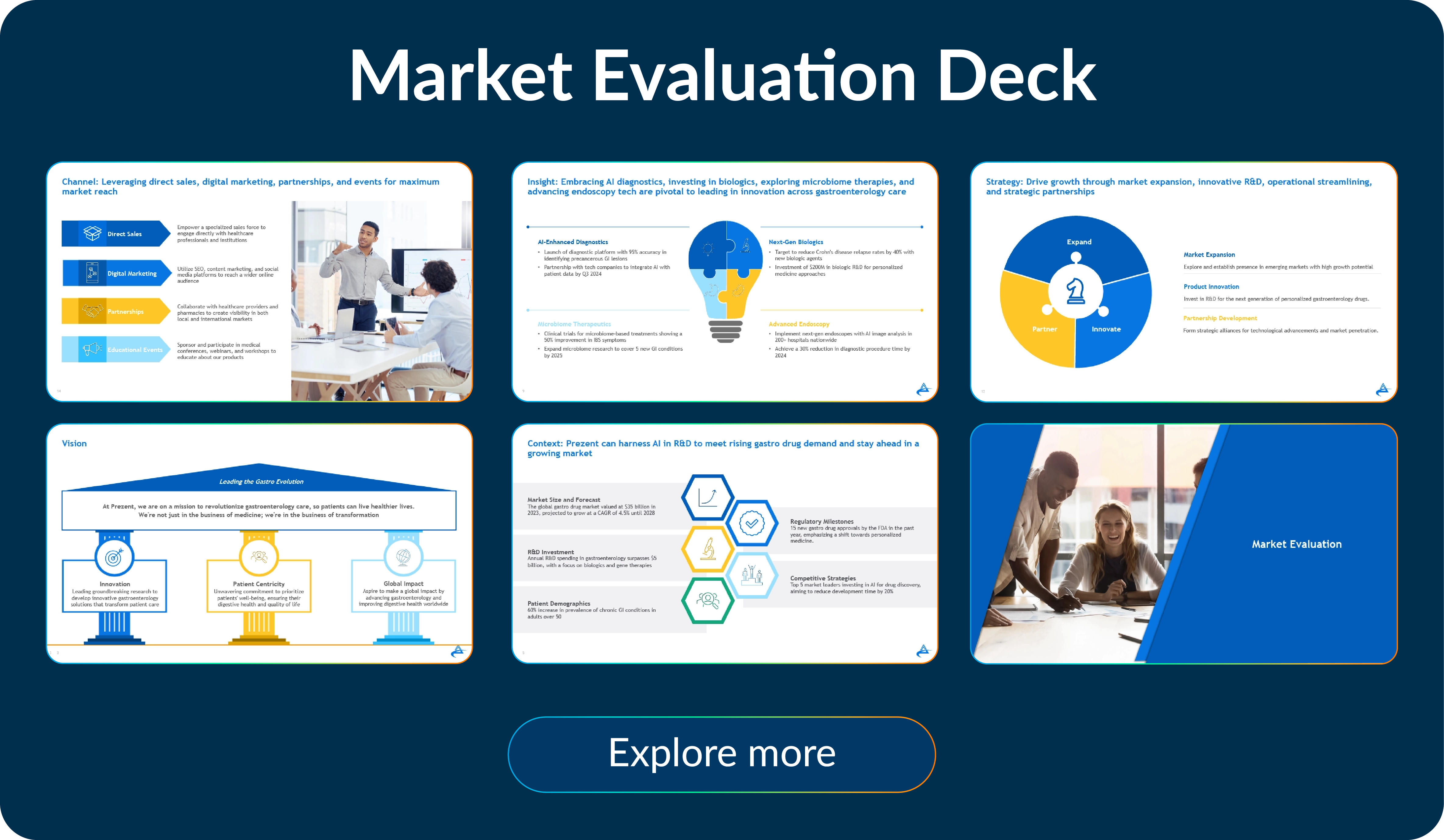
A market evaluation deck helps leaders understand the external environment—trends, opportunities, risks, and competitive dynamics. By combining data and insights, executives can make more informed decisions about market entry, expansion, or investment. This type of deck builds trust that marketing is forward-looking and grounded in real market intelligence.
Prezent helps teams build marketing presentations that are polished, brand-aligned, and tailored to executive audiences. It supports this in two powerful ways:
With Prezent’s Auto Generator, you can create a full marketing presentation using simple prompts, supporting files, or web links. Powered by Astrid AI, it ensures every presentation reflects your brand guidelines, speaks the language of your industry, and adapts to audience preferences—all while cutting down the time it takes to build a deck.
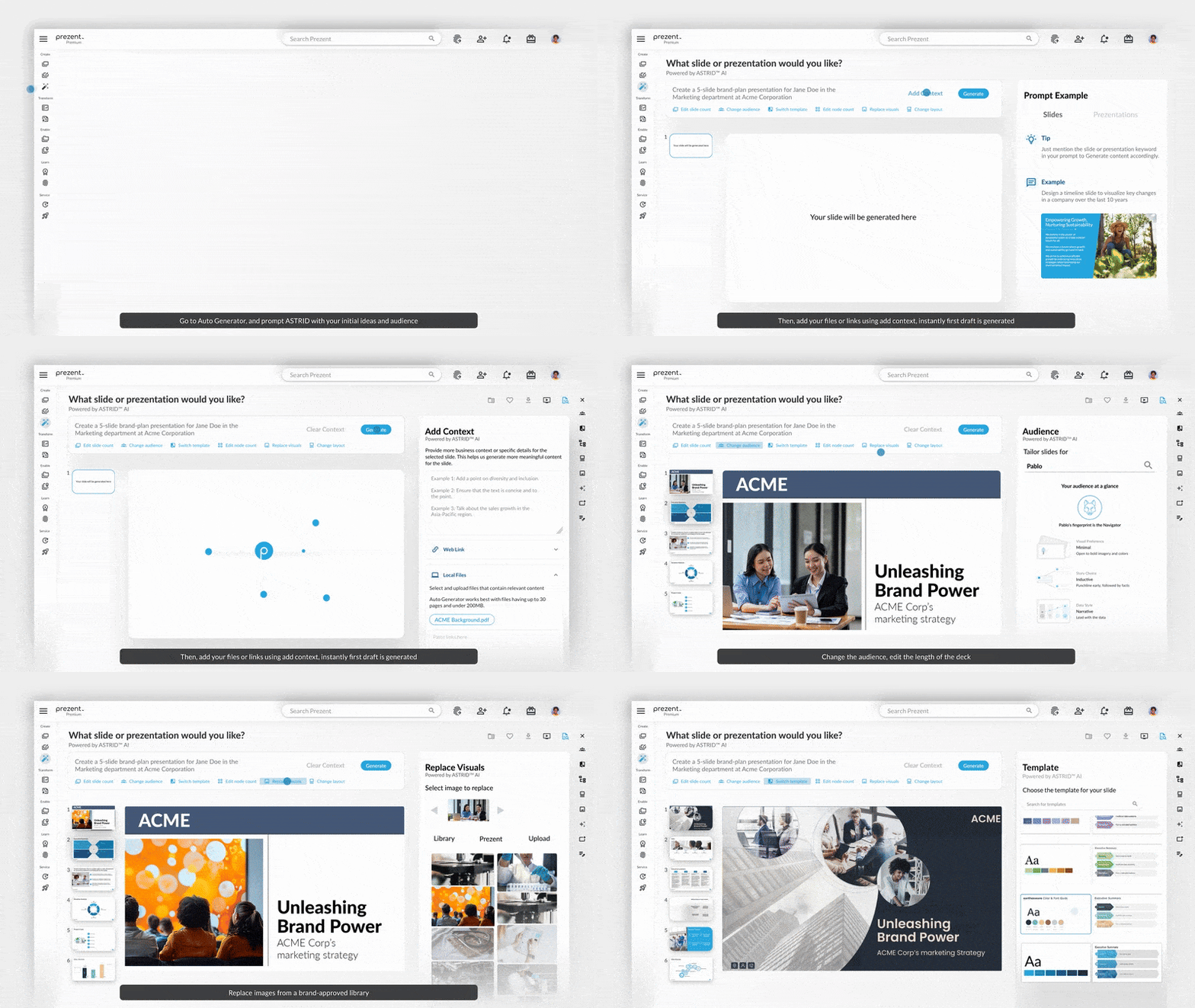
Prezent boosts your team’s productivity with access to a central library of over 35,000 expert-designed slides, searchable by topic or business use case. Once your brand guidelines are uploaded, every slide automatically adjusts to your company’s style, making it easy to build consistent, professional decks. You can easily customize these templates and download them for quick use, as they are fully compatible with Google Slides and PowerPoint.
You can also refresh existing presentations with one click with Template Converter. Prezent’s AI reviews fonts, colors, images, and layouts, then updates everything to match your brand standards and audience needs. For a detailed overview of how the Slide Library and Template Converter work, see the guide here.

These tools eliminate inconsistencies, reduce manual rework, and can cut slide preparation time by 70–90%. More importantly, they free up your time to focus on what matters most—crafting the right message for the C-suite, aligning with executive priorities, and preparing for impactful delivery. Instead of worrying about formatting, you can invest your energy in building the story and insights that win leadership trust.
Presenting to executives is a different game. They have limited time, high expectations, and want insights that drive decisions—not slides that overwhelm. In conversations with leaders like Lorraine K. Lee and Mark Huber, we learned the strategies that make presentations memorable, actionable, and influential.
1. Own the room
Start with confidence. Set the stage by clearly stating your purpose and what outcomes your presentation will deliver. Keep it focused only on what matters to decision-making. Be ready to answer questions succinctly. As Mark Huber notes, commanding the room isn’t just about your slides—it’s about presence, pace, and clarity.
2. Speak their language
Go beyond marketing jargon. Align every slide with what the C-suite cares about—business impact, ROI, and strategic priorities—and frame your message to match their preferred way of processing information. Focus on outcomes rather than operational details, and use pre-reads to set context so your live presentation can center on dialogue and decision-making. Prezent’s Communication Fingerprints can help you adapt your content to how executives absorb information, making your message land with greater clarity and impact.
3. Tell a story
Data alone won’t move leaders. Use storytelling frameworks like problem → solution → impact or before vs. after to give your insights structure. Incorporate visuals and metaphors to make complex information digestible. Powerful stories connect customer insights, strategy, and results, making your points stick. Prezent’s Story Builder offers over 1,000 expert-designed templates for common business scenarios, helping you craft clear, compelling narratives that capture attention and turn complex data into decisions that drive action.
4. Anticipate objections and drive action
Have deep-dive slides ready for questions, but keep the main story simple. Executives often prefer quick back-and-forth exchanges, focusing on the key points and decisions they need to make. Address concerns proactively and close with a clear call to action—whether it’s budget approval, a campaign launch, or next steps. Your goal is not just to inform, but to inspire decisions.
5. Track and refine
Measure success through executive feedback, follow-up actions, and requests for updated decks. Analytics—like slides viewed and time spent on key sections—can reveal what worked and what didn’t. This helps you continuously improve and align future presentations with executive expectations.
Building a marketing deck for the C-suite often takes hours—sometimes even days. AI-powered platforms like Prezent streamline this process, giving you back valuable time to focus on what matters most: shaping the message, engaging your audience, and driving impact.
From auto-generating complete decks to refreshing existing ones, and from tailoring content to executive preferences to crafting stories that stick, Prezent is designed to help marketers influence where it matters most—the leadership table.
Transform the way you communicate with Prezent. Start your free trial or schedule a quick demo today to see how effortlessly you can create decks that secure executive buy-in and drive real business results.
.webp)
Supriya is a Content Strategist and Creator at Prezent AI with extensive experience in brand storytelling, digital strategy, and B2B content. She has worked across SaaS and technology-driven businesses, building content engines that drive awareness, engagement, and pipeline growth. Passionate about crafting clear, insight-led narratives, Supriya focuses on turning complex ideas into compelling stories that resonate with modern business audiences. You can connect with her on LinkedIn.













