No items found.
No items found.

A design brief is an important guide to any design project.
Whether you’re creating a newsletter or redesigning an entire website, a design brief helps answer questions about the personnel, roadmap, and specifics of a design project.
This 1-2-3 guide to writing a design brief helps guide users through why a design brief is important, what it should include, and which resources can help.
Key Takeaways:
Simply put, a design brief is a document that outlines a design project. Design briefs are specific project management guidelines, but there’s no one right way to design them—design briefs can contain as much or as little information as you need, ranging from budgets, timelines, scopes, etc.
But if design briefs are so flexible, why use one at all? 🤔
Design briefs are essential to a project for several reasons:
Who is the project for? Who is working on it? Who is the competition?
These are some of the most foundational questions that users (both internal and external) may ask about a design project, and the answers to those questions should be among the first factors you consider as you write your design brief.
Say your project is creating a digital experience for your client’s website. The audience for this project is likely to include personnel from many layers within your client’s organization ranging from their administrators, IT support, CXO, and CEO. With that in mind, define who your audience is before putting ink to paper.
Along with the body of your design brief, include an executive summary. While “executive” can refer to the summary’s context to the rest of the brief, it can also describe its intended audience as the executive summary condenses and distills the technical details of your design brief into a digestible, easily conceptualized, bite-sized page—perfect for executives who aren’t interested in the technical specifics of a project.
Who will be implementing this design project? What teams will be involved? What do you need from each team?
Along with establishing your external audience, consider your internal team. Establish a team leader, a point of contact for your client, and the expected contribution from each team involved.
Who is your competition? What sets your organization apart from them? What is unique about your vision?
Design briefs are essential throughout the lifetime of a project, but they also function as “shopping documents” for clients receiving bids for a project. Consider using tools like brainstorms and mood boards to forge your unique identity.
Unlike your external audience and internal team, avoid explicitly listing your competition in the design document, but the factors that separate your organization from others should be present throughout the brief.
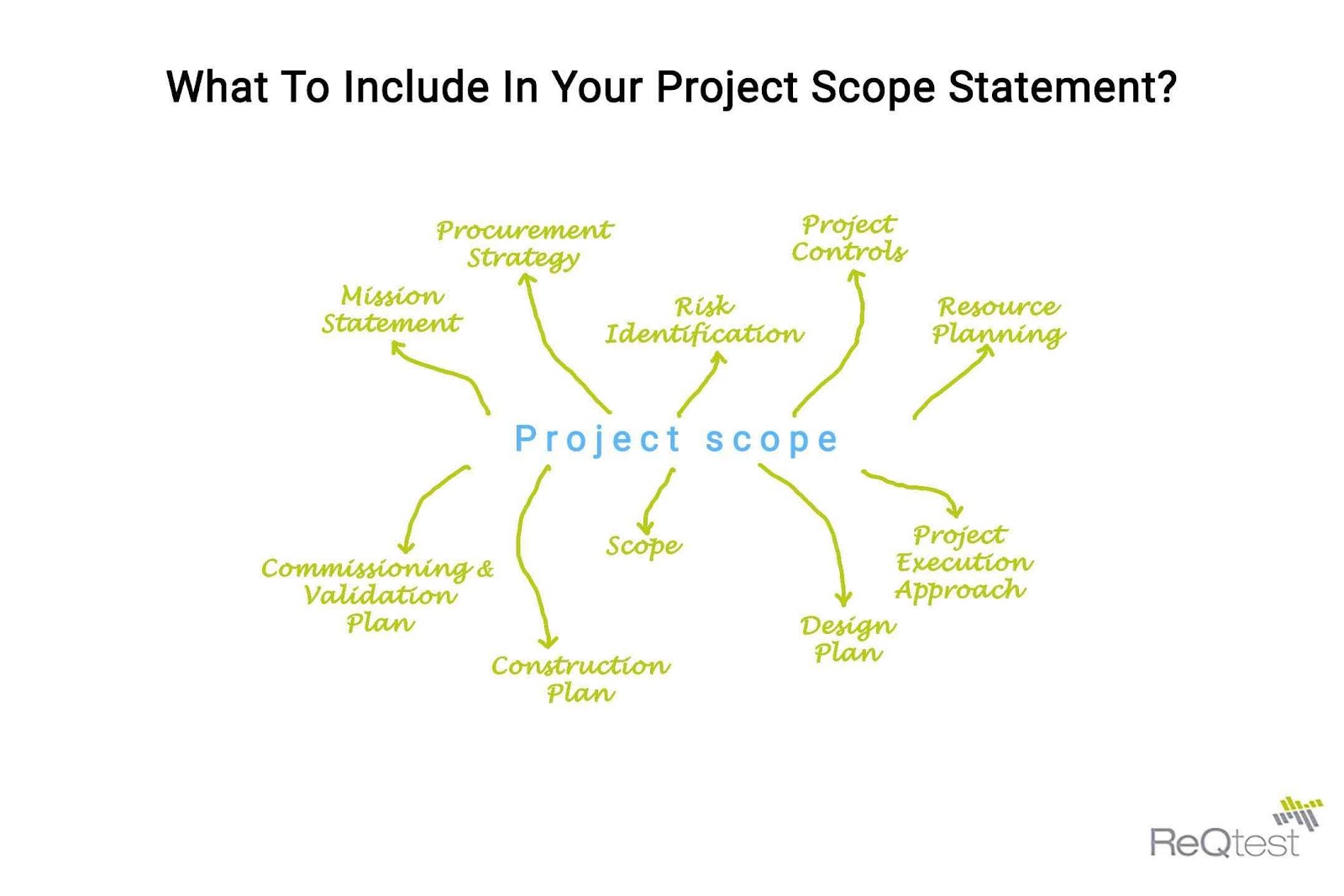
The scope statement is perhaps the most important component of a design brief. Along with the scope statement, use your design brief to answer questions about what the status quo is, what your goals are, and what it will take to get there.
A scope statement is the spine of your design brief. It establishes the technical requirements of the project, the goals and objectives, the deliverables, and the limitations. The scope statement is important for your design brief because it delivers the clarity, efficiency, and direction that you set out to establish, but it has another important function: preventing scope creep.
Scope creep occurs when expectations grow larger and larger over the life of the project. For example, what started as a simple logo redesign might grow to include multiple colorways, a style guide, logo variations for each department, etc. A scope statement helps establish bumpers to prevent this gradual increase in expectations from ballooning out of control.
What does success look like? Can you measure it? Who decides when the project is complete?
Rather than leaving those questions up for discussion towards the end of the project, establish specific goals within the scope statement and throughout the design brief. Your clients, colleagues, and supervisors will assess the success of your project based on how well it meets these goals, so it’s in everyone’s best interest to be as specific as possible when defining your goals.
For example, as President Biden tackles inflation, his goal is not simply to boost the value of the dollar but to achieve long-term economic health. By defining these goals, he can avoid the pitfall of proclaiming ‘mission accomplished’ over short-term victories when long-term dangers persist.
Along with defining where you want to end up, assess where you are: does the client already have a digital platform you can build off of? Do they already have a prototype from which they’d like you to incorporate pieces? Include what resources you already have at your disposal, what the final project should look like, and what it will take to bridge the gap between the two.
A journey of a thousand miles begins with the first step.
While the long-term vision and overarching design principles are important components of your design brief, the specifics are just as important. There are at least two specifics that your design brief needs to provide:
As technology becomes increasingly advanced, delivery apps like Doordash or Instacart have upgraded their tracking. Instead of simply telling the user when to expect their delivery, they update specific progress milestones and show a GPS-enabled map of their drivers’ location.
Communicate this same level of detail in your design brief. Rather than simply providing a final deadline, provide milestones to measure your timeliness along the journey. Such communication helps set healthy expectations, provides early warning for lagging behind projects, and maximizes satisfaction by keeping everybody on the same page.
For example, the home construction business is experiencing significant delays due to labor and supply shortages. Rather than leaving their end customers in limbo, contractors can use timelines to create a more granular, comprehensive timeline.
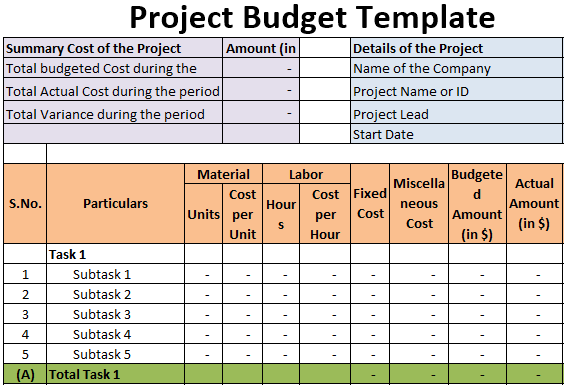
Similarly, your design brief should be specific about the budget. How much will the project cost? What factors might change that price? If costs go up, who will pay the difference?
The budgetary needs of your design brief will depend on the nature of your project: a complex, long-term project with many moving parts will have a complex budget, while a short-term, straightforward project may not need to worry about these considerations.
Regardless of the complexity and length of your design project, use your brief to define a concrete budget and provide guidelines for how that number may change over time.
Documents like design briefs can take a lot of time to create. The stakes are high, both in terms of the time that goes into creating a design brief and the impact a well-crafted presentation can have on the success or failure of a project.
Whether you’re creating a design brief, a business plan presentation, or just a routine Tuesday meeting, the way you tell your story matters. Prezent helps you tell your story skillfully, collaboratively, and effectively.


.png)