No items found.
No items found.

Not everyone has the time or patience to wade through a full business plan, lengthy report, or a project proposal, right? That’s where the executive summary comes in—a lifesaver for busy executives, potential investors, or anyone else who needs to grasp the essentials without drowning in details. So, what exactly is an executive summary, and how do you write one that’s clear, concise, and actually gets read? Let’s break it down.
An executive summary is essentially the business world’s version of Cliff Notes. It’s a condensed version of a longer document—a business plan, project plan, or report—that provides an overview of the key points, financial information, and recommendations. It’s designed to give the reader all the critical information they need without having to read the entire document. Think of it as a highlight reel for your document, summarizing the main points and selling your ideas in a way that’s easy to digest.
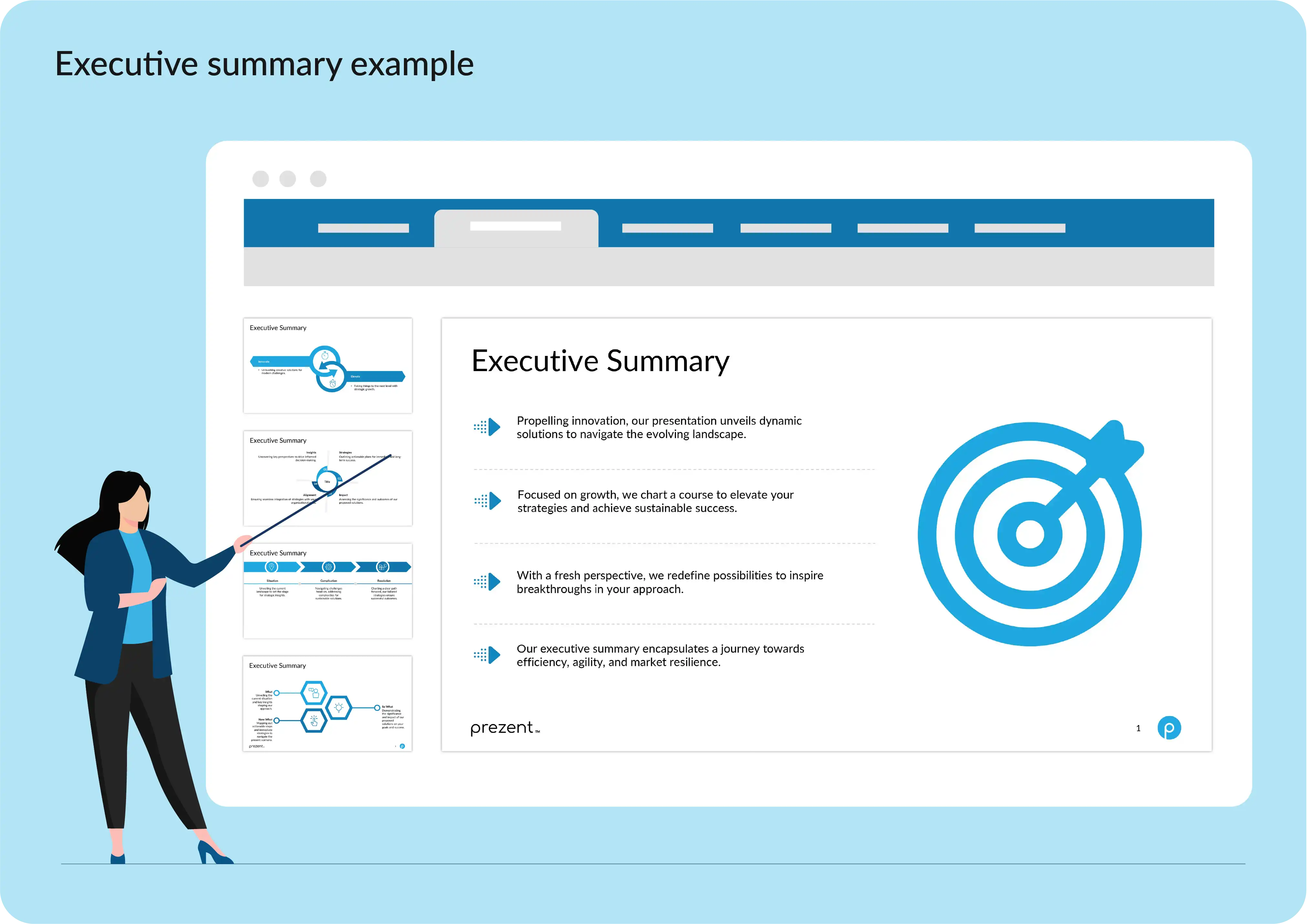
Imagine being an executive with a packed schedule, who has to make decisions faster than a New York minute. You don’t have time to read a 50-page report on every proposal that crosses your desk. This is where executive summaries are critically important. They provide a clear and concise analysis of the document’s most important information, allowing for quick, informed decisions. In fact, your executive summary is the first—and sometimes only—section that gets read. It’s your shot to grab the reader’s attention, speak directly to their concerns, and persuade them to keep reading or take action.
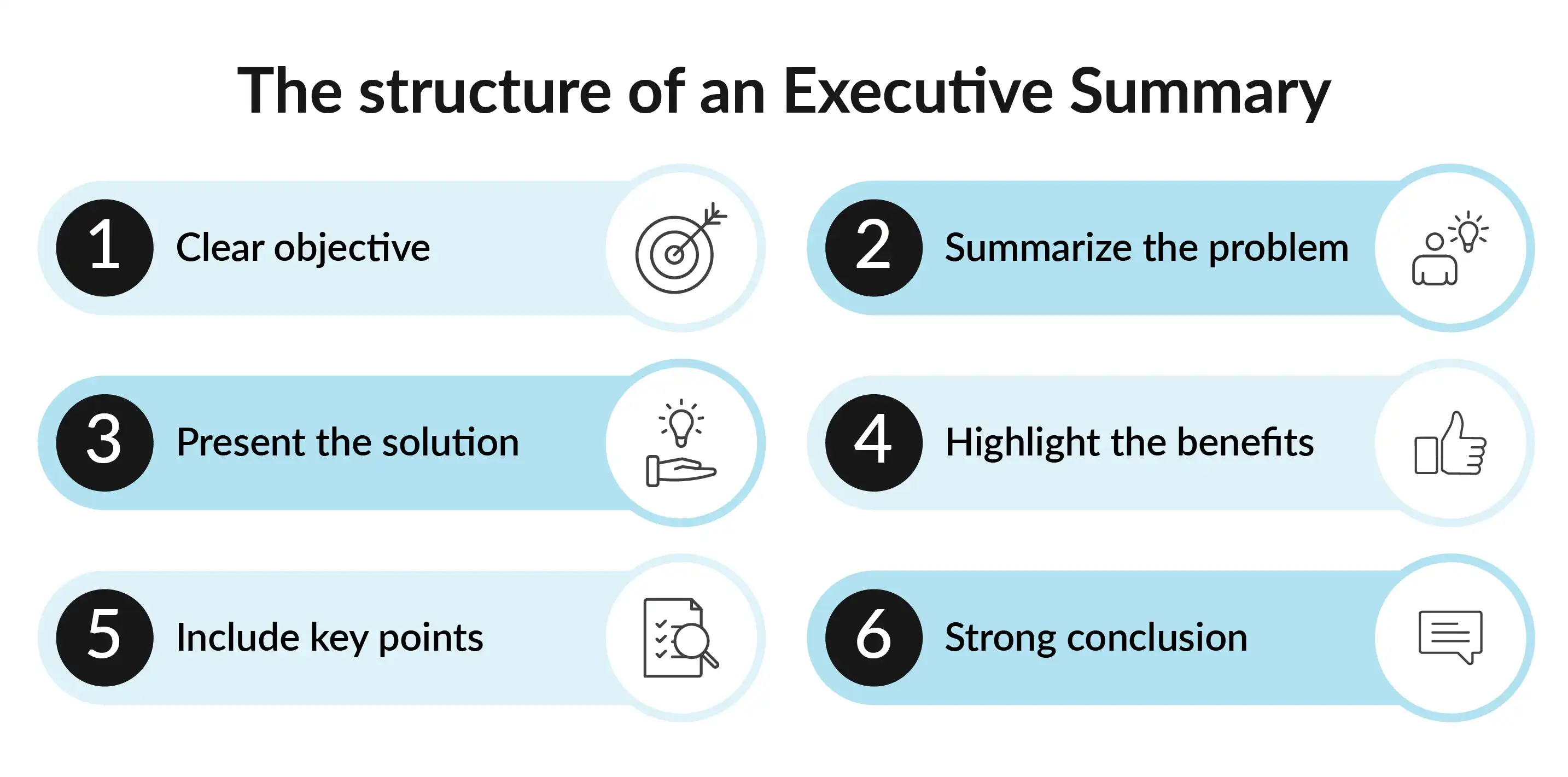
Begin by stating the purpose of your document. Whether you're writing an executive summary for a business plan, a marketing plan, or a research report, make sure the reader immediately knows what they’re diving into. You want to be as clear and concise as possible. The objective of your executive summary is the hook that gets the reader interested in what’s to come.
Every good executive summary must address the “why.” Why does this document exist? Why should the reader care? Provide an overview of the problem or proposal you’re tackling. This could be anything from a new market analysis, a project management strategy, or a business case for expanding operations. The key here is to condense the issue into a few impactful sentences that highlight the stakes and set the stage for your solution.
Here’s where you provide the meat of your executive summary. After summarizing the problem, offer your solution or recommendation. This section should be actionable, speaking directly to the target audience’s needs and showing how your plan solves the problem. Whether it's a new marketing plan to enter new markets, a financial strategy to streamline operations, or a management tool to improve project execution, this is where you shine.
Now that you've presented your solution, it’s time to sell it. What makes your proposal stand out? What benefits does it offer? This section should provide a brief, high-level overview of the key selling points—financial benefits, efficiency gains, market expansion potential—whatever makes your value proposal irresistible. This is where you justify why your executive summary provides a valuable solution.
Even though you’re summarizing, don’t skimp on important details like financial information or key findings from your research. This is where bullet points can come in handy. List out the main sections of your full report that back up your recommendations, such as market analysis data, projected financials, or the management team’s credentials. A good executive summary is thorough and complete, yet concise.
Finish strong. The conclusion of your executive summary should reinforce the importance of your proposal and leave the reader with a clear call to action. Whether it's approving a budget, moving forward with a project plan, or simply scheduling a follow-up meeting, make sure your conclusion is clear and compelling.
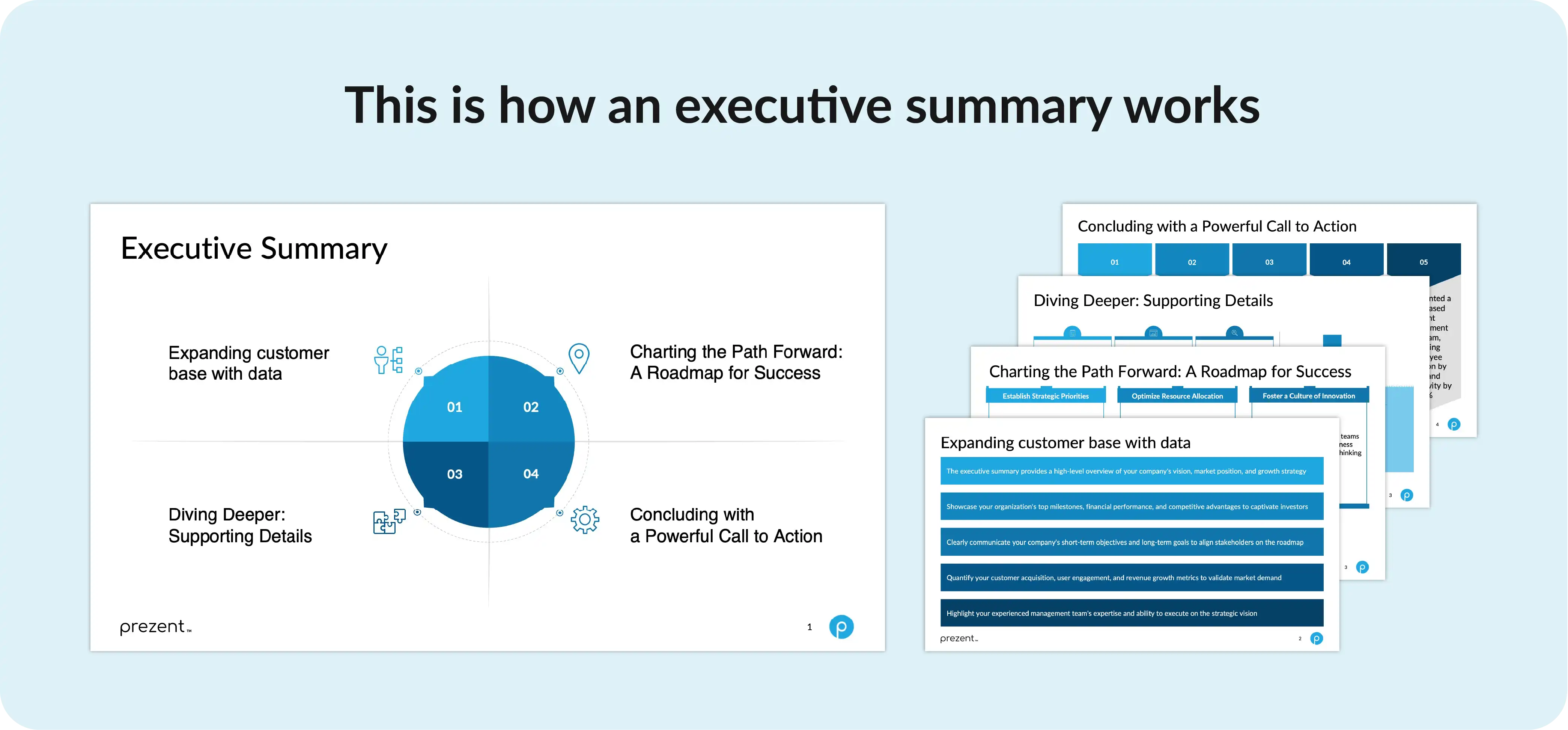
Writing an executive summary for a presentation is a bit like cooking a gourmet meal in a food truck—you’ve got to pack a lot of flavor into a small space. Unlike an abstract, which is often written for academic papers, an executive summary for a presentation needs to be sharp, focused, and tailored to your target readers. Here’s how you do it:
1. Know your audience
Before you even start writing, you need to know who’s going to read your executive summary. Are you presenting to a finance team that’s all about numbers? Or maybe it’s a management team more interested in strategic overviews? Your audience will determine the content of your executive summary. For example, a summary for a business plan should differ depending on the document's purpose—whether it’s for internal stakeholders or potential investors.
2. Be clear and concise
Your executive summary must be clear and concise, summarizing the document’s main points without overwhelming the reader. The goal is to provide an overview that’s easy to understand, even if the reader doesn’t have time to review the full document. This means cutting out any fluff and getting straight to the point. If you are unsure of how to do so, simply turn to the AI summarizer. This utility can smartly summarize your document and present all of its key points in a clear and concise manner.
3. Use bullet points and visuals
In presentations, bullet points are your best friend. They make your executive summary easy to scan and digest. If your summary is packed with critical information, consider using visuals like charts or graphs to highlight key findings. This not only makes your summary more engaging but also helps convey complex data in an easy-to-understand format.
4. Edit ruthlessly
Once you’ve got your draft, it’s time to cut, cut, cut. An effective executive summary should be no longer than one page. You want to leave the reader wanting more, not wishing they’d never started reading in the first place. Remember, your summary is the first section the reader will see, so make it count.
5. Tailor the summary to the Presentation’s flow
Unlike a larger document, an executive summary for a presentation should follow the flow of the slides. This means structuring your summary to align with the main sections of your presentation. If your presentation is split into three parts—problem, solution, and benefits—your executive summary should reflect this structure.
1. Being too vague
Avoid writing an executive summary that’s so vague it could apply to any document. Your summary must be specific to the content of your document, offering a condensed version that still provides a thorough and complete overview.
2. Overloading with information
It’s tempting to cram every bit of data into your summary, but remember, the goal is to condense the content. Focus on the main points and save the rest for the full document.
3. Ignoring the target audience
The format of an executive summary can differ depending on the document and the target audience. Make sure you’re tailoring your summary to meet the needs of the people who’ll be reading it.
4. Skipping the call to action
Every good executive summary provides a clear call to action. Don’t leave your readers hanging—tell them exactly what you want them to do next.
1. Leverage free Executive Summary templates
If you’re new to writing executive summaries, using a free executive summary template can help you get started. Templates offer a structured format that ensures you include all the necessary components without missing critical information.
2. Use intelligent presentation tools like Prezent
Presentation tools like Prezent's executive summary software can help you organize your thoughts and ensure your summary covers all the necessary points. This presentation tool is especially useful when writing executive summaries for complex presentations that involve multiple slides and complex data.
3. Practice your writing skills
Even if you’re a pro at creating business plans, writing executive summaries requires a different set of skills. Consider taking writing courses or using online resources like a writing center to hone your abilities.
4. Update your Executive Summary regularly
Executive summaries are often used in business documents that evolve over time. Make sure to update your summary as your document changes. This ensures that your summary always reflects the most current and relevant information.
5. Learn from Executive Summary examples
One of the best ways to learn how to write a good executive summary is by studying executive summary examples. Look for examples that are appropriate for the type of document you’re creating and use them as a guide for your own work.
Creating a sharp, concise executive summary that’s perfectly aligned with your brand and audience can be challenging, especially when time is tight. Fortunately, Prezent’s Synthesize feature takes the guesswork out of this process, allowing you to generate executive summaries for your presentations that are both effective and efficient.
With Prezent, you can instantly create a brand-aligned executive summary for your presentation deck. Simply upload your 20-slide deck, and in just seconds, the Synthesize feature generates a one-page summary that captures the essence of your content. The best part? The summary is automatically formatted in your selected brand template, ensuring consistency and professionalism.
Prezent doesn’t just stop at generating a summary—it offers you the flexibility to fine-tune your content to perfection. Need to switch the audience or adjust the tone? Want to change the template or tweak the layout? Whether it’s altering the number of key messages or updating images, you can make these adjustments with just a few clicks. This level of customization empowers you to create a personalized, impactful executive summary tailored specifically to your presentation’s goals and your audience’s needs.
Once you’ve crafted the perfect executive summary, Prezent makes it easy to integrate it into your workflow. You can add the summary slide to your Prezent library for easy access in the future, or download it directly to your desktop for further edits in PowerPoint. This seamless transition ensures that your summary is ready to impress, whether you’re presenting tomorrow or making last-minute adjustments right before the meeting.
In short, Prezent’s Synthesize feature not only helps you generate concise, audience-specific executive summaries but also allows you to refine and perfect them, all while staying true to your brand. Ready to see how effortlessly you can create impactful executive summaries? Try Prezent for free or schedule a demo to experience its full capabilities firsthand.






.avif)

